Choosing tree canopy size for accurate shading studies
How to scale tree canopy blocks correctly for shading and shadow studies, with realistic canopy diameter ranges by tree age.
Saumyajit MaityUpdated 23 May 20265 min read
Why canopy diameter is the number that actually matters here
A shading study lives or dies on one number per tree, the canopy diameter, and it's the piece of a tree block that people get sloppiest about because it's so easy to just drop in a tree symbol at whatever size looks visually pleasing on the sheet rather than the size that will actually cast the shadow the study claims it will. I've reviewed site plans where the tree symbols were clearly scaled for graphic balance, big enough to look substantial next to the building footprint, with no real relationship to the mature canopy spread of the actual species specified in the planting schedule, and once you're using that drawing to justify a shadow analysis for a planning submission, that gap between drawn size and real size becomes a real problem rather than a cosmetic one.
What counts as a realistic canopy range
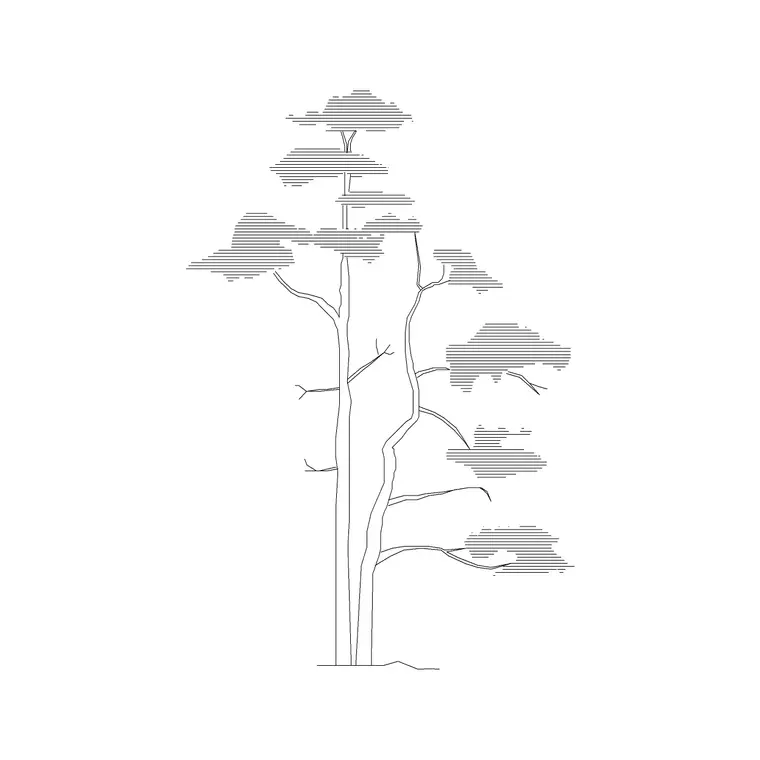
Canopy spread varies enormously by species, but as a general drafting reference, a small ornamental tree used for accent planting typically matures to somewhere in the 3 to 5 meter canopy range, a medium shade tree common in residential and streetscape work usually lands in the 6 to 10 meter range at maturity, and a large canopy shade tree, an oak or a mature plane tree for instance, can easily reach 12 to 18 meters or more across depending on the species and growing conditions. Conifers tend to run narrower relative to their height than broadleaf trees, often keeping a canopy spread in the 3 to 6 meter range even at a fairly tall mature height, which matters if you're mixing conifers and broadleaf species on the same shading study since a like for like height comparison won't give you a like for like shadow.
The catch here is that a tree's canopy at the time of planting is nowhere near its mature canopy, so if your shading study is meant to represent conditions ten or twenty years after planting, you need to be scaling for the mature figure, not the size the tree will actually be on installation day, and that distinction should be called out clearly in your drawing notes so nobody downstream misreads which condition the study represents.
Scaling the block correctly in your CAD file
Once you know the target mature canopy diameter for a species, insert the tree block and use INSERT with an explicit scale factor rather than dragging it to a size that looks right, then measure the inserted block's diameter with the DIST command to confirm it actually matches your target figure in the drawing's real world units. It's worth doing this check even on blocks you've used before, because a block inserted into a drawing set up in different units than the block was originally drawn in can come in at a wildly wrong scale without any obvious visual cue that something's off, especially if you're working across a mixed metric and imperial project.
For a shadow study specifically, plan view canopy circles are what actually get used in the sun path or shadow diagram, so make sure your plan view tree blocks, not the elevation silhouettes, are the ones carrying the correct scaled diameter, since it's easy to nail the scale on an elevation block for a pretty rendering and forget the plan symbol entirely.
Layering canopy circles for a defensible study
A shading study that's going to be scrutinized, for a planning submission or a solar access assessment, usually benefits from showing both the planted canopy size and the mature canopy size as two separate circles on the same tree, a solid line for planted condition and a dashed line for the mature condition at a stated number of years out, so a reviewer can see the trajectory rather than a single static snapshot that might be read as either optimistic or overly conservative depending on which figure you chose. Put these on their own dedicated layer, something like L-PLANT-SHADOW, separate from your general planting plan layer, so the shading study circles can be toggled independently of the decorative planting symbols used elsewhere on the same base drawing.
Canopy density matters as much as canopy diameter
Diameter gets most of the attention because it's the easiest number to pull from a schedule and apply to a block scale, but a genuinely careful shading study also has to account for canopy density, since a dense evergreen conifer canopy blocks light far more completely than the dappled, partial shade cast by an open branching deciduous species even at an identical canopy diameter. A shadow diagram that treats every tree as a uniform solid disc regardless of species is technically simpler to produce but it overstates the shading effect of open canopy trees and, less obviously, can understate how much a dense conifer screen will actually block in a way that matters for something like a solar panel placement study or a neighboring window's daylight assessment.
For studies where this distinction actually matters, it's worth noting canopy density qualitatively in the drawing legend, dense evergreen, moderate deciduous, or light open canopy, alongside the diameter figure, so a reviewer isn't just trusting a uniform gray circle to represent every species equally. It's a bit more work at the drafting stage but it's the kind of detail that separates a shading study built to actually inform a design decision from one built purely to satisfy a checkbox on a submission requirement.
A quick sanity check before you submit anything
Before a shading study goes out the door, I always cross check the canopy diameters against the actual planting schedule one more time, species by species, because it's very easy for a canopy size to get updated in the schedule during design development while the CAD blocks on the shadow diagram quietly stay at whatever scale they were inserted at months earlier. It only takes a few minutes to select each tree block, check its bounding box dimension, and compare it against the schedule's mature spread column, but it's the kind of check that catches real discrepancies before a planning reviewer does, and for instance a single oversized or undersized specimen tree on an otherwise careful study is exactly the kind of thing that gets flagged in a review comment and sends the drawing back for revision.
Further reading
Questions
Frequently asked
Should a shading study use the planted canopy size or the mature canopy size?+
It depends what condition you're studying, but most defensible shading studies use the mature canopy size, sometimes shown alongside a planted size circle, and the drawing notes should state clearly which condition and year the diagram represents.
How wide should a mature shade tree canopy be drawn?+
Typically in the 6 to 10 meter range for a common medium shade tree species, though a large canopy species like an oak can reach 12 to 18 meters or more, so always check the actual species in the planting schedule rather than using a generic figure.
Do conifers need a different canopy scale than broadleaf trees for shading work?+
Usually yes, conifers tend to keep a narrower canopy spread, often 3 to 6 meters, relative to their height compared with broadleaf shade trees, so mixing the two species types on one study needs species specific scaling rather than one blanket size.
Free downloads from this article
Free CAD block library
Download the blocks from this article — free, no signup