Curated pack · tree cad blocks
Free landscape and tree DWG pack
By Saumyajit Maity · Published 29 Oct 2023 · Updated 20 Jan 2026
Landscape and planting information brings a site plan to life, and it is far quicker when the trees are already drawn. This free landscape and tree DWG pack gathers plan-view and elevation trees, palms, shrubs and potted plants in DWG and DXF, drawn to scale and ready to insert into AutoCAD 2004 or later. Everything is free for personal and commercial work, with no signup and no watermark.
Use the pack to dress site plans, landscape masterplans, street sections and presentation drawings. Because the blocks are scaled, you can size each canopy to the species you are specifying and check it against paths, buildings and boundaries.
Good planting graphics do more than decorate a drawing — they communicate design intent. A row of evenly-spaced street trees reads as formal and urban; a loose, varied cluster reads as naturalistic. Because every block here is editable and licence-clear, you can tune the symbols to carry that intent, from a tight civic avenue to a soft woodland edge, without paying for a library or starting from a blank canopy each time. The pack is deliberately broad so one download covers the structural trees, the ornamental planting and the ground-level shrubs a typical scheme needs.
What's in the landscape pack
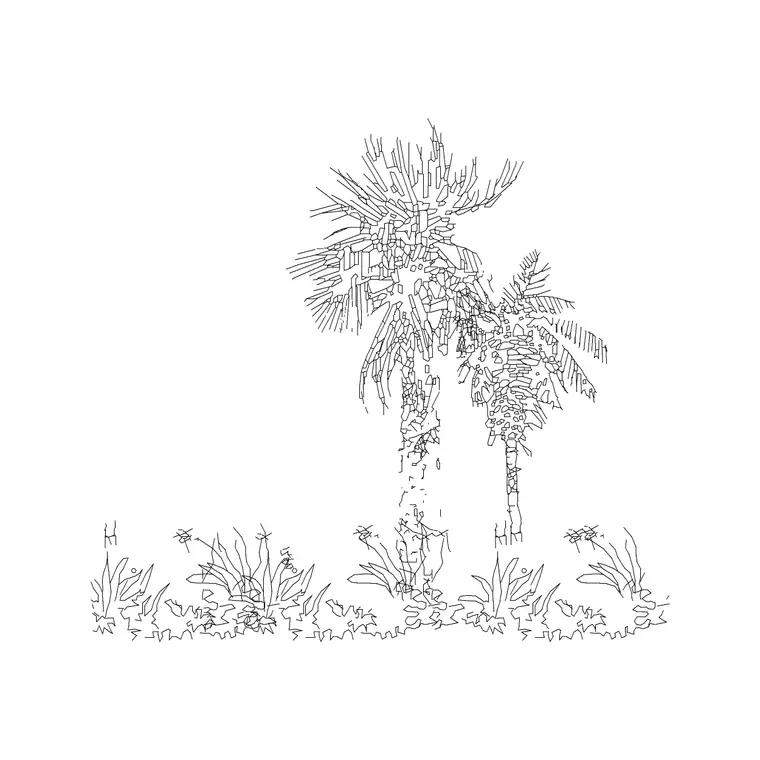
The pack covers the planting palette you reach for most. Plan-view trees: broadleaf canopies, conifers and palms drawn from above for site and landscape plans. Elevation trees: the same families seen from the side for street sections and building elevations. Shrubs and hedging for boundary and bed planting, plus potted plants and planters for courtyards, balconies and interior landscaping.
The blocks are drawn on a planting layer convention so you can recolour the canopy, the trunk and the symbol independently, and freeze the lot when you want a clean structural plan.
Scaling trees to real canopy sizes
Trees vary enormously, so scaling is where you make a planting plan believable. Reference spreads: small ornamental tree 2–4 m, medium tree 5–8 m, large shade tree 8–12 m, mature forest tree 12 m and up. Palms read narrower, governed by frond spread rather than a broad canopy.
Insert the block, then scale it so the canopy matches the mature (or design-year) spread of the species. For a natural look across a group, vary the scale and rotation slightly between instances so the trees don't look stamped from a single template.
Plan view for masterplans, elevation for sections
For site plans and landscape masterplans you work in plan: canopies seen from above, positioned against paths, buildings and boundaries, and arrayed along avenues. The plan blocks are what you path-array down a street centreline or scatter across a parkland scheme.
For street sections, building elevations and presentation views you switch to elevation trees seen from the side, drawn at believable heights so they sit correctly against the architecture. Many blocks in the pack ship both views, so one download serves both the plan and the section.
Building a planting layer
Set up a planting layer (commonly L-PLANT or similar) and insert all trees onto it so the landscape information has its own colour, lineweight and on/off control. A dedicated layer lets you produce a clean structural plan by freezing planting, and a full landscape drawing by thawing it.
To lay out an avenue or a grid like an orchard, use ARRAY — a path array along a road centreline, or a rectangular array for a grid. For informal planting, copy and vary the blocks by hand. When the planting reads well, you can WBLOCK a planted area as a reusable group for similar schemes.
Who uses the landscape pack
Landscape architects and designers use it to dress masterplans and produce planting plans quickly. Architects use it to add context planting to site plans and elevations. Students use it for studio and portfolio work where scaled, licence-clear trees matter.
Pair the landscape pack with the paving, outdoor and people categories to build a complete external-works drawing — planting, hard landscape and scale figures — from one free, consistent block library.
Reading a planting plan at the right scale
How much detail a tree symbol should carry depends on the scale of the drawing. On a large site masterplan at, say, 1:500 or 1:1000, a simple circle or lightly-textured canopy reads best — a busy, highly-detailed symbol turns to mud at that size. On a detailed landscape plan at 1:100 or 1:200, you can afford richer canopies that distinguish species and show character. The pack includes both simple and detailed symbols so you can match the block to the drawing scale.
It also helps to think in layers of information: structural planting (the big trees that shape the scheme) on one layer, ornamental and shrub planting on another, and grass or ground cover as a hatch beneath. Drawn this way, a single file can produce a clean concept plan, a detailed planting plan and a long-term 'mature' view simply by controlling which layers are visible and how the canopies are scaled. It is worth setting up that layer convention once and saving it into a template, so every new landscape drawing starts from the same structure and your planting plans stay consistent across a whole project.
Free download
Browse the full library — DWG & DXF, no signup.
Questions
Frequently asked
Are these tree blocks in plan or elevation?+
Both. The pack includes plan-view trees for site and landscape plans and elevation trees for street sections and building elevations. Many individual blocks ship both views in the same DWG.
How do I scale a tree block to the right size?+
Insert the block, then use SCALE with the trunk as the base point and a factor that brings the canopy to the species' mature spread — for example, a factor of 2 to take a 4 m canopy block to 8 m.
Are the landscape blocks free for commercial use?+
Yes. Every block downloads free in DWG and DXF with no signup, no watermark and no attribution requirement, and they are cleared for commercial project use.
Can I array trees along a curved road?+
Yes. Use a path array (ARRAYPATH): select the tree block, then the road centreline or planting curve as the path, and set the spacing. AutoCAD distributes copies evenly along the curve.
Related downloads
Blocks for this guide



Related categories
Related guides
Curated pack
Free Landscape CAD Block Pack — DWG & DXF
A free landscape CAD block pack in DWG and DXF — trees, shrubs, fences, paving, lighting and figures for AutoCAD landscape plans. No signup, commercial-use OK.
Curated pack
Free Garden CAD Block Pack — DWG Download
A free garden CAD block pack in DWG and DXF — trees, shrubs, fences, a swing, a BBQ and paving for residential garden plans. No signup, commercial OK.
Curated pack
Free Paving & Hardscape CAD Block Pack — DWG
A free paving and hardscape CAD block pack in DWG and DXF — paving patterns and textures for paths, terraces and driveways. No signup, commercial OK.