Sports car vs luxury sedan CAD blocks: when detail level matters
Sports car and luxury sedan blocks carry more visual weight than a standard car. Here's when that extra detail is worth reaching for.
Saumyajit MaityUpdated 19 April 20265 min read
Not every drawing needs a hero vehicle
People assume a more detailed, more premium-looking vehicle block automatically improves a drawing, and honestly that's not always true, a sports car silhouette dropped into an ordinary suburban site plan can look strange rather than impressive, out of place with everything around it. The detail level of the vehicle block you choose should match the detail level and intent of the drawing itself, not just be the flashiest option available.
I think of it a bit like furniture selection in an interior render, a single statement piece works because everything else in the room is deliberately kept simpler around it, and the same logic applies to vehicle blocks. A drawing with one clearly intentional hero vehicle and everything else plain reads as considered, while a drawing where every vehicle is competing for attention just reads as cluttered, regardless of how good any individual block looks on its own.
The Sports Car block and where it earns its place
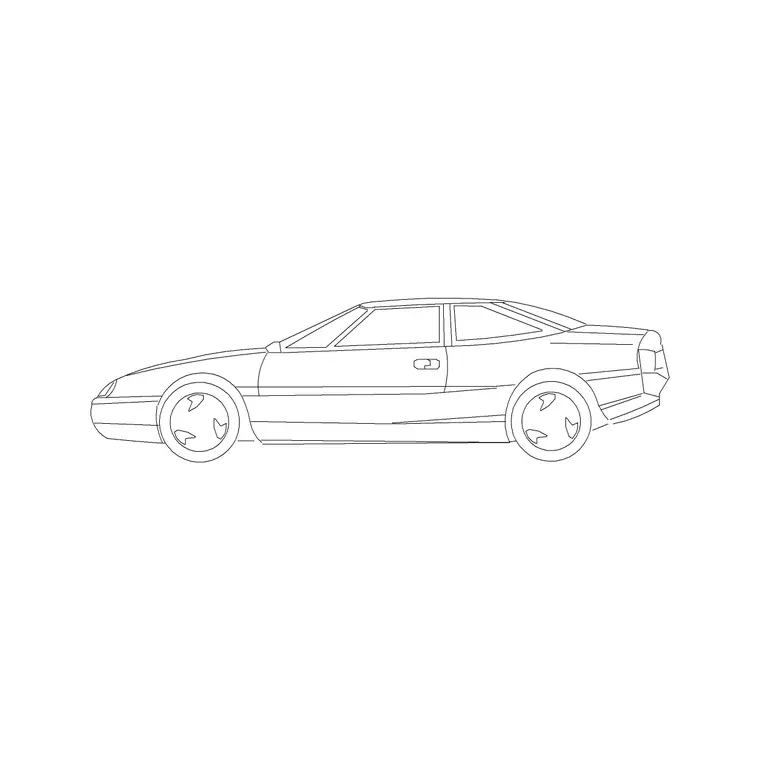
The Sports Car block on cadblockdwg.com carries a lower, sleeker profile than a standard sedan, typically shorter in overall height with a longer bonnet-to-cabin ratio, and it's genuinely the right choice for marketing renders, dealership forecourt drawings, boutique retail elevations, or any context where the brief is explicitly asking for a premium, aspirational feel. I'll also reach for it on hero shots, the single most important elevation view in a presentation package, where a bit of visual polish is actually the point.
The Sedan Car block as your luxury-sedan stand-in
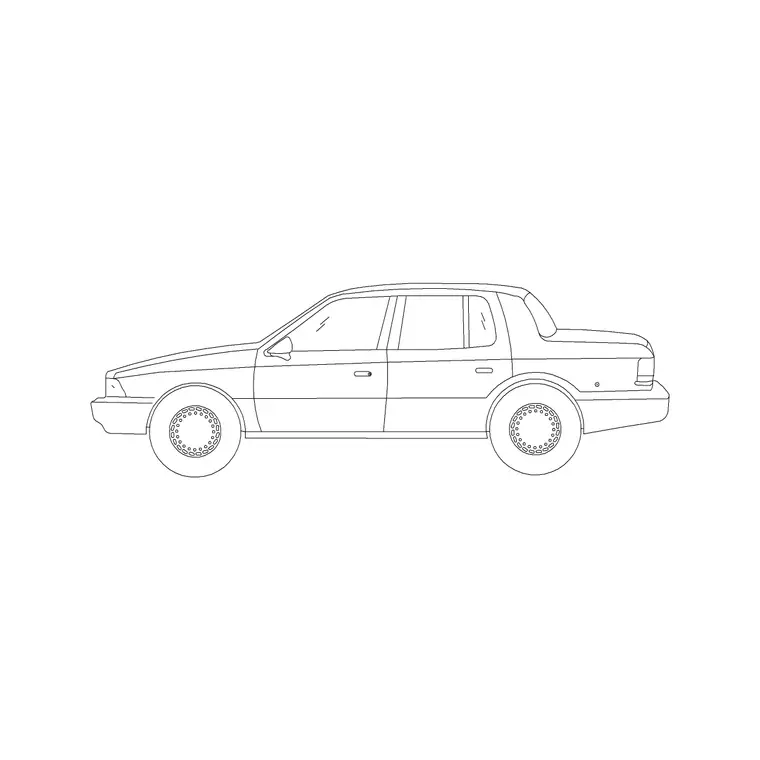
For a luxury sedan specifically, distinct from a sports car in that it's still a four-door, family-usable body but with a more refined, elongated proportion, the Sedan Car block is the practical baseline to build from on this site, since it shares the same general footprint as an executive sedan even if it isn't drawn with badge-specific detailing. In real terms, a luxury sedan sits close to a standard sedan's dimensions, typically 4.7 to 5.1 metres long, just with a longer wheelbase proportion in the silhouette, so the Sedan Car block reads convincingly in most elevation contexts without needing a dedicated luxury variant.
What actually communicates 'luxury' in a drawing like this is less about the block itself and more about everything around it, the quality of the paving pattern beneath it, the landscaping either side, the architectural detailing of the facade it's parked against. A plain Sedan Car block sitting in front of a well-detailed, generously landscaped entrance can read as more premium than a flashier sports car block sitting in a bare, under-detailed context, so it's worth putting at least as much thought into the surrounding drawing as into the vehicle choice itself.
When the extra detail is actually worth it
The catch here is that detail level should scale with how close the viewer is meant to get to that part of the drawing. A hero render at the front of a planning submission, or a client-facing perspective, benefits from the sportier, more refined silhouette because it's doing presentation work as much as technical work. A background streetscape further down the same package, showing dozens of parked cars in the middle distance, gains nothing from that same level of detail and is honestly better served by a plainer sedan silhouette that doesn't compete for attention with the actual building.
Practical guidance for mixing detail levels in one set
At the end of the day, I'll often use the Sports Car or Convertible Car block sparingly, one or two instances in the most prominent views of a drawing set, and lean on the plainer Sedan Car and SUV Car blocks for everything else, the general parking areas, the background streetscape, the incidental context vehicles. That mix keeps the drawing set visually coherent while still giving the hero shots the polish a client presentation benefits from.
All of these are elevation blocks that download as DWG and insert the same way with INSERT, so the decision here is entirely about visual intent and context, not about any difference in how the files behave once they're in your drawing.
The trap of over-detailing a technical set
I've watched junior drafters fall into this trap more than once, spend genuine time hunting for the flashiest available vehicle block, insert it into every single elevation across a forty-sheet technical package, and end up with a drawing set that reads as inconsistent rather than premium, because a technical set isn't judged the same way a single hero render is. A building control reviewer or a structural engineer flicking through elevation after elevation doesn't care whether the parked cars look aspirational, they care whether the drawing is legible and consistent, and a sports car silhouette repeated forty times across a technical package just adds visual noise without adding any actual information.
So the distinction I'd draw is between presentation drawings, the handful of sheets a client or planning committee will actually look closely at, and technical drawings, the bulk of a package that exists to convey dimensions, compliance and construction information. Presentation drawings can absolutely justify the extra thirty seconds it takes to pick a more detailed vehicle block for visual impact. Technical drawings are almost always better served by the plainest, most legible silhouette available, because clarity beats polish once a drawing's job shifts from selling an idea to proving it works.
How rendering context changes the calculus further
There's also a rendering-style dimension to this decision that's worth thinking through separately from drawing type. A flat, black and white technical elevation, pure line work with no shading or colour fill, genuinely doesn't show off the difference between a Sports Car block's sleeker profile and a standard Sedan Car block, because at that level of rendering both read as roughly the same outline with a slightly different roofline, so the extra visual sophistication of the sports car block is mostly wasted effort in that context. A full colour, shaded or photorealistic render is the opposite case, that's exactly where the sports car or convertible's lower stance and more refined surfacing actually earns its keep, because colour, shadow and reflection are what sell the premium feel, and a flat outline can't communicate any of that regardless of which block sits underneath it.
So if you're working on a set that includes both a line-only technical package and a handful of colour presentation renders pulled from the same base drawing, it's worth swapping in the more detailed block specifically for the renders rather than carrying it back into the technical set, since the two output types are judged by completely different visual criteria.
Further reading
Questions
Frequently asked
Should I use a sports car block for every prominent elevation?+
No, reserve it for genuinely premium or presentation-focused contexts, dealership drawings, boutique retail, marketing renders. An ordinary residential or commercial elevation is usually better served by a standard sedan or SUV block.
Is there a dedicated luxury sedan block on the site?+
The Sedan Car block is the practical stand-in, it shares a similar footprint to an executive sedan, typically 4.7 to 5.1 metres, even without badge-specific detailing.
How many detailed vehicle blocks should I use in one drawing set?+
Keep it sparing, one or two hero instances in the most prominent views, with plainer sedan or SUV blocks handling the general parking and background context.
Free downloads from this article

Free CAD block library
Download the blocks from this article — free, no signup