Building a shared CAD block library your team can trust
How to set up a shared CAD block library your whole office can rely on, from a curated starting set to ownership and review habits.
Saumyajit MaityUpdated 29 April 20266 min read

Start from a clean, verified core set
Rather than importing everyone's personal downloads folder wholesale, I always recommend starting the shared library from a small, deliberately chosen core, maybe 150 to 300 blocks that cover the categories your office actually draws every week. For most architecture and interior firms that is furniture, lighting, doors, and office fixtures, plus whatever your specialty is on top of that.
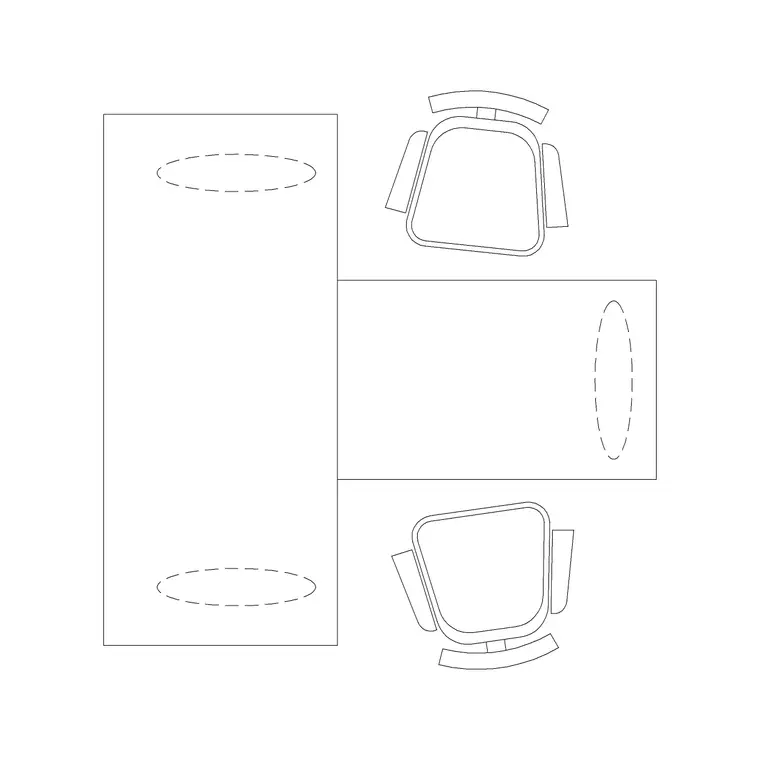
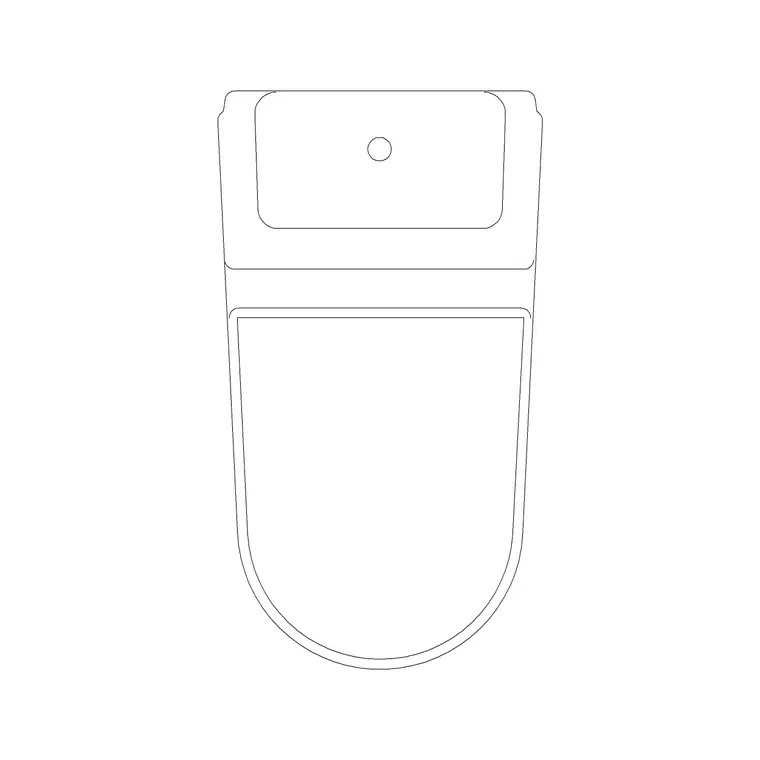
This is where a source like cadblockdwg.com earns its place, because every block downloads as a clean individual DWG with no signup wall and no restriction on commercial use, so you are not fighting a license question six months into a project. Pull a handful of anchor pieces to seed each category, for instance an office chair with elevation and side view, a two seater workstation for open plan layouts, a sofa set plan block for residential and hospitality work, a wall lamp for lighting plans, and a toilet commode block for bathroom layouts, check each one for stray layers, verify it sits on layer 0 so it inherits colour and linetype from whatever layer you insert it onto, and only then does it go into the shared tree.
Structure the folder tree before a single new block goes in
Decide the folder structure before you migrate anything, because renaming and remapping paths after the fact is the single most painful part of this whole process, I have lost entire afternoons to it. A structure that has held up well across the offices I have set up is a top level folder per discipline category, furniture, lighting, doors, office, bathroom, and so on, mirroring the categories you will see on a block library site rather than inventing your own taxonomy from scratch.
Inside each category folder, keep a flat list rather than nesting three or four levels deep, because deep nesting is exactly what makes people give up searching and just draw the chair from scratch again. If your firm works across residential and commercial, a second-level split by project type is fine, but resist the urge to split by client or by year, that belongs in your project archive, not your block library.
Give the library an owner, not a committee
At the end of the day a shared resource with no single owner degrades, that is basically a law of office life. Pick one person, usually a senior drafter or BIM manager, who reviews anything before it gets added to the shared path, checking scale, checking it is purged of unused layers and blocks nested inside it, and confirming it follows the naming convention the rest of the office uses.
This does not need to be a heavyweight process. A five minute check before a new block gets copied into the network folder catches almost everything, duplicate names, wrong units, blocks accidentally saved with a title block or viewport still attached. The catch here is that without this single gatekeeping step, the library slides right back into the same mess it started as within a couple of projects.
Bake in the habits that keep it clean long term
Run PURGE on any new addition before it goes in, and run AUDIT on the drawing it came from if you downloaded it rather than drew it yourself, that clears out orphaned styles and geometry errors that otherwise ride along silently. Keep a simple changelog, even a plain text file at the root of the library noting what was added or renamed and when, so when someone asks why a block moved or disappeared there is an answer.
Quarterly, somebody should spend an hour opening the library folder in DesignCenter or the Blocks palette and scanning for anything that looks stale or duplicated. I will get into the specifics of that audit process in a separate post, but the short version is that a library only stays trustworthy if someone is periodically checking it, the same way a shared drive only stays organised if someone occasionally tidies it.
Handling requests for niche or one off blocks
You will get requests for blocks that genuinely do not belong in the shared library, a piece of highly bespoke joinery for one specific client's kitchen, a one off decorative feature that will never appear on another project. The instinct is to just drop it into the shared folder because it is convenient in the moment, but resist that, since a library full of one off items is exactly how the searchability and trust the whole system depends on starts eroding again.
Keep a separate project specific blocks folder inside each project's own working directory for anything that genuinely will not recur, and only promote something into the shared library once it has actually been reused on a second project, which is a reasonable practical test for whether something belongs in the shared set at all. This single rule, reuse before promotion, is honestly one of the simplest filters I know for keeping a shared library lean rather than letting it slowly bloat with things that only ever get inserted once and then sit there forever, adding noise to every future search without ever adding value back.
Roll it out without breaking work in progress
Do not swap everyone over on the same afternoon a live deadline is due, that is asking for trouble. Roll the new shared path out on a project that is just starting, let two or three people use it for a couple of weeks, fix whatever friction comes up, usually path or permission issues, and only then point the wider office at it.
Once it is live, the return on the setup work is real, drafters stop redrawing the same office chair or door for the fifth time, plan sets look consistent across projects because everyone pulled the same sofa block, and new hires ramp up faster because there is one place to look instead of asking around. It takes a focused week or two to build properly, but I have seen it pay that back within a single busy project.
Further reading
Questions
Frequently asked
How many blocks should a shared library start with?+
Somewhere in the range of 150 to 300 well chosen blocks covering your office's most common categories is usually enough to be useful on day one, you can grow it from there rather than trying to import thousands of files up front.
Should freelancers or contractors get access to the same shared library?+
Generally keep an internal core library separate from anything shared externally, and if outside collaborators need blocks, hand them a curated export rather than access to the live network path, I cover this tradeoff in more detail in a separate post.
What is the fastest way to seed a new shared library?+
Download a starter set from a free library like cadblockdwg.com since the files need no signup and are cleared for commercial use, then run each one through a quick layer and purge check before adding it to your shared folder.
Free downloads from this article


Free CAD block library
Download the blocks from this article — free, no signup
