Curated pack · office cad blocks
Free office CAD block pack for AutoCAD layouts
By Saumyajit Maity · Published 24 Feb 2024 · Updated 5 May 2026
Laying out an office in AutoCAD is mostly an exercise in repetition: the same desks, the same chairs, the same workstation cluster copied across a floor plate. This free office CAD block pack pulls together the blocks you place over and over — single and bench workstations, partitioned desks, four- and twenty-person meeting tables, and the reception furniture that anchors the front of house — all drawn to scale in DWG and DXF and ready for AutoCAD 2004 or later. Everything is free for personal and commercial work, with no signup, no watermark and no attribution.
The pack is built for plan-view space planning, which is where most office work happens. Because every block is drawn at true millimetre dimensions, you can drop a workstation onto the plate and immediately read the desk depth, the chair pull-out and the circulation gap behind it. That turns the awkward part of office design — proving you have enough clearance for the desk count the brief asks for — into something you can see rather than calculate.
Use it for open-plan floors, cellular offices, meeting suites and reception zones. Start from the workstation, array it into a neighbourhood, then drop in the shared tables and the reception desk to define the public edge.
What's in the office pack
The pack covers the core of a commercial office fit-out. Workstations: a single desk with a privacy partition for cellular or focus settings, ready to bench together into rows. Meeting tables: a compact four-person recreation/meeting table for huddle rooms and a twenty-person conference table for the boardroom. Front of house: a reception desk drawn to span the typical greeting counter, plus scale figures to test sightlines and queueing.
Everything sits on the standard office desk module so a partitioned workstation snaps cleanly against its neighbour to form a continuous bench. That modularity is what lets you array a single desk into a sixty-seat floor without leaving ragged gaps, and it keeps your desk count honest against the area you have been given.
Office dimensions to design around
Keep these reference ranges close as you place blocks. Workstation desk: 1400–1800 mm wide and 700–800 mm deep is the common range, with 1200 mm desks used in tighter benching. Circulation behind a seated desk: allow at least 1000 mm so a person can push their chair back and stand; make it 1200–1500 mm where the gap is also a walkway. Primary aisles on an open floor usually run 1500–1800 mm.
Meeting tables vary with the seat count: a four-person table sits in roughly a 2.5 × 2.5 m room with chairs pulled out, while a twenty-person boardroom table needs a room around 9–10 m long to leave the 900 mm of pull-out and walk-around space on every side. A reception desk counter typically presents at 1100 mm to the public side with a 720–750 mm work surface behind. Drop the scaled blocks in and these checks become a glance, not a sum.
How to use the set on a floor plate
Start with the building shell and the structural grid, then mark your circulation spine first — the corridors that carry people from the cores to the desks. Array the partitioned workstation into neighbourhoods that respect those aisles rather than filling the plate edge to edge. Working circulation-first keeps the floor usable instead of cramming in seats you cannot reach.
Drop the meeting tables into the rooms or zones the brief calls for, checking the pull-out and walk-around space against the figures above. Finally place the reception desk at the arrival point and use the scale figures to confirm a visitor can see and reach it. Keep desks, meeting furniture and reception on separate layers so you can issue a clean furniture plan, freeze the seating for a bare-shell drawing, and pull a desk-count schedule from the same file.
Plan view first, elevation when you need it
Office space planning is a plan-view discipline: you are reading footprints from above, checking densities and clearances, and arraying repeating units. The workstation, conference and reception blocks are drawn primarily for that top-down view, which is exactly what a furniture plan, a stack plan and a test-fit need.
When the project moves to interiors — reception elevations, joinery drawings for the front desk, sections through a meeting room — you switch to elevation. There the reception counter height, the desk worktop and the seated posture matter. Where a block ships an elevation view it lives in the same DWG, so you can build the plan and the matching elevation from one download rather than hunting for a second file.
Per-item notes
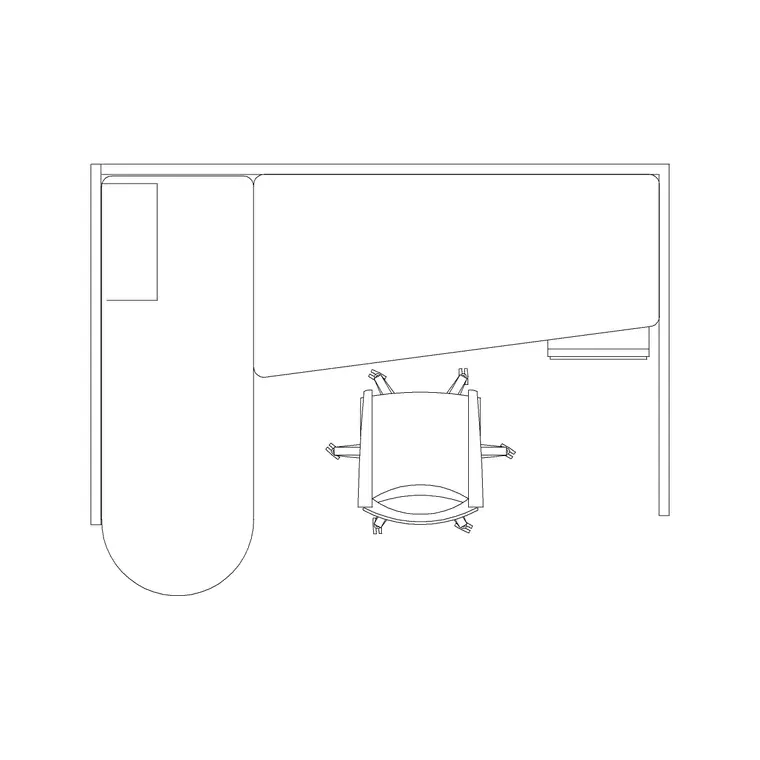
Workstation with partition — the workhorse of the pack. Insert one, then array it into a bench; the partition reads as the privacy screen between facing or back-to-back desks. Stretch the run to suit the bay width.
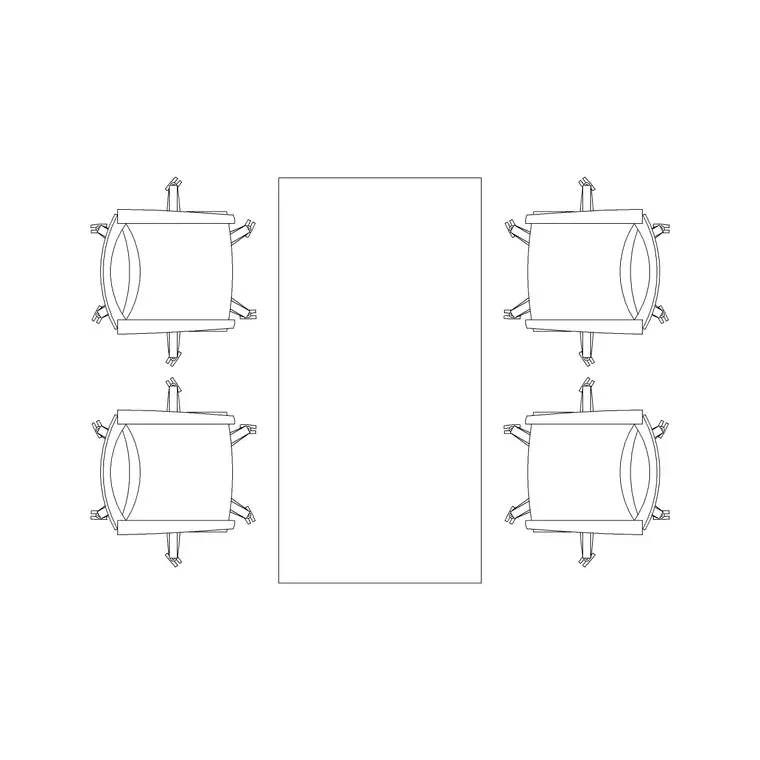
4-person rec table — sized for huddle rooms, breakout corners and small meeting spaces. Useful for testing whether a glazed huddle room actually fits four chairs with pull-out.
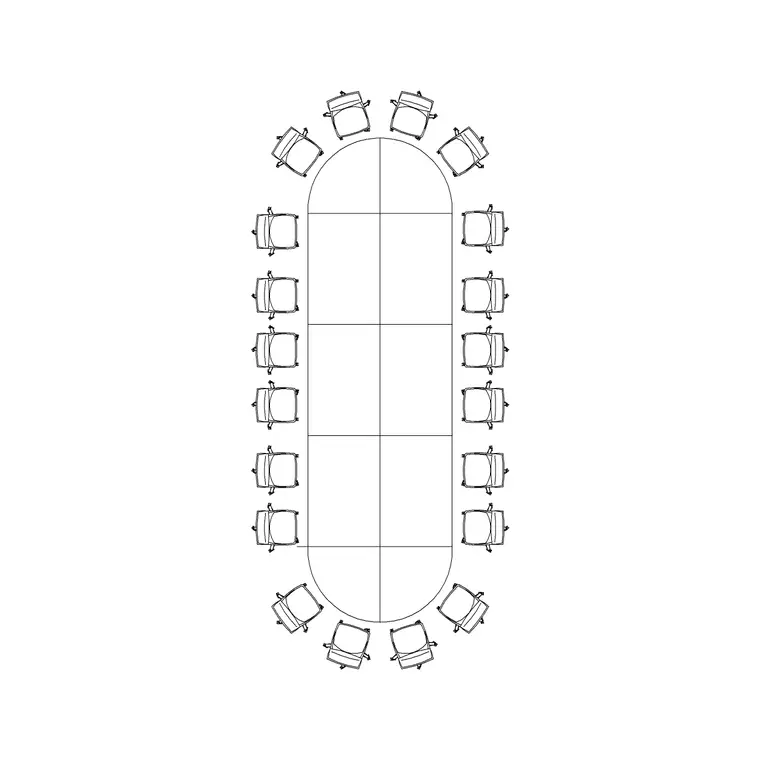
20-person conference table — the boardroom anchor. Drop it into the largest meeting room to confirm the room can carry the headcount the brief demands before you commit the partition layout.
Reception table — the public-facing greeting counter. Place it at the arrival threshold, then use the human figure to check the approach, the counter reach and the visitor sightline to any waiting area.
Who uses the office pack
Workplace and interior designers use it to turn a brief into a test-fit fast — how many desks fit, how the meeting rooms land, where reception sits. Architects use it to populate commercial floor plates with believable, scaled furniture for planning submissions and landlord drawings. Facilities and space-management teams use it to model churn and re-stacks against a real desk count.
Because the blocks are free and licence-clear, the same pack carries a student studio scheme, a single-floor refurbishment and a multi-floor corporate fit-out. Pair it with the furniture category for sofas and breakout seating, and the people category for scale figures, to build a complete office layer from one consistent library.
Free download
Browse the full library — DWG & DXF, no signup.
Questions
Frequently asked
What's included in the free office CAD block pack?+
Partitioned workstations, four- and twenty-person meeting tables and a reception desk, plus scale figures — all drawn to scale in DWG and DXF, free with no signup, no watermark and no attribution for commercial use.
What units are the office blocks drawn in?+
Full size in millimetres. Insert at scale 1 in a millimetre drawing, 0.001 in a metre drawing, or set INSUNITS to millimetres so AutoCAD rescales automatically when you insert.
How much space should I leave behind a desk?+
Allow at least 1000 mm behind a seated workstation so the occupant can push back and stand, and 1200–1500 mm where the gap behind also serves as a walkway. The scaled blocks let you check this on the plan directly.
Can I bench the workstations into a continuous row?+
Yes. The workstation is drawn on the standard desk module, so you can array or copy it to form a continuous bench. Snap each desk to its neighbour and the partition reads as the shared privacy screen.
Related downloads
Blocks for this guide

Related categories
Related guides
Curated pack
Free Reception Area CAD Block Pack — DWG
Free reception area CAD block pack in DWG and DXF — reception desks, waiting seating and scale figures for lobby layouts. No signup, commercial-use OK.
Curated pack
Free Restaurant CAD Block Pack — DWG & DXF
Free restaurant CAD block pack in DWG and DXF — dining tables, chairs, bar stools and high chairs for cafe and restaurant layouts. No signup, commercial OK.
Curated pack
Free Hotel CAD Block Pack — DWG & DXF
Free hotel CAD block pack in DWG and DXF — reception desks, lobby seating, dining and bar furniture for hotel layouts. No signup, commercial-use OK.