Keeping xref paths consistent across a shared block library
Practical rules for keeping external reference paths aligned when several drafters share one CAD block library day to day.
Saumyajit MaityUpdated 17 July 20266 min read

Decide once, relative or absolute, and never mix
AutoCAD's External References palette lets you save an xref path as relative to the host drawing, absolute to a fixed location, or no path at all, relying purely on the support file search path to resolve it. Pick one convention for your office and apply it consistently, mixing relative and absolute paths within the same shared library is a recipe for exactly the kind of works on my machine but not yours problem that eats an afternoon chasing down. For most offices working off a standardised mapped network drive, as covered in setting up a network library path, no path, letting the search path do the resolving, or relative paths both work well, since either way every machine reaches the same logical location.
Absolute paths only really make sense if literally every machine in the office is guaranteed to have the identical drive letter and folder structure permanently, which is achievable but fragile, one machine reconfigured differently breaks it silently.
Binding versus keeping a live reference, know which one you actually want
For static furniture and fixture blocks that are not going to change mid project, insert them as true blocks rather than external references at all, since a block embeds the geometry directly into the host drawing with no ongoing path dependency whatsoever. Reserve actual xrefs for content that genuinely needs to stay live and update automatically, a shared site plan multiple disciplines are drawing into simultaneously, for instance, where you want changes to propagate without manual re-insertion.
A lot of the xref path headaches I get called in to fix trace back to someone using an xref where a simple block insert would have done the job with none of the path fragility, so before treating something as an external reference, ask whether it actually needs to update live or whether a one time insert is genuinely all the situation calls for.
A quick way to tell which one you are actually looking at in an existing drawing is the External References palette itself, anything listed there with a file type of DWG and a status of loaded is a live xref still carrying its path dependency, while true blocks do not appear in that palette at all since their geometry is already fully embedded. If you inherit a drawing from another office or an older project and are not sure whether a piece of furniture is a block or an xref, that palette is the fastest way to check before deciding whether it is safe to treat it as fully portable.
Catching drift before it spreads
During the regular library audit, spot check a handful of recent project drawings for xref health, open the External References palette and confirm nothing shows as not found or unreferenced that should be resolved, this is a fast way to catch a path convention that has started drifting in one part of the office before it spreads further. Left unchecked for a few months, an inconsistent path habit tends to concentrate around whichever team or project picked it up first and then spreads as people copy each other's drawings as a starting template, so catching it early during a routine audit is far cheaper than untangling it later across dozens of affected files.
Worth building into that same audit pass is a check for orphaned xref entries specifically, references that show as not found because the source project they pointed to was archived or deleted months ago and nobody cleaned up the pointer in the drawings that used to reference it. These do not usually cause active problems since the drawing itself still opens fine, but they slow down every subsequent open with a resolve external references prompt and they are trivial to detach once spotted, so clearing them out during the regular audit rather than living with the prompt indefinitely is worth the extra minute.
Why this discipline matters more as a project scales up
A single drafter working alone can get away with a slightly inconsistent path habit since they are the only one ever opening their own drawings, the problem only really surfaces once a drawing crosses hands, a second drafter picks up the file, a consultant needs a copy, a project moves from one workstation to another mid deadline. That crossing point is exactly where an office's shared library either proves its worth, everything resolves cleanly because the whole team followed the same path convention, or it exposes the gaps, which is why this is worth getting right early rather than treating it as a nice to have once the office is already busy.
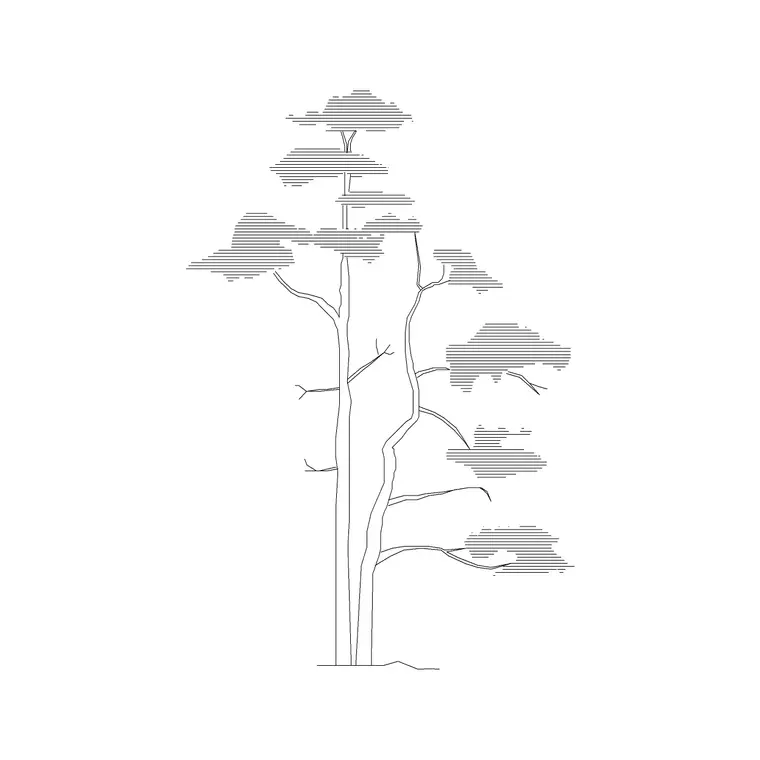
Site scale content, an iron gate block, a paving pattern, a planting layout built off a tree or shrub block, tends to get xref referenced more often than interior furniture simply because site plans are more likely to be worked on jointly by multiple disciplines at once, landscape, civil, and architectural teams often all touch the same base site drawing. That makes consistent xref path handling even more important for this category specifically than for furniture, since a broken reference on a jointly edited site plan affects every discipline working off it simultaneously rather than just one drafter's local copy.
Further reading
Questions
Frequently asked
Should I use relative or absolute paths for shared xrefs?+
Relative paths, or relying on the support file search path with no explicit path saved, generally hold up better across a multi user office than absolute paths, which only work reliably if every machine shares an identical folder structure.
When should I use an xref instead of a block for library content?+
Reserve xrefs for content that genuinely needs to update live across multiple drawings, like a shared site plan, static furniture and fixtures from your library are usually better inserted as true blocks with no ongoing path dependency.
What should I do if I find a broken xref in a shared drawing?+
Flag it to the library owner rather than working around it locally with a personal copy, a local workaround reintroduces the exact duplicate and path drift problems a shared library setup is meant to prevent.
Free downloads from this article


Free CAD block library
Download the blocks from this article — free, no signup
