Training a new hire to use your office's block library
A practical onboarding checklist for teaching a new drafter your shared CAD block library, from paths to naming to habits.
Saumyajit MaityUpdated 21 March 20266 min read

Block library training is easy to skip and expensive to skip
When a new drafter joins, the block library rarely makes it onto week one's checklist, software licenses, project folder access, and time tracking get sorted out first, and the library gets a quick this is where our blocks live mention in passing. The problem is a new hire who has not been shown the library properly just defaults to their old habits from a previous job or from school, downloading random blocks off the internet, drawing furniture from scratch, saving new blocks wherever seems convenient, and within a month you have several fresh duplicates and off standard files sitting in your shared folder undoing whatever cleanup work happened before they arrived.
A structured thirty to forty five minute walkthrough in the first week pays for itself almost immediately, both in avoided cleanup later and in how much faster the new hire actually gets productive.
Start with where and why, not just how
Before touching the library itself, explain briefly why it exists in the structure it does, that consistency across drawings matters for client facing plan sets, that a shared library saves real time compared to redrawing common items, and that the naming convention and folder structure are not arbitrary, they follow a system covered in the office's own naming standards. This context matters more than it seems, a new hire who understands why the rules exist follows them far more reliably than one who was just handed a list of dos and don'ts with no explanation.
Then show the actual path, whether that is a mapped network drive letter or a specific cloud folder, and confirm it resolves correctly on their machine before moving on, since a broken path on day one sets a bad first impression of the whole system.
Walk through inserting a block the right way
Sit with them while they insert two or three real blocks into a test drawing, an office chair, a wall lamp, whatever is common in your office's typical projects, using INSERT rather than copy paste, confirming scale and rotation prompts, and checking the result lands on the correct layer. This is also the moment to show DesignCenter or the Blocks palette properly, since a lot of drafters, even experienced ones coming from a different office, have only ever used one insertion method and do not know the palette exists or how to favourite frequently used blocks in it.
If your office has built a tool palette from the shared library, which is worth doing and covered in its own post, this is the natural point to hand that over too, since it is usually the fastest day to day insertion method once someone is used to it.
I also make a point of showing them the difference between INSERT with explode left unchecked versus checked, since a surprising number of drafters coming from a looser office habit will explode a block on insertion out of habit from years ago, not realising that breaks every one of the advantages the shared library exists to provide, no more single point update, no more consistent layer behaviour, just a pile of raw lines masquerading as a block. I ask them to insert the same chair twice, once exploded and once not, and then try changing the layer colour on both, watching the exploded version fail to respond the way the proper block does is usually the moment it actually clicks rather than just being told not to do it.
Show them what not to do, specifically
General advice like be careful with blocks does not stick, specific examples do. Show a real instance of a broken xref path from a past project if you have one archived, so they understand concretely what happens when a block gets pasted rather than inserted, or when someone saves a personal copy instead of using the shared reference. Show what a properly purged block looks like versus one dragging along extra layers, ideally side by side, since the difference is genuinely hard to describe in words but obvious once you have seen it once.
Make it explicit who the library owner is and what the process is for adding a new block, whether that is drop it in a staging folder for review or message the owner directly, so a new hire has a clear path rather than guessing and either adding blocks directly to the live shared folder or, worse, not adding useful new blocks at all because they were not sure how.
Give them a small real task in the first week
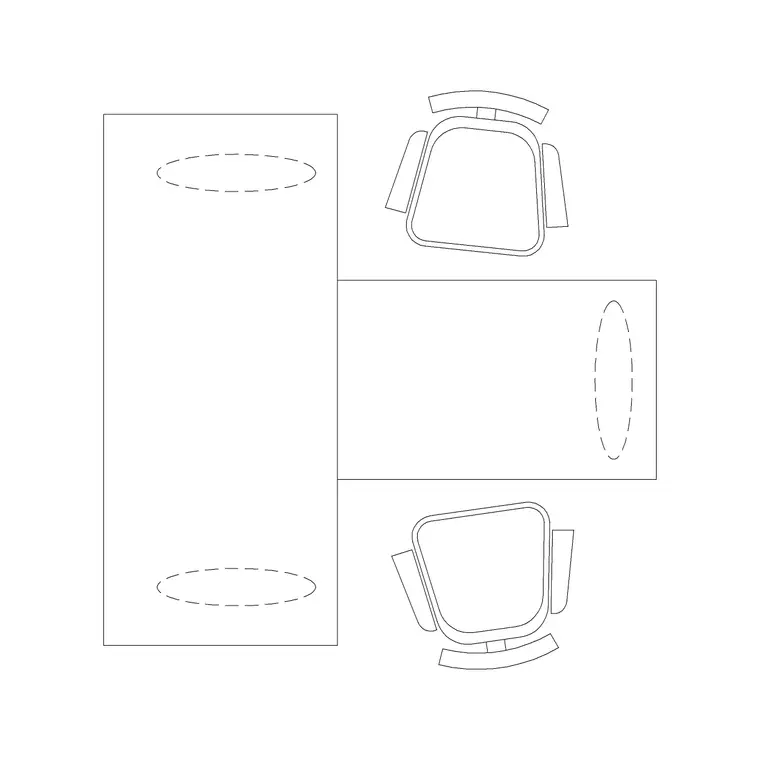
Theory only sticks so well, the fastest way to cement the training is a real, low stakes task using the library within the first few days, laying out a small office floor plan using only blocks pulled from the shared library, for instance placing a couple of workstations, an office chair or two, and a lighting layer using the wall lamp block. This surfaces any gaps in the walkthrough naturally, if they get stuck finding something, that is useful signal about what part of the training to reinforce, not a sign the training failed.
I usually pick something with a mix of block types on purpose, a couple of workstations from the office category, an office chair repeated a few times, and at least one item, the wall lamp is a good one, that requires switching from the furniture layer to a lighting layer so I can watch whether they remember the layer convention without being reminded mid task. Afterward I sit with them for five minutes and walk through what they placed, checking layer assignment, checking that nothing got exploded, and asking them to explain back to me in their own words why the layer convention matters, since a new hire who can explain the reasoning rather than just recite the steps is far more likely to still be following it correctly a few months in when nobody is watching over their shoulder.
Keep a written reference for after the walkthrough
A verbal walkthrough is forgotten within a couple of weeks without something to refer back to, so keep a short written reference document, the naming convention table, the library path, who owns additions, alongside the shared library itself, and point every new hire to it explicitly rather than assuming institutional memory will carry it forward informally. Revisit this document whenever the naming convention or folder structure changes meaningfully, since an outdated reference document is often worse than none at all, it actively teaches the wrong thing with false confidence.
Revisit training a few weeks in, not just on day one
A short follow up check two or three weeks into the role catches habits that did not stick the first time, sit with the new hire for ten minutes while they insert a few blocks into whatever real project they are working on by then, and watch for the small things, are they still using INSERT correctly, do they know where to look before assuming a block does not exist in the library and downloading a duplicate from somewhere else. This second touchpoint is cheap and it is where I have found the actual behaviour either locks in for good or quietly reverts to old habits picked up at a previous job, so it is worth the ten minutes rather than assuming the first walkthrough was enough on its own.
Further reading
Questions
Frequently asked
How long should block library training take for a new hire?+
A focused thirty to forty five minute walkthrough covering the path, naming convention, and correct insertion method is usually enough, followed by a small real task in the first week to reinforce it.
What is the biggest mistake new hires make with a shared block library?+
Falling back to old habits from a previous job, copy pasting geometry instead of using INSERT, saving personal copies instead of referencing the shared path, or downloading duplicate blocks instead of checking the library first.
Should new hires be allowed to add blocks to the shared library right away?+
Route additions through whatever review process your office uses, usually the library owner, rather than giving direct write access to the live shared folder from day one, this keeps quality consistent while the new hire is still learning the standards.
Free downloads from this article


Free CAD block library
Download the blocks from this article — free, no signup
