Building a kitchen layout in AutoCAD from free blocks
Lay out a kitchen plan in AutoCAD from free DWG cabinet and appliance blocks: the work triangle, counter depths, and snapping base units along a wall fast.
Saumyajit MaityUpdated 21 June 20265 min read

Kitchens are about the run, not the room
Unlike a living room, a kitchen is laid out along its runs of cabinetry, not around a focal point. So the first decision is the configuration: single-wall, galley, L-shape, U-shape or island. That choice is driven by the room's walls and where the services already are — the sink wants to be near plumbing, the hob near the extractor route. Sketch the run lines against your room shell before you place a single block, and the rest follows naturally.
Mark your three fixed points early: sink, hob and fridge. These form the classic work triangle, and getting their rough positions down first means the cabinets simply fill the gaps between them. A kitchen designed cabinet-by-cabinet without those anchors tends to end up with the fridge stranded across the room from everything else. Anchor the triangle, then drop in units.
Grab the cabinet and counter blocks (free DWG)
The Kitchen category on CADBlockDWG holds the base units, wall units, sinks, hobs and appliances you need, all free to download in DWG with no account. The workhorse is the generic Cabinet block — a clean base-unit footprint you can repeat along a wall to build a run, then trim or stretch to fit the exact length. Because it is a simple, well-drawn module, it copies and arrays cleanly, which is exactly what you want for a row of units. Treat it as your unit of measure: most fitted kitchens are just a sequence of these modules with appliances slotted between them, so a good base-cabinet block is most of the drawing.
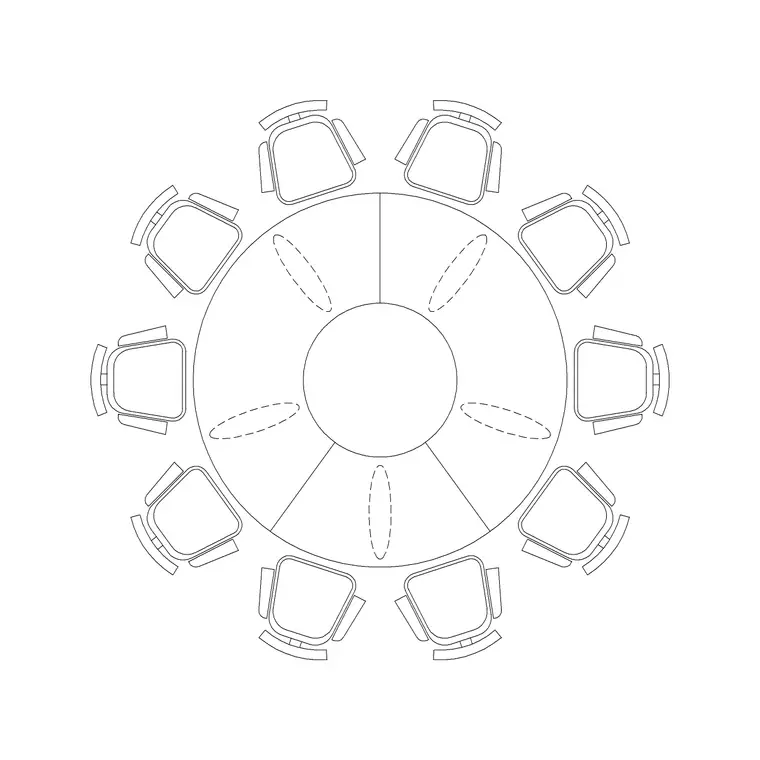
Download a sink block, a hob, and an appliance or two (fridge, dishwasher, oven) from the same category to populate the run. Each is a small DWG containing the block; there is no pack to extract. Modern kitchens are rarely sealed rooms, though — most open into dining or living space — so it is worth pulling a couple of adjacent pieces too. A dining table from the Furniture category, such as a 10-seater round table, shows the eat-in zone on the same sheet and lets you check the kitchen does not crowd it; a sofa group like Sofa Set Plan 1 marks where the open-plan living area begins so the whole social space reads as one. Everything is free for commercial use, so it goes straight into client work.
Build the cabinet run along the wall
Set your joinery or fittings layer current and insert the first Cabinet block at one end of the run, snapping its corner to the wall with object snaps (F3). Standard base units are around 600mm deep, so the back of the block should sit flush to the wall and the front establishes your counter line. Then build the run: use ARRAY (or simply copy with a 600mm spacing) to step identical units along the wall, and stretch the end unit or drop in a filler to close any gap to the corner.
Drop the sink block into the run where the plumbing is, and the hob where the extractor route allows — replacing a cabinet module at each spot. For wall units above, put them on a separate layer or show them dashed, since they sit above the counter and would otherwise clutter the base-unit reading. Keep everything ByLayer so the whole kitchen can be dimmed or recoloured from the Layer Manager later.
Test the work triangle and clearances
Now check the ergonomics the layout exists to deliver. Draw light lines between sink, hob and fridge: the three legs of the work triangle ideally each fall in a comfortable range and together avoid being either cramped or a marathon. If one leg is far longer than the others, the cook will feel it daily — nudge an appliance to rebalance. Keep the triangle out of the main through-route as well; a fridge that opens across the only path into the room creates a daily pinch point that no amount of counter space makes up for.
Then verify circulation. In a galley, the gap between opposing runs wants to be generous enough for two people and for appliance and cabinet doors to open without colliding — somewhere around a metre is typical, and tighter than that turns a second cook into an obstacle. Around an island, leave a comfortable walkway on all sides, and check that the island does not foul a dishwasher or oven door swinging open from the back run. Because every cabinet, the hob and the fridge are real blocks at real depth, you can see these conflicts immediately rather than discovering them once the units are installed. Drag and re-snap until the gaps read right.
Finish with worktops, layers and a label pass
Once the units are placed, trace a continuous worktop outline over the base run on its own layer — a single polyline along the front and returns — so the counter reads as one surface rather than a row of separate boxes. Add a sink and hob cut-out within it for realism. This small step makes a kitchen plan look resolved and helps anyone reading it understand the work surface as a whole.
Keep base units, wall units, worktop and appliances on distinct layers so you can produce a clean base-only plan, a wall-unit plan, or a fully dressed presentation version from the same drawing. A quick AUDIT and PURGE after importing keeps the file lean. With the run built from repeated Cabinet blocks, the triangle anchored by real sink/hob/fridge blocks, and clearances checked, a full kitchen layout comes together in minutes — and every piece came free in DWG.
Questions
Frequently asked
Where do I download free kitchen cabinet blocks for AutoCAD?+
The Kitchen category on CADBlockDWG has base cabinets, sinks, hobs and appliances, free in DWG with no signup and free for commercial use. The generic Cabinet block repeats cleanly to build a run.
How deep is a standard kitchen base cabinet in a plan?+
Around 600mm. Snap the back of the cabinet block flush to the wall so the front establishes your worktop line, then array units along the run at 600mm spacing.
What is the kitchen work triangle?+
The three-way path between sink, hob and fridge. Place those three blocks first, draw light lines between them, and adjust so no single leg is much longer than the others.
Free downloads from this article

Free CAD block library
Download the blocks from this article — free, no signup


