Where to find free indoor-planter-with-legs DWG files
Free indoor planters on metal (MS) legs in DWG — raised, mid-century plant stands for modern interiors — where to find them on CADBlockDWG and how to use them.
Saumyajit MaityUpdated 25 February 20264 min read
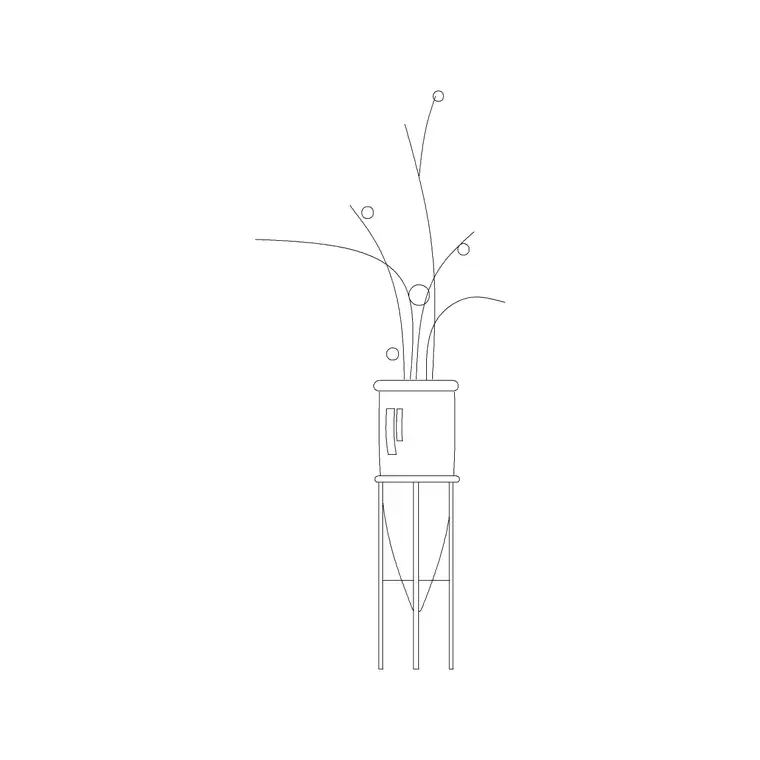
What an indoor planter with legs is
An indoor planter with legs is a pot raised off the floor on a slim metal (MS, or mild steel) frame — the elevated plant stand that became a signature of mid-century and contemporary interiors. Instead of a pot sitting directly on the ground, the planter is lifted on three or four thin legs, sometimes straight and sometimes gently curved, so the greenery floats at a more prominent height and the floor reads as more open beneath it. It is a distinct furniture-meets-planting object, and a popular one in modern residential, café and office design.
That raised, airy quality is exactly why these blocks are worth having ready. The slim legs and the gap beneath the pot are fiddly to draw convincingly by hand, and the proportions matter — too thick and it looks clumsy, too tall and it tips. A well-made block gets the leg geometry and the pot-to-leg balance right, so you can place a believable modern plant stand in a single insertion.
Finding indoor-planter-with-legs DWGs on the site
These blocks live in the Trees & Plants category. Search for 'legs', 'ms legs' or 'indoor plant' and you will surface the dedicated planter-on-legs blocks — large indoor plants on metal legs, standard plants on straight MS legs, plants on curved MS legs, and tulip plants on legs among them. Each has a product page with a preview so you can see the leg style and pot before downloading.
They are free DWGs with no signup and no attribution required, free for commercial use, so they drop straight into client interior drawings. Because the geometry is real vector linework, you can recolour the legs to match a metalwork finish — black, brass, brushed steel — adjust their line weight, or edit the foliage once the block is in your drawing. CADBlockDWG carries several leg styles, so you can vary the stands across a space rather than repeating one.
Why these suit modern interiors
Raised planters on legs do specific design work that a floor pot cannot. By lifting the greenery and keeping the floor visible beneath, they make a small room feel more open and less cluttered, which is why they are a favourite in compact apartments and tight café corners. The exposed metal frame also ties the planting into a contemporary material palette alongside other slim-leg furniture — side tables, stools, console legs — giving a coherent mid-century or modern look.
In presentation drawings this reads instantly. A plant on straight black legs beside a low sofa signals a particular, current style of interior far more specifically than a generic pot on the floor would. Choosing the leg form deliberately — straight for a crisp minimal scheme, curved for a softer, more organic one — lets a single planter block reinforce the character of the whole room.
Inserting a planter-on-legs in AutoCAD
Save the DWG and run INSERT in your interior drawing. Browse to the file, keep scale at 1 and rotation at 0 to begin, and place the block with an object snap so the bottom of the legs sits exactly on the floor line in an elevation. The whole effect depends on the legs meeting the floor cleanly — legs that hover above or punch below the floor line ruin the raised, balanced look the stand is meant to have.
Mind the height. A raised indoor planter including its plant is commonly around one to one and a half metres tall, with the pot itself lifted perhaps three to five hundred millimetres off the floor on the legs. If the block imports at an implausible size it is a units mismatch — set INSUNITS consistently so AutoCAD auto-scales, or apply a SCALE factor of 0.001 or 1000 as needed. Measure the overall height of a known stand and divide by what you want to find the exact factor when the source units are unclear.
Layer, vary and combine
Place the planters on a planting or furniture-fixtures layer so you can dim or recolour them independently when a clean architectural drawing is needed. Layer-0 geometry inherits whichever layer you insert it onto, so a stand dropped on your planting layer takes its colour and line weight automatically — useful when you want all the metalwork to read in one tone.
Vary the stands so a room does not look like a catalogue page with one product repeated. Mix straight-leg and curved-leg planters, vary the plant heights, and rotate or mirror instances so the grouping looks arranged. A living room with a tall plant on curved legs in one corner and a lower one on straight legs by the window reads as styled; the same room with one identical stand copied twice reads as filler.
One caveat when you mirror a planter on legs: check that the mirror has not produced a leg arrangement that looks wrong or backwards, since an asymmetric stand can read oddly when flipped — rotating is often safer than mirroring for these. Where a stand overlaps furniture behind it on an elevation, use the DRAWORDER command to bring it to the front so it sits in the room rather than disappearing behind the sofa. These raised planters pair naturally with floor plants and potted greenery, so combine a few from the wider plant range to build a complete, contemporary interior in minutes.
Questions
Frequently asked
Where can I download free indoor planters on legs?+
In the Trees & Plants category on CADBlockDWG. Search 'legs', 'ms legs' or 'indoor plant' to find planters on straight and curved metal legs — all free DWGs with no signup, free for commercial use.
What is an MS-legs planter?+
It's a pot raised on a slim mild-steel (MS) frame — the elevated, mid-century-style plant stand. Lifting the pot off the floor keeps the floor visible and makes small modern interiors feel more open.
How tall is an indoor planter on legs?+
Commonly around 1–1.5m overall including the plant, with the pot lifted roughly 300–500mm off the floor on the legs. Snap the bottom of the legs to the floor line so the stand sits cleanly.
Free downloads from this article
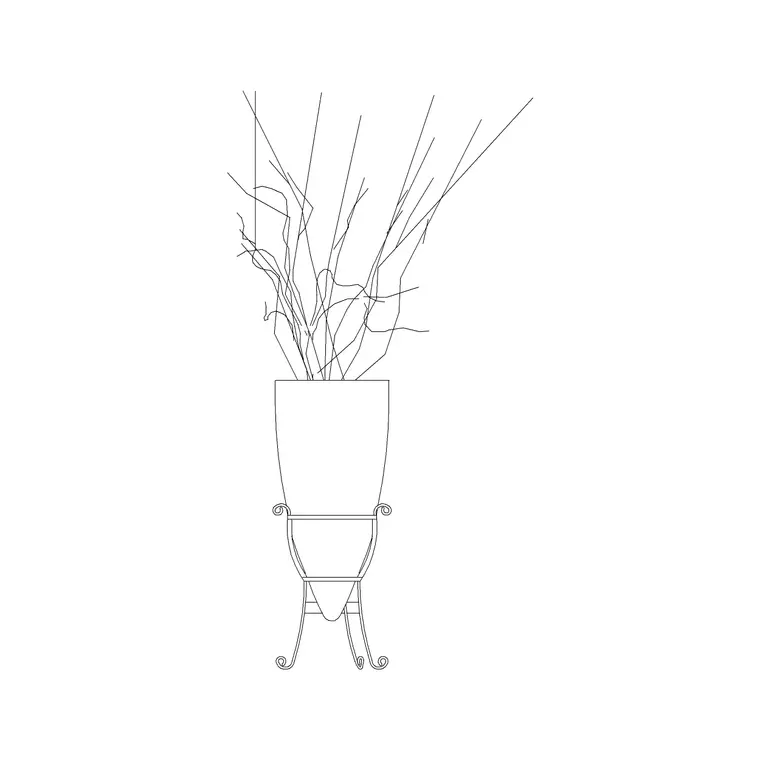


Free CAD block library
Download the blocks from this article — free, no signup


