How to download free dining table CAD blocks for AutoCAD
Free dining table CAD blocks in DWG for AutoCAD. Where to find plan and elevation dining tables, the dimensions to expect, and how to insert them.
Sumana KumarUpdated 28 June 20264 min read

What a dining table block includes
A dining table block is the top-down outline of the table, and the better ones include the chairs arranged around it so the whole dining set reads at a glance. A four-person rectangular table is typically 1200 by 800mm, a six-person around 1800 by 900mm, and round versions about 1100mm in diameter for four and 1500mm for six to eight.
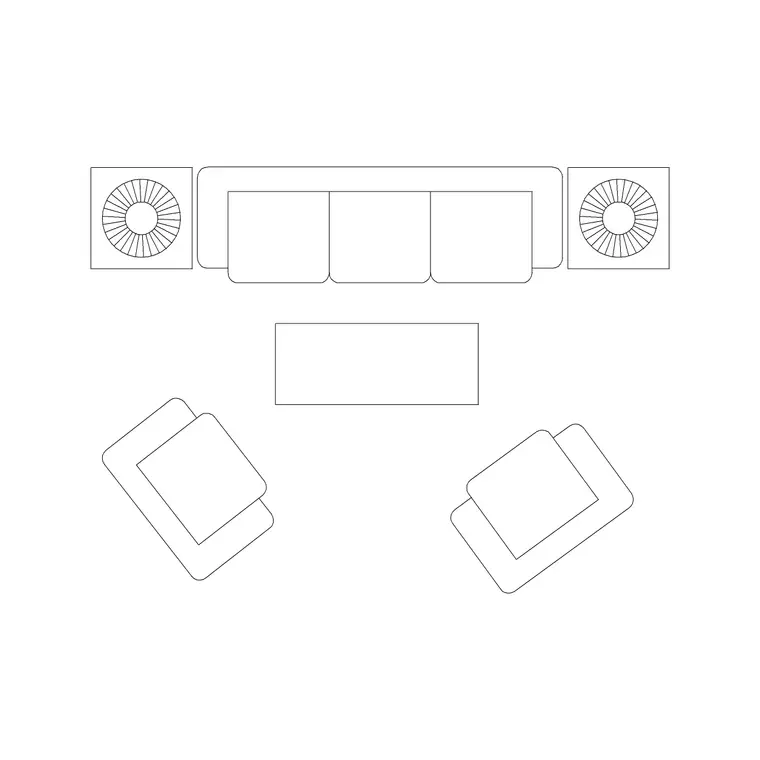
Downloading the block as a DWG gives you AutoCAD-native geometry that measures true, so you can check those dimensions yourself with a quick DIST. Some blocks ship just the table; others — like the sofa-and-table sets — bundle the table into a larger furniture arrangement. There is also a dining-table elevation available if you are drawing an interior elevation and need the table seen front-on, showing the apron and leg height rather than the plan footprint.
Everything is free, downloads instantly, and needs no login.
Where to find the dining tables
The dining tables are filed in the Furniture category. Use the search box and type 'dining table' to gather the dining-specific results, or 'table' for the broader set including coffee and side tables.
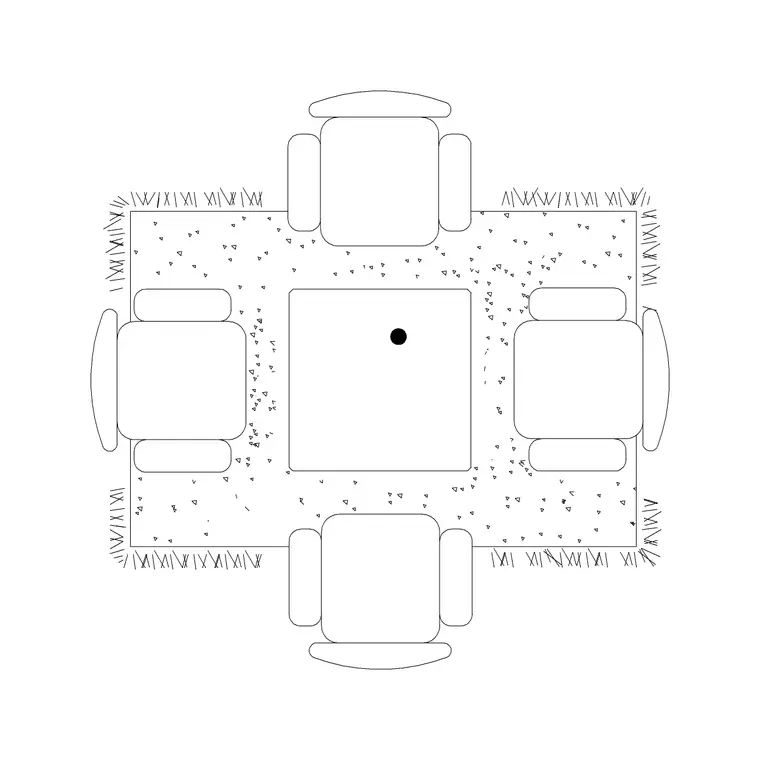
For a plan-view dining set, look for the sofa/dining set blocks that include a table with seating already placed — handy when you want the chairs spaced correctly without arranging them by hand. The Table With Rug block gives you a table grounded on a rug outline, which reads nicely in a presentation plan. If you need the front view, the Dining Table Long Back Elevation block shows the table in elevation for interior elevation drawings.
Open any product page, confirm the view label and preview, and click download. The DWG saves straight to your Downloads folder with no account step in between.
Inserting the dining table in AutoCAD
Run INSERT (I), browse to the downloaded dining-table DWG, and place it at scale 1, rotation 0. The table is drawn at real size, so scale 1 is right in a millimetre drawing. Snap it to a grid line or centre it on the room with an object snap so it sits square to the walls.
If it arrives the wrong size, that is units: a millimetre block in a metre drawing is 1000 times too big. Set INSUNITS the same in both files, or SCALE by 0.001 to bring millimetres into a metre drawing. Once placed, drop the table onto your Furniture layer.
If the block is just the table without chairs, you can array chairs around it: place one chair, then use a rectangular or polar ARRAY to repeat it evenly down the long sides, or around the perimeter for a round table. Keep the chair spacing realistic — about 600mm of width per setting.
Getting the clearances right
The single most important move with any dining table is circulation. Leave at least 900mm of clear space on every side so chairs can pull out and people can walk behind seated diners. A furnished block makes that gap visible immediately — you can see whether the table crowds the route to the kitchen or a doorway before it becomes a problem on site.
For a round table in a tight room, remember the diagonal: a 1500mm round table needs a 1500mm-plus clear radius around it, which can eat a small dining nook quickly. Rectangular tables are more forgiving against a wall but need the full 900mm pull-out at the ends.
Match the table shape to the room's proportions — a long rectangular table suits a galley dining space, a round table suits a square nook. Both shapes are in the catalogue, so you can test a couple of options in the plan and keep whichever circulates best.
Round or rectangular — choosing in the plan
The block makes it cheap to try both shapes before you commit, and the right choice usually reveals itself once you see it against the room. A rectangular table seats more along its length and sits comfortably against a wall, so it suits a long, narrow dining space or a table that doubles as a worktop. A round table has no head of the table, encourages conversation, and turns tightly in a square nook — but its swept diameter punishes a cramped room, because there is no flat side to push against a wall.
Drop a rectangular set and a round set into the same space in turn and measure the leftover circulation around each. If the round table leaves under 900mm to the nearest wall on its tight axis, the rectangular one will usually fit better. For an awkward corner, an oval reads as a compromise between the two.
Once the table is settled, the block does presentation work too. A table-with-rug version grounds the dining zone on the plan and tells the client where the room's social centre sits, which lifts a layout from a technical diagram to something that reads as a designed room. Keep the whole dining set on the Furniture layer so you can grey it back for a structural sheet in one click.
Questions
Frequently asked
What size is a standard dining table block?+
A four-person rectangular table is about 1200 by 800mm and a six-person around 1800 by 900mm. Round tables run roughly 1100mm diameter for four and 1500mm for six to eight.
How much clearance should I leave around a dining table?+
At least 900mm of clear space on every side so chairs can pull out and people can pass behind seated diners. A furnished block makes that gap easy to check.
Is there a dining table in elevation too?+
Yes. The Dining Table Long Back Elevation block shows the table front-on for interior elevations, alongside the plan-view dining sets for floor layouts.
Free downloads from this article
Free CAD block library
Download the blocks from this article — free, no signup


