Where to find free hardscape pattern DWG files
Where to source free hardscape and paver-pattern DWG files, what the common patterns mean, and how to lay them into a landscape plan.
Sumana KumarUpdated 21 March 20264 min read
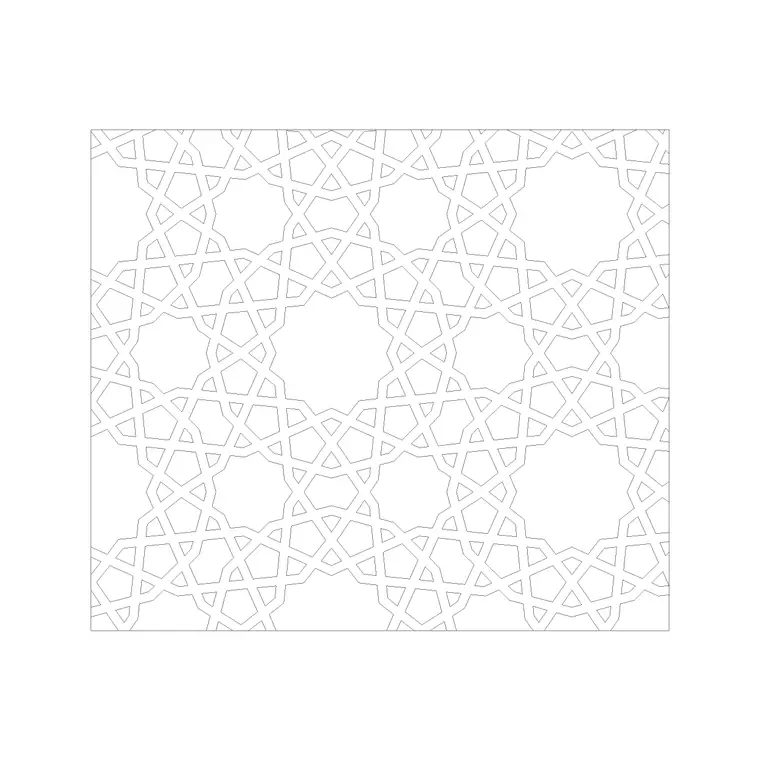
What counts as a hardscape pattern
Hardscape is the built, non-living part of a landscape — paths, patios, driveways, plazas, kerbs and steps — and the 'pattern' is the way the paving units are arranged. The arrangement is not cosmetic: running bond, herringbone, basketweave, stack bond and circular fans each behave differently underfoot, shed water differently, and read differently on a drawing. Choosing a pattern is a real design decision, and having the DWG ready means you can show it honestly rather than approximating with a generic hatch.
A hardscape pattern DWG is usually a small repeating tile of paver outlines that you lay across an area. Because it is vector geometry rather than an image, it scales cleanly, plots at any sheet size, and can be edited — you can change the joint width, swap a border course, or trim it to a curved edge. That editability is exactly why drafters reach for a real pattern block instead of a fill.
Where they live on CADBlockDWG
The Paving category is the home for hardscape patterns on this site. Inside it you will find individual paver blocks numbered for browsing — Paving Block 1, 10, 11, 12 and dozens more — alongside named patterns when you search for them directly. Typing 'herringbone', 'basketweave', 'cobblestone' or 'running bond' into the search surfaces the specific arrangement you have in mind.
Every file downloads as a free DWG with no account required, and the licence covers commercial use, so a pattern you pull for a paid landscape job carries no strings. The thumbnails let you compare joint patterns at a glance before committing, which matters because two pavers of the same size can look completely different once tiled. If you are assembling a palette for a scheme, grab two or three patterns — a field pattern for the main area and a contrasting one for borders or feature zones — and audition them in the drawing.
Matching the pattern to the job
Different patterns suit different surfaces, and picking well makes a plan read as considered. Herringbone interlocks strongly and is the traditional choice for driveways and anywhere vehicles turn, because the 45- or 90-degree interlock resists creep. Running bond (stretcher bond) is the simple offset-brick look, clean and economical for paths and patios. Basketweave is decorative and reads as traditional or formal, good for courtyards. Stack bond — units in a straight grid — is crisp and contemporary but weaker structurally, so it tends to be a visual choice for pedestrian areas. Circular and fan patterns make natural feature centrepieces for plazas and roundels.
You do not have to commit on paper alone: drop the DWG in, tile a small patch, and look at it at the real sheet scale. The pattern that looks right in a thumbnail sometimes reads too busy or too plain once it covers a whole courtyard, and the only honest test is to see it at size in context.
Laying a pattern into a plan
Insert the pattern tile with INSERT, snap its corner to a clean origin such as the edge of the paved area or a setting-out grid, and confirm the unit size is correct by measuring one paver with DIST. If it comes in wrong, it is units — set INSUNITS to match, or SCALE by 0.001 or 1000 as needed. Lock down one correctly placed tile before you repeat anything.
Then tile it: a rectangular ARRAY repeats the pattern in rows and columns to fill a regular area, while a path array follows a curved edge. Set the array spacing to the pattern's own repeat dimensions so the joints line up across the whole field rather than drifting. Trim the overhang against the boundary so the paving stops cleanly at kerbs and planting beds. Keep the whole hardscape on a dedicated layer so you can dim or recolour it independently when you produce a planting-only or services sheet. A neat trick for presentation drawings is to keep the field pattern slightly greyed and bring a border course forward in a stronger lineweight, which makes the layout read instantly. If the area is bounded by an awkward curve, array generously past the edge first and then trim back to the boundary, which is faster and cleaner than trying to fit the array exactly.
Keeping the file clean
Hardscape patterns can be geometry-heavy once arrayed across a large plaza, so a little discipline keeps the drawing fast. Build the pattern as a single block and array the block rather than exploding it into thousands of loose lines — an arrayed block stays light because every instance points back to one definition, whereas exploded paving balloons the file. If you only need the visual impression at a small scale, a scaled hatch pattern is lighter still and perfectly acceptable for a location plan.
After importing any downloaded pattern, run AUDIT and PURGE to strip orphaned data and confirm nothing odd came along for the ride. Treat the pattern as untrusted until you have measured it and checked its layers — the same hygiene you would apply to any imported block. Done this way, a free hardscape DWG gives you an honest, editable, lightweight paving layout that holds up from concept sketch through to a construction-ready sheet.
Questions
Frequently asked
Where can I find free hardscape pattern DWG files?+
In the Paving category on CADBlockDWG — individual pavers and named patterns like herringbone and basketweave, all free DWG downloads with no signup.
Which paving pattern is best for a driveway?+
Herringbone, because its interlock resists the creep caused by turning vehicles. Running bond and basketweave suit pedestrian paths and courtyards.
How do I keep a big paved area from bloating my DWG?+
Array the pattern as a block rather than exploding it, or use a scaled hatch for small-scale plans. Run PURGE after importing to strip orphaned data.
Free downloads from this article



Free CAD block library
Download the blocks from this article — free, no signup


