Top vehicle & people CAD blocks every draftsman needs
Cars and figures give a drawing scale and life. Here is the vehicle and people kit to download free, the real sizes to check, and where to place them on plans.
Saumyajit MaityUpdated 11 February 20264 min read
Two block families, one job: scale
Vehicles and people are the two block families every draftsman needs for the same fundamental reason — they tell the reader how big everything else is. A drawing without them is dimensionally mute; you can put a scale bar in the corner, but nothing communicates size as instantly as a person standing in a doorway or a car parked in a bay. They also make a drawing feel real: a forecourt with cars is a forecourt, a pavement with figures is a street.
This post is the scale-and-life kit worth keeping downloaded regardless of your discipline: cars and larger vehicles, and people in plan and elevation. Everything is in the Vehicles and People categories on cadblockdwg.com, free in DWG with no signup and free for commercial use.
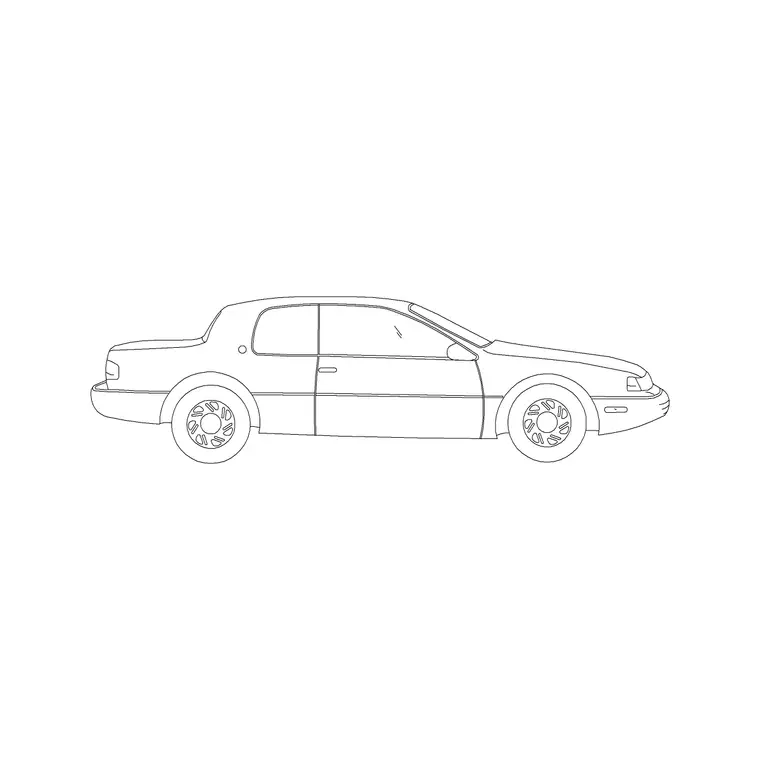
The 2 Door Sedan Car block is a clean elevation car for street views and the Human Figure Plan 1 block is a top-down occupant for plans — between them you cover most everyday scale-setting needs. Keep both on a Tool Palette and you can drop honest scale into any drawing in seconds, whether it is a site plan that needs cars in the car park or an elevation that needs a figure at the door.
Vehicles — sizes and where they belong
A car is one of the most useful scale references on a drawing because almost everyone knows roughly how big one is. A typical sedan is about 4.5 metres long by 1.8 metres wide; an SUV or large saloon runs nearer 4.8 by 1.9 metres; a standard parking bay is drawn at 2.4 by 4.8 to 5.0 metres. Keeping a sedan and one larger vehicle in your kit covers most situations, from a residential driveway to a commercial car park.
Where you put vehicles matters as much as their size. On a site plan, place cars in marked bays and along access roads where traffic actually goes — a car stranded in the middle of a landscaped area reads as an error and undermines the credibility of the drawing. On an elevation, a parked car in front of the building sets the storey height in context and roots the façade in a real street rather than a void.
Check the block measures around 4.5 metres long; a car that scales to three or six metres is mis-scaled and will quietly lie about every dimension near it, which defeats the entire purpose of placing it. When a vehicle is your scale reference, its accuracy is not cosmetic — it is the ruler everyone reads the drawing against, so verify it the same way you would verify a dimension.
People — plan figures and elevation figures
People come in two views and you want both. Elevation figures are standing silhouettes around 1.7 to 1.8 metres tall, used on façades and sections to calibrate height — drop one beside a door, a window or a stair and the whole sheet becomes readable. Plan figures are small top-down ovals, like the Human Figure Plan 1 block, used on furnished layouts to show occupancy and prove a space is not overcrowded.
The discipline with figures is restraint and variety. A handful of well-placed people communicate more than a crowd, and they should vary — different postures, different heights, some close and some distant, facing different ways. A row of identical figures all facing forward at the same size is the classic clone-army tell that cheapens a drawing instantly, and it is entirely avoidable with a little mirroring and rotation.
Place people where a real person would plausibly stand: on paths, near entrances, around seating and tables, never floating in a carriageway or hovering off the ground line. Figures used well do two jobs at once — they calibrate scale and they suggest how the space is occupied — which is why a small, varied set of plan and elevation people earns a permanent place in every draftsman's kit alongside the vehicles.
Place, scale and layer for honesty
Both families come drawn at real-world size, so insert with the INSERT command at scale 1 and they land correct; if a car or figure arrives wildly oversized, that is a units mismatch fixed with SCALE, not a broken block. Snap figures to the ground line in elevation so they do not appear to float, and snap cars to bay lines or the road edge on plans so they sit where traffic belongs.
To suggest depth in a render or elevation, vary entourage sizes slightly with SCALE — closer figures and vehicles a touch larger, distant ones smaller — and mirror or rotate instances so no two are identical. This small amount of variation is what reads as a real scene rather than a stamped one, and it costs only a few seconds per instance.
Keep vehicles and people on their own layer, or two, so you can dim or freeze them for a clean technical issue and bring them back for a presentation. Blocks built on layer 0 inherit that layer when you insert them, so set it current first. A small, varied kit of cars and figures, placed where they belong and kept on their own layer, gives every drawing honest scale and a sense of life for almost no effort — and lets the same drawing serve as both a technical issue and a presentation simply by toggling the entourage layers.
Questions
Frequently asked
How big should a car block be on a CAD drawing?+
A typical sedan is about 4.5 metres long by 1.8 metres wide; a standard parking bay is 2.4 by 4.8–5.0 metres. Measure the block to confirm before relying on it for scale.
What is the difference between a plan and elevation people block?+
A plan figure is a small top-down oval showing occupancy on layouts; an elevation figure is a standing silhouette about 1.7–1.8m tall used on façades and sections to calibrate height.
Where can draftsmen download free vehicle and people blocks?+
The Vehicles and People categories on cadblockdwg.com have cars and figures in plan and elevation as free DWG downloads, no signup, free for commercial use.
Free downloads from this article


Free CAD block library
Download the blocks from this article — free, no signup
