Top lighting CAD blocks every electrical designer needs
Pendants, downlights, ceiling and wall fittings — the lighting blocks to download free, what belongs on a reflected ceiling plan, and how to layer them.
Sumana KumarUpdated 12 June 20264 min read
Lighting is a layout problem with a kit answer
An electrical designer laying out lighting is solving a coverage-and-circuiting problem: enough fittings of the right type, evenly spaced, grouped sensibly onto switches and circuits, shown clearly on a reflected ceiling plan. Almost none of that requires drawing a luminaire from scratch — the fittings repeat constantly across rooms and projects, which makes a downloaded lighting block kit one of the highest-leverage things you can keep on hand.
This post is that kit: pendants and chandeliers, recessed downlights, ceiling fittings and wall lights, in both the schematic symbol form for layouts and the decorative form for elevations and renders. Everything is in the Lighting category on cadblockdwg.com, free in DWG with no signup and free for commercial use.
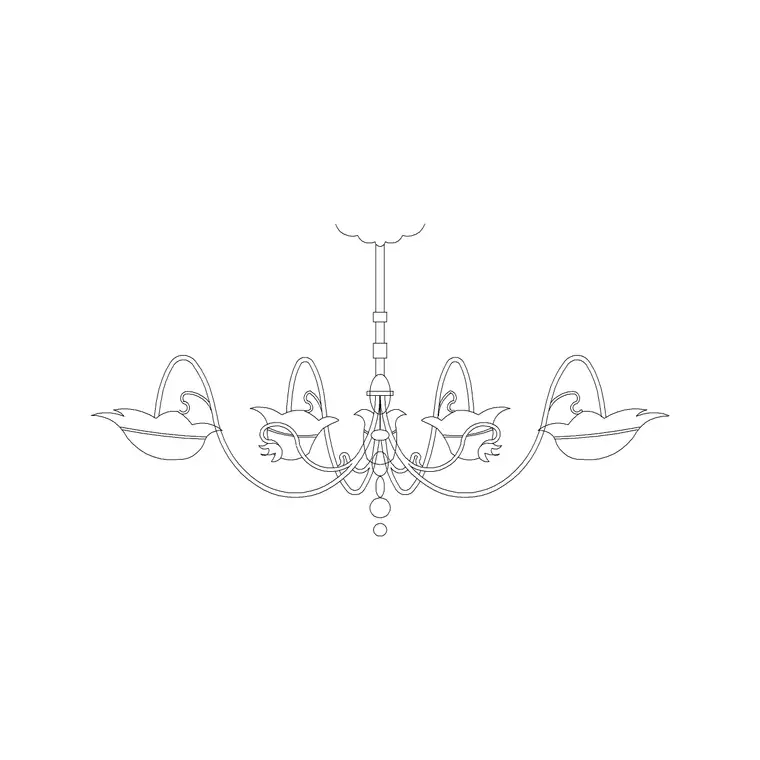
The Suspended Chandelier Metal Type A block is a ready decorative pendant for feature spaces; pair it with downlight and wall-light blocks from the same category for the working layout. Keeping both a decorative set and a schematic set means you always have the right block for the drawing — the detailed fitting for a presentation elevation, the clean symbol for the circuit plan — without improvising either one under deadline.
Pendants, downlights and the fittings you place most
Downlights are the workhorse of most lighting plans, so keep a clean recessed-downlight symbol in your kit and space them sensibly. A common rule of thumb is to space downlights roughly the ceiling height apart, and to keep them around half that distance off the walls, then adjust for the lux level the room needs. They are placed in large numbers, so a single trusted block arrayed across a ceiling saves enormous time over drawing each one and keeps the spacing perfectly regular.
Pendants and chandeliers are the feature fittings — placed singly over islands, dining tables and stairwells, where their position is a design decision rather than a grid. Use a decorative block like the Suspended Chandelier Metal Type A on elevations and presentation plans where the fitting's appearance matters, and a simpler symbol on the working circuit plan so the layout stays legible.
Wall lights, track and linear fittings round out the kit; pull the ones your typical projects use so the whole palette is one click away. The goal is to have a symbol for every fitting type you regularly specify, so laying out a room becomes a matter of placing and spacing known blocks rather than inventing a new symbol each time — which also keeps your drawings consistent from project to project.
The reflected ceiling plan and what it shows
Lighting layouts live on the reflected ceiling plan, or RCP — a view that imagines a mirror on the floor reflecting the ceiling up, so the ceiling is drawn as if looking down at its reflection. The RCP is where fittings, their positions, switching and ceiling features are coordinated, and it is the drawing a designer issues to set out the ceiling. Keeping your lighting symbols designed for the RCP — clear, schematic, legible at plan scale — is what makes the layout readable to the electrician who installs it.
On the RCP you show each fitting as its symbol at its real position, group fittings onto circuits and switch lines, and coordinate with the architecture so a downlight does not land on a joist or a beam. Catching that clash on the RCP is the whole point of drawing it; finding it on site is an expensive surprise.
The decorative chandelier and pendant blocks are better suited to elevations and 3D views; on the RCP, the schematic symbol keeps the drawing clean and uncluttered. Knowing which block belongs on which drawing — symbol on the RCP, decorative on the elevation — is half of laying lighting out well, and it is a distinction worth building into your block kit from the start so you never reach for the wrong one.
Layer it, circuit it, and insert clean
Keep lighting fittings on their own layer, distinct from power, data and the architecture, so you can issue a clean lighting-only plan and coordinate circuits without the ceiling geometry fighting for attention. Many designers go further and layer by circuit or by fitting type, so an entire circuit can be isolated, counted or recoloured from the Layer Manager — which makes scheduling and checking far quicker.
Blocks built on layer 0 inherit whichever lighting layer you insert them onto, so set that layer current before placing. Bring each fitting in with the INSERT command, keep scale at 1 since the blocks are drawn at real size, and snap fittings to a ceiling grid or to setting-out lines so spacing is regular and intentional rather than eyeballed.
Array downlights rather than placing them one by one, and reserve manual placement for the feature pendants where position is a design call. A direction or note symbol such as the Arrow block helps annotate switching and viewing direction on the RCP where it aids clarity. A vetted lighting kit on a Tool Palette plus disciplined, circuit-aware layering lets you lay out a reflected ceiling plan quickly and hand over a drawing an electrician can wire straight from — which is exactly what a lighting plan is for.
Questions
Frequently asked
What is a reflected ceiling plan?+
An RCP shows the ceiling as if a mirror on the floor reflected it up, drawn looking down. It is where lighting fittings, their positions and switching are coordinated and set out.
Where can electrical designers download free lighting blocks?+
The Lighting category on cadblockdwg.com has pendants, chandeliers, downlights, ceiling and wall fittings as free DWG downloads, no signup, free for commercial use.
Should I use a decorative or schematic lighting block?+
Use a schematic symbol on the reflected ceiling plan to keep it legible, and a decorative block like a detailed chandelier on elevations and presentation views where appearance matters.
Free downloads from this article


Free CAD block library
Download the blocks from this article — free, no signup


