Top furniture CAD blocks every interior designer needs
The furniture blocks an interior designer reaches for on every project — seating, tables, beds, storage — where to download them free and how to lay them out.
Sumana KumarUpdated 8 March 20266 min read

Build the kit, not the one-off
Most interior designers do not download furniture blocks one at a time when a deadline is breathing down their neck. They keep a standing kit — the twenty or so families that show up in every residential and light-commercial layout — and pull from it instinctively. Furnishing a plan stops being a search problem and becomes a placement problem, which is where your actual design judgement lives.
This post is that kit, organised the way you would actually assemble a room: somewhere to sit, somewhere to eat, somewhere to sleep, somewhere to put things, and the work surfaces in between. Everything here is on cadblockdwg.com as a free DWG, with no signup and free for commercial use, so you can grab the whole set in one sitting and stop hunting mid-project.
Each family below tells you the real-world dimension you should be able to measure on a clean block. That matters because a downloaded block is only useful if it is drawn at the right size — and the quickest way to vet one is to draw a dimension across it and compare. If a sofa measures two metres deep or a bed measures a metre wide, the block is mis-scaled and worth correcting before it quietly poisons every clearance in your layout.
Tables and dining — set the rhythm
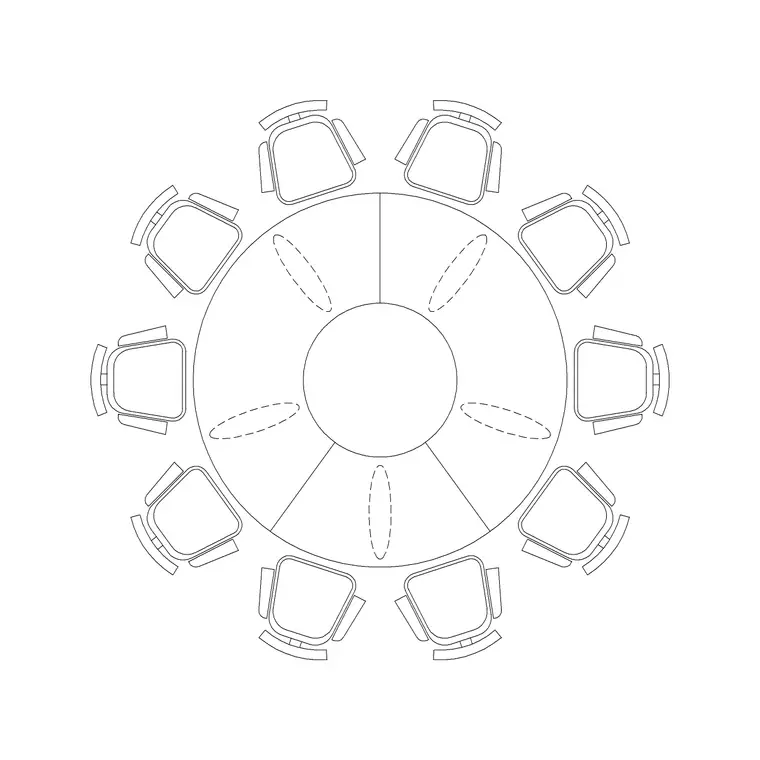
Tables govern how a room is used, so they are the second pillar of the kit. A four-person dining table sits around 1200 by 800mm, a six-person near 1800 by 900mm, and a coffee table around 1100 by 600mm. Browse the Furniture category and grab both a rectangular and a round dining set so you can match the table to the room's proportions — round tables read more sociable and waste less corner space in a tight dining room, while a long rectangular table suits a narrow space against a wall.
The non-negotiable here is the 900mm of clear circulation you keep all the way around a dining table, so chairs pull out and someone can pass behind a seated diner without a shuffle. A furnished block makes that ring of space visible the instant you place it, which is exactly when a cramped dining zone is cheapest to fix — before the wall is committed and before the client has fallen in love with a layout that does not work.
Coffee tables pair naturally with the seating you placed earlier; size them to the sofa rather than the room and they will never feel marooned in the middle of the floor. A good rule is to make the coffee table roughly two-thirds the length of the sofa it serves, which the plan block lets you check by eye in seconds.
Beds, storage and work surfaces
Bedrooms live and die on clearances, so accurate bed blocks matter more than almost anything else in the kit. A single bed is 900 by 1900mm, a double 1350 by 1900mm, a queen 1500 by 2000mm and a king 1800 by 2000mm. Always allow about 600mm down at least one long side for access and a bedside table; two-sided access is the goal whenever the room allows it. A good bed block carries pillows and a turned-down throw line so the plan reads as a bedroom at a glance rather than as a plain rectangle that could be anything.
Storage is the family designers forget and the one that quietly breaks layouts. Wardrobes are commonly 600mm deep in 600mm width modules; bookshelves around 300mm deep. A 600mm wardrobe placed without thought eats the clearance a door swing needs, and you only catch it if the wardrobe is actually drawn on the plan rather than assumed. Showing storage honestly is what stops a bedroom that looks fine on screen from failing the moment the joiner arrives.
Round the kit out with desks — 1200 to 1600mm wide and 600 to 800mm deep — and the Cabinet block for built-in storage and units, both available free in the catalogue. With seating, tables, beds, storage and a work surface in hand, you can fit out a home study or a reading corner without drawing a stick of furniture by hand.
Insert clean, place fast, restyle later
Download each block once and bring it in with the INSERT command — type I, point it at the downloaded DWG, leave scale at 1 and rotation at 0, then snap the insertion point to a wall or grid line with object snaps. The blocks here are drawn at real-world size, so a scale of 1 is correct; if a chair ever lands the size of a building, that is a units mismatch, not a broken block, and a quick SCALE by 0.001 or 1000 puts it right.
For the kit to actually pay off, set your furniture layer current before you insert so well-built blocks inherit it, then drag your ten or twelve most-used pieces onto a Tool Palette. From then on a sofa, a bed or a dining set is a single click from any drawing, and furnishing a plan stops being a chore. That one-time setup is the difference between laying out a home in minutes and rebuilding it from scratch every time.
It also pays off at the end of a project. Because the furniture sits on its own layer, you can dim every piece back for a structural sheet, recolour it for a presentation, or freeze it entirely for a services plan — all from the Layer Manager, without touching a single block. That is the real reward of treating your furniture as a curated kit rather than a pile of one-off downloads.
Questions
Frequently asked
Where can interior designers download furniture CAD blocks for free?+
The Furniture category on cadblockdwg.com has sofas, beds, tables, desks and storage as free DWG downloads with no signup, free for personal and commercial work.
What plan dimensions should I check on a furniture block?+
A 2-seater sofa is about 1500x900mm, a 3-seater 2100x900mm, a single bed 900x1900mm and a 4-person dining table 1200x800mm. Measure the block to confirm before relying on it for clearances.
How do I lay out furniture blocks quickly?+
Insert each block with the INSERT command, snap it to walls or a grid, keep your furniture layer current so it inherits the layer, and put your most-used pieces on a Tool Palette for one-click placement.
Free downloads from this article

Free CAD block library
Download the blocks from this article — free, no signup


