Free vs paid kitchen CAD blocks: what's worth it
Free kitchen blocks — cabinets, sinks, hobs, appliances — lay out most kitchens. Here is when paid appliance CAD pays off, and how to vet free kitchen blocks.
Sumana KumarUpdated 21 May 20264 min read

Free covers most kitchen layout work
A kitchen plan is mostly generic modules: base and wall cabinets in standard widths, a sink, a hob, a fridge, an oven, a worktop run. None of that needs to match a specific brand to lay out the room, test the work triangle, and check clearances. So free kitchen blocks drawn to standard dimensions handle the great majority of kitchen design and documentation.
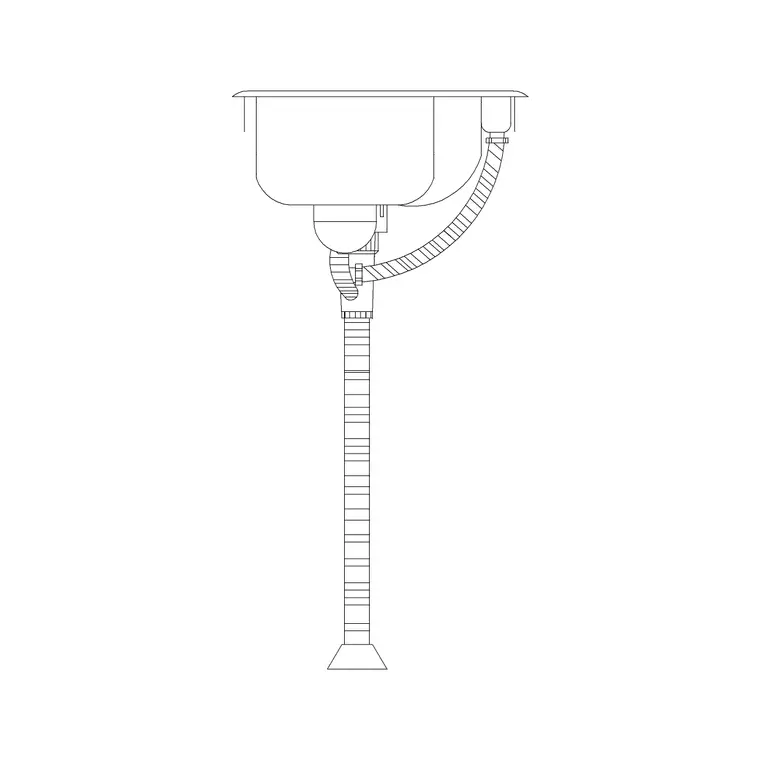
Our Kitchen category provides these everyday pieces as free DWG downloads — no signup, free for commercial use. Cabinets in 300, 600 and 900mm modules, sinks, and appliance outlines let you block out a kitchen quickly. The case for paying arrives only when you need a specific appliance model's exact footprint or service clearances, which is a documentation-stage concern rather than a layout one.
Standard sizes to check on a kitchen block
Kitchens are unusually standardised, which makes vetting free blocks easy because you know the numbers. Base cabinets are typically 600mm deep and 900mm high to the worktop, in width modules of 300, 400, 500, 600, 800, 900 and 1000mm. Wall cabinets are about 300 to 350mm deep. A standard sink base is usually 600mm, a dishwasher and an under-counter oven both around 600mm wide, and a freestanding cooker commonly 600mm too. Worktop depth is around 600 to 650mm.
Open any free kitchen block and dimension it against those figures. A cabinet that measures 600mm deep on a 600mm module is correct; one that comes in at an odd size is mis-scaled and needs fixing before you trust the layout. Because the standards are so well known, a kitchen block either matches them or it doesn't — there is little ambiguity to argue about.
When paid kitchen content is worth it
Paid or manufacturer kitchen blocks earn their cost at the specification stage. If you are documenting a real kitchen with named appliances — a specific induction hob, a particular integrated fridge-freezer, a branded range cooker — the manufacturer's own CAD download carries the exact footprint, the required service and ventilation clearances, and sometimes the cabinet cut-out dimensions. That precision matters for installation coordination and is something a generic block only approximates.
The same applies to proprietary cabinet systems: if you are working to a particular kitchen manufacturer's modules and carcass dimensions, their CAD content keeps you accurate. Many appliance and kitchen manufacturers publish this CAD free for specifiers, so 'paid' often really means 'go to the maker' rather than buy a library. Use it where exactness is contractually required; use free generic blocks to design and lay out the room.
Licensing and clean insertion
As with all blocks, the licence matters more than the price. Confirm any kitchen block is free for commercial use before it goes into a client drawing — our Kitchen category is, with no attribution and no login. A paid or manufacturer block can carry its own restrictions, so read those terms too.
When inserting, snap cabinets to the wall line and run them along the worktop so the modules abut cleanly without gaps or overlaps. Keep appliances and cabinets on a kitchen or joinery layer, ideally with the blocks built on layer 0 so they inherit it. After importing unfamiliar kitchen blocks, run AUDIT and PURGE to clear any orphaned data. Verify the work triangle — sink, hob and fridge — and the standard 1000 to 1200mm of clearance in front of runs and between facing units, which a correctly scaled set of blocks lets you read directly off the plan.
Elevations matter as much as the plan
A kitchen is one of the rooms where the plan alone never tells the whole story, because so much of the design lives vertically — wall-cabinet heights, the gap between worktop and wall units, splashback zones, extractor position. That means you will want elevation blocks as well as plan ones, and the same free-versus-paid logic applies. Free elevation blocks for cabinets, a sink and fittings, and appliances let you draw the interior elevations that make a kitchen buildable.
When you draw those elevations, the standard vertical dimensions are as well known as the plan ones: worktops around 900mm above the floor, the underside of wall units typically about 1500mm up to leave a sensible splashback gap, and wall units commonly 700 to 900mm tall. Free blocks drawn to those heights let you check the vertical arrangement reads correctly. As always, confirm a physical fitting measures realistically and match the view to the drawing — a plan symbol does not belong on an elevation and vice versa.
A sensible kitchen-block approach
Design and lay out kitchens with free generic blocks: cabinets, sinks, hobs, appliances, worktops, all checked against the standard module and depth dimensions. Confirm commercial licensing, which on this site is guaranteed. Switch to manufacturer CAD only when you are documenting named appliances or a specific cabinet system and the exact footprint and clearances become contractually important.
That split keeps you fast and free during layout, where most of the work is, and accurate where it counts at specification. Vet each free block in seconds against the well-known kitchen standards, keep everything on a tidy joinery layer, and a downloaded kitchen set will carry a plan from first blocking-out to a clean, readable layout without paying for content you do not need.
Questions
Frequently asked
Are free kitchen CAD blocks accurate enough?+
For layout, yes — kitchens are highly standardised, so a free block drawn to standard module and depth sizes works well. Verify dimensions against the standards (base cabinets 600mm deep, common width modules) before relying on it.
When do I need paid or manufacturer kitchen CAD?+
At specification, when you are documenting named appliances or a specific cabinet system and need exact footprints, service clearances and cut-out sizes. Many manufacturers publish that CAD free for specifiers.
What sizes should a kitchen cabinet block be?+
Base cabinets are typically 600mm deep, 900mm high to the worktop, in width modules of 300/400/500/600/800/900/1000mm; wall cabinets about 300-350mm deep. Dimension the block to confirm.
Free downloads from this article

Free CAD block library
Download the blocks from this article — free, no signup


