Free microwave & oven DWG files (and how to use them)
Find free microwave and built-in oven DWG blocks, the 600mm housing module, single vs double oven heights, and how to place them in plan and elevation.
Saumyajit MaityUpdated 16 March 20264 min read
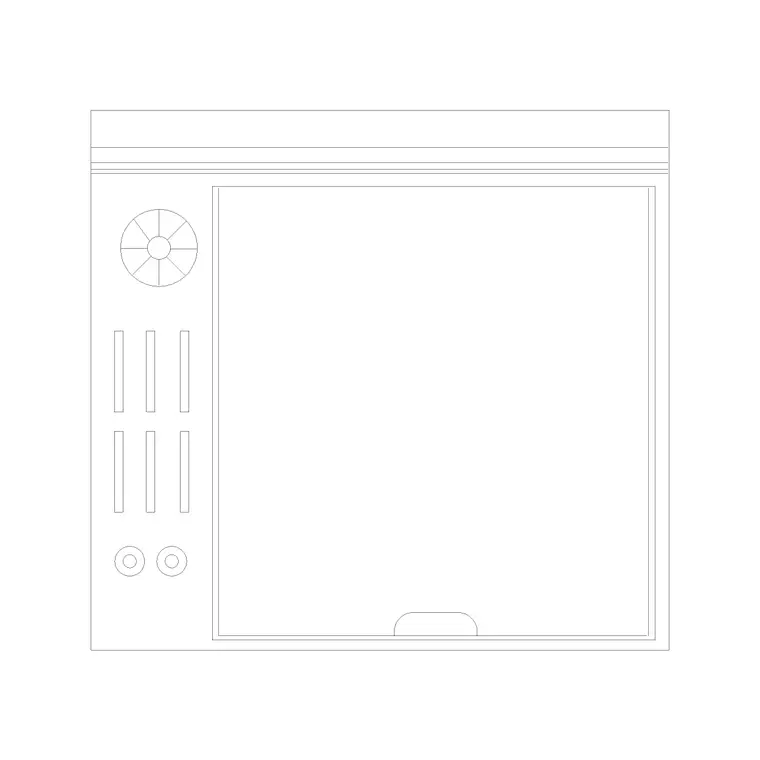
Finding microwave and oven blocks
Microwave and oven blocks sit in the Kitchen category. Search 'oven' or 'microwave' to reach the appliance blocks, free to download as DWG with no signup and free for commercial use. Ovens and microwaves are mostly drawn as built-in appliances now — slotted into a tall housing or under the worktop — so the block you want is usually the front face of a built-in unit rather than a freestanding box.
There is a useful distinction to keep straight. A single oven, a double oven and a combination microwave-oven all occupy a 600mm-wide housing but different heights within it. A countertop microwave, by contrast, is a small freestanding box that sits on the worktop like any other appliance. Pick the block for the install type you are actually specifying, because where it sits in the run is completely different — a built-in oven belongs to the joinery in a tall or base unit, while a countertop microwave is just another prop on the counter.
Oven housing dimensions
Built-in ovens are standardised around a 600mm-wide housing to match the cabinet module, and around 560–600mm deep. The heights are what vary: a single oven occupies roughly 600mm of housing height, a double oven about 720–900mm, and a built-in microwave or compact oven around 380–450mm. These stack within a tall unit — a common arrangement is a built-in oven with a microwave or warming drawer directly above it in the same housing.
Under-counter single ovens sit within the base run, their 600mm width slotting between cabinets with the worktop continuing over the top. A countertop microwave is much smaller, roughly 500mm wide and 350–400mm deep, drawn as a small rectangle on the worktop. In plan, a built-in oven housing reads like a tall or base cabinet; the appliance really comes to life on the elevation, where the door and controls show on the front face.
Placing built-in ovens in a tall housing
The most ergonomic place for a built-in oven is in a tall housing at mid-height, so the user is not bending to floor level — the oven door at around 600–900mm above the floor. On the plan this housing reads as a 600mm tall unit; insert the block, snap it into the run beside the other tall units (fridge housing, larder), and label it as the oven housing.
The elevation is where the oven and microwave stack is communicated properly. Place the oven block on the front face of the housing at its mounting height, with the microwave block directly above it if that is the arrangement. Keep clear worktop or a landing surface near the oven so hot dishes have somewhere to go as they come out, ideally within a step of the oven door rather than across the room. Put everything on the appliances or joinery layer, which the block inherits from layer 0 when you set that layer current first.
Placing a countertop microwave
A countertop microwave is treated like any small appliance: it sits on the worktop, so insert it with I and Browse and snap it just inside the worktop edge so it reads as resting on the surface. Position it out of the main prep zone — a microwave shoved next to the hob steals cooking landing space — and near a socket, since like every appliance it implies power.
Because it is small, double-check its scale after downloading; a microwave that imports at metre scale will be a faint dot rather than an obvious error. If you are placing it on a presentation drawing, keep it on the props or accessories layer so it can be frozen for a clean technical sheet. The built-in versions, being part of the joinery, stay on the appliances layer instead. Either way, remember the microwave needs a socket, so drop a power point nearby on the electrical layer as a clear reminder that the worktop run has to supply it with a dedicated point.
Scale checks and getting the stack right
Open the oven DWG on its own and measure the housing width — it should read 600mm. If it comes in at 0.6, it is in metres; set INSUNITS to millimetres in both files or SCALE by 1000, or divide 600 by the measured width for the exact factor if the units are unlabelled. Run AUDIT and PURGE to keep the block tidy.
The detail that makes an oven drawing correct is getting the stack and heights right on the elevation. Label whether it is a single or double oven, and show the microwave or warming drawer above it at the real heights so the joiner builds the housing openings to suit. Note the electrical supply on the services layer too, since a built-in oven usually needs its own dedicated circuit. The plan proves the 600mm housing fits the run; the elevation proves the appliances stack sensibly at usable heights. Together they make a built-in oven design that translates straight into cabinetry.
Questions
Frequently asked
What size is a built-in oven block?+
Built-in ovens use a 600mm-wide housing, around 560–600mm deep. A single oven is about 600mm of housing height, a double oven 720–900mm, and a built-in microwave 380–450mm.
Where should a built-in oven go in a kitchen?+
In a tall housing at mid-height so the door sits around 600–900mm above the floor and the user does not stoop. Show it on the elevation with any microwave stacked above.
Is a countertop microwave drawn differently?+
Yes. It is a small freestanding box (~500mm wide) that sits on the worktop like any small appliance, on the props layer, rather than a built-in unit in a housing.
Free downloads from this article
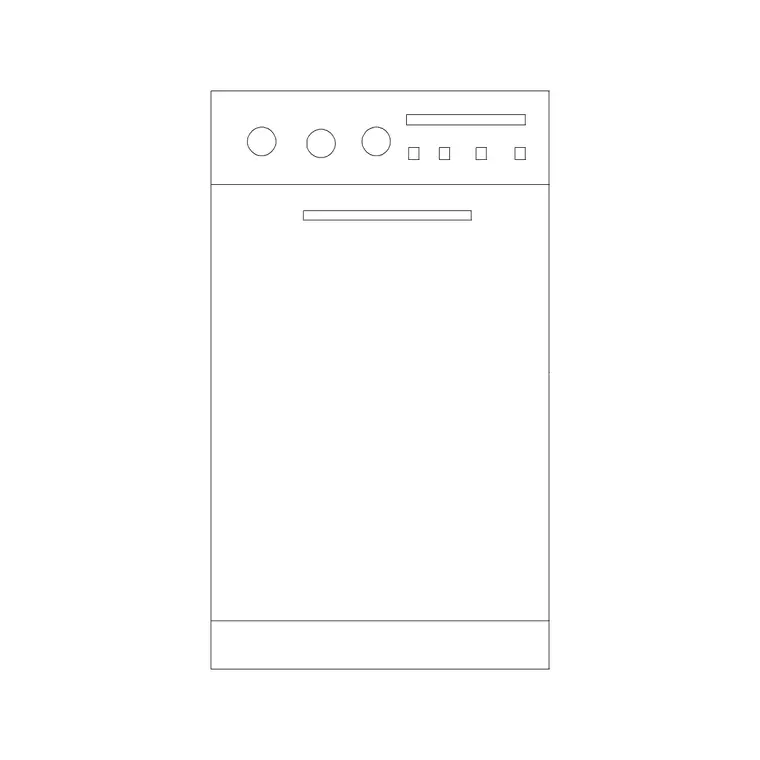
Free CAD block library
Download the blocks from this article — free, no signup


