Where to find free bathroom plan-view DWG files
Free plan-view bathroom DWG blocks for AutoCAD — why plan view is the workhorse, which fixtures are drawn top-down, and how to furnish a bathroom plan.
Sumana KumarUpdated 4 June 20264 min read
Why plan view is the workhorse
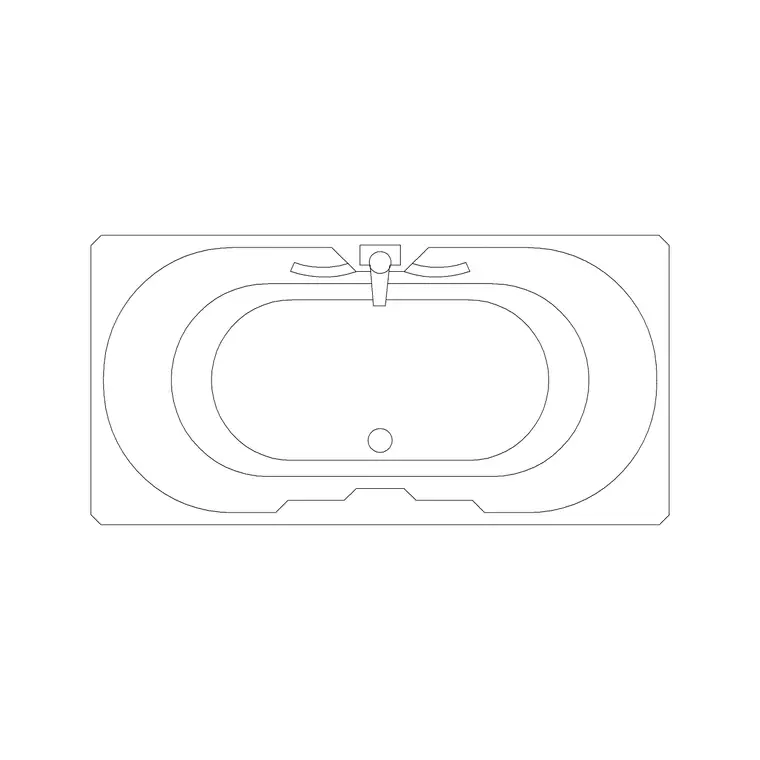
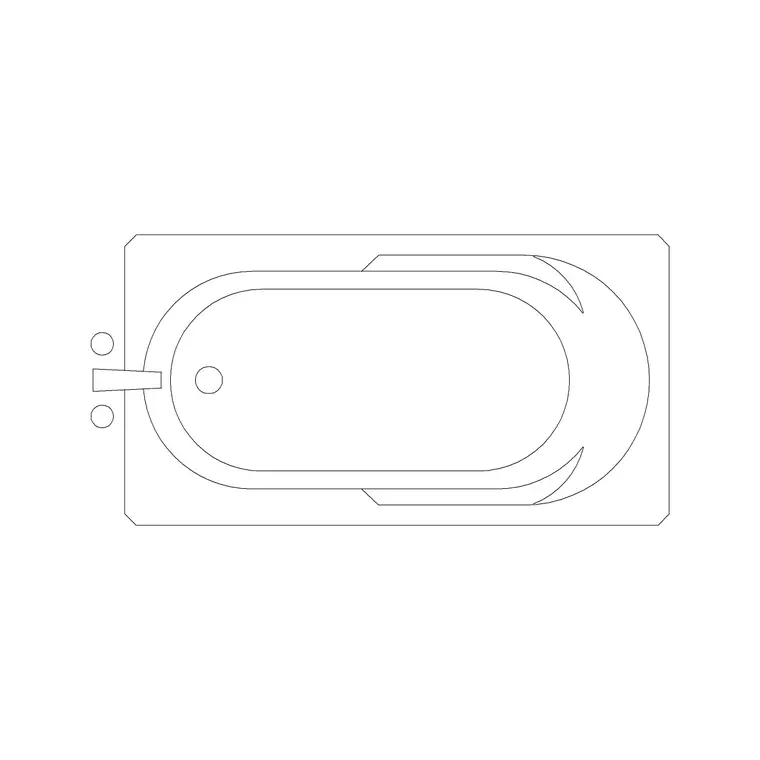
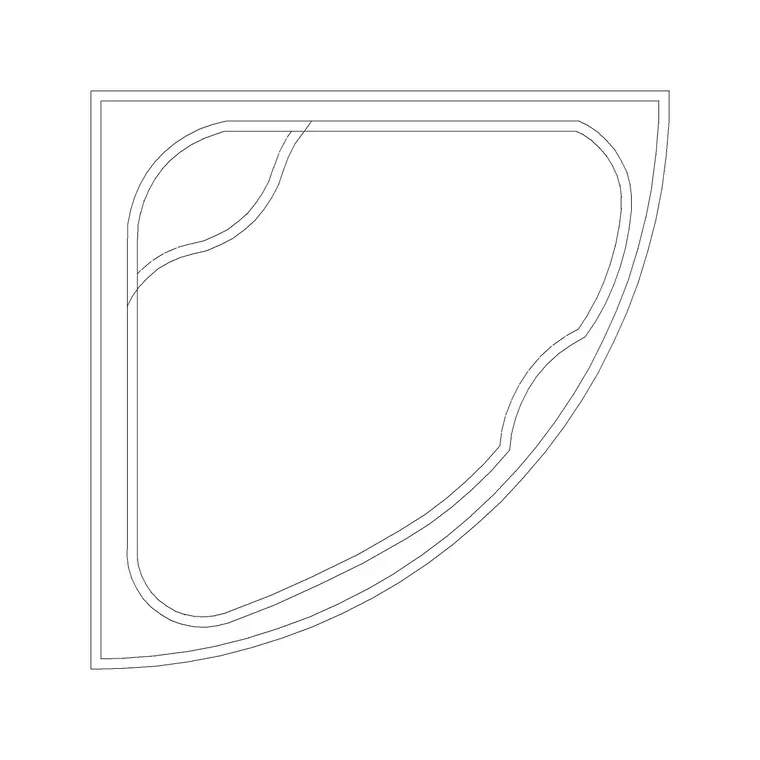
A floor plan is a horizontal slice looking straight down, and it is where almost all bathroom layout work happens — walls, fixture positions, door swings and circulation all live in plan. So the plan-view block, the top-down outline of a fixture, is the one you reach for most. On this site the great majority of bathroom blocks are drawn in plan view precisely because that is the most-used view: the baths are plan baths, the corner tubs are plan footprints, the toilets and basins drop top-down onto the layout.
Every one is a free DWG, no signup, free for commercial use. Plan view answers the question a bathroom layout actually asks: does everything fit, and can you move around it. If you instead need to show the height of things — basin height, tiling, the shower screen — that is an elevation, and you would reach for the elevation blocks (such as the sized sink elevations or the bath-with-shower front section). But for laying the room out, plan view is where you start and spend most of your time.
Which bathroom fixtures are drawn in plan here
The plan-view bathroom blocks cover the full set you need to furnish a layout. The baths are plan drawings — standard plan tubs, the oval and curved feature baths, the corner-wall baths and the double tubs — each showing the rim and inner well from above. The toilet commodes drop onto the plan as top-down pan-and-cistern outlines. Basins and showers appear in plan as the bowl outline and the tray footprint respectively.
That means a complete bathroom can be assembled entirely from plan-view blocks: place the bath, snap the WC to its wall, drop the basin, set the shower in the corner, and the layout is furnished. The blocks are DWG at a broadly compatible AutoCAD version, drawn to real footprints — a 1700mm bath, a 700mm-deep WC, a 450mm basin — so the plan tests clearances honestly the moment the fixtures are placed. Matching the plan-view block to a plan drawing, rather than accidentally dropping in an elevation, is the single most common thing to get right with bathroom blocks.
Furnishing a bathroom plan step by step
Start by placing the WC, since its drainage makes it the least flexible fixture — run INSERT, browse to the commode DWG, and snap the cistern to the wall with object snaps (F3). Add the bath next, snapping its long edge to a wall or its two edges into a corner for a corner tub. Drop the basin onto a convenient wall, and set the shower tray into the remaining corner. Rotate each fixture as needed with orthogonal-snapped rotation so everything sits square.
Then run the clearances, which is what plan view is for: roughly 600mm of clear floor in front of the WC and basin, the shower door swing clear of the other fixtures, and an unobstructed route from the door to each fixture. Drawing the door swing into the room is part of this — a door that fouls the basin is a problem you want to catch on the plan, not on site. With real-footprint plan blocks, all of this is visible at a glance, which is exactly why the plan is the drawing you furnish first.
Scale, layer and a clean layout
Units determine whether the plan blocks come in at the right size — set INSUNITS in your drawing to match the files (4 for millimetres, 6 for metres) before inserting so each fixture auto-scales, or correct any stray block with SCALE (0.001 for millimetres into a metre drawing, 1000 the other way) and verify with DIST against a known dimension like the 1700mm bath length.
Keep all the sanitary ware on your sanitary or fixtures layer, which each block inherits automatically if it was drawn on layer 0, so the whole bathroom plots cleanly and you can isolate the fixtures for coordination with drainage and tiling layouts. A bathroom plan furnished from correctly scaled, plan-view blocks, all on a sensible layer, gives you a layout that reads clearly to the client and works for the contractor — the workhorse drawing of the whole bathroom package, done properly.
Reading a bathroom plan correctly
Part of using plan-view blocks well is understanding the conventions they follow, so the finished drawing reads the way a builder expects. A door is drawn with its leaf and a swing arc, showing which way it opens — and in a bathroom this matters because an inward-opening door can foul the WC or basin, so the swing is information, not decoration. Fixtures are shown as their top-down outline cut at the conventional plan height, which is why a WC reads as a pan-and-cistern shape and a basin as a bowl outline.
The blocks also help you communicate finishes: a tiled or wet area can carry a hatch, and the fall to a drain is implied by the layout even though the plan does not show levels. When you place these blocks, you are speaking a shared visual language — anyone trained reads the plan bath, the plan WC and the door swing instantly. That is the quiet advantage of using proper plan-view blocks rather than rough rectangles: the drawing is not just to scale, it is legible, and legibility is what turns a layout into a document a contractor can build from without ringing you to ask what something is.
Questions
Frequently asked
Why are most bathroom blocks drawn in plan view?+
Because the floor plan is where layout work happens — fixture positions, door swings and circulation all live in plan. Plan view is the most-used view, so most bathroom blocks default to it.
Can I furnish a whole bathroom from plan-view blocks?+
Yes. Plan baths, toilet commodes, plan basins and shower trays together cover a complete layout. Place the WC first, then the bath, basin and shower, and check the clearances.
When do I need an elevation instead of a plan block?+
When you are showing height — basin height, tiling, the shower screen. For those, use elevation blocks such as the sized sink elevations or the bath-with-shower front section.
Free downloads from this article


Free CAD block library
Download the blocks from this article — free, no signup


