Free DWG blocks for a hospital ward — what to download
Plan a hospital ward with free DWG blocks: patient beds, bed-head units and lockers. What to download and how to space beds for clinical clearances.
Saumyajit MaityUpdated 11 February 20264 min read
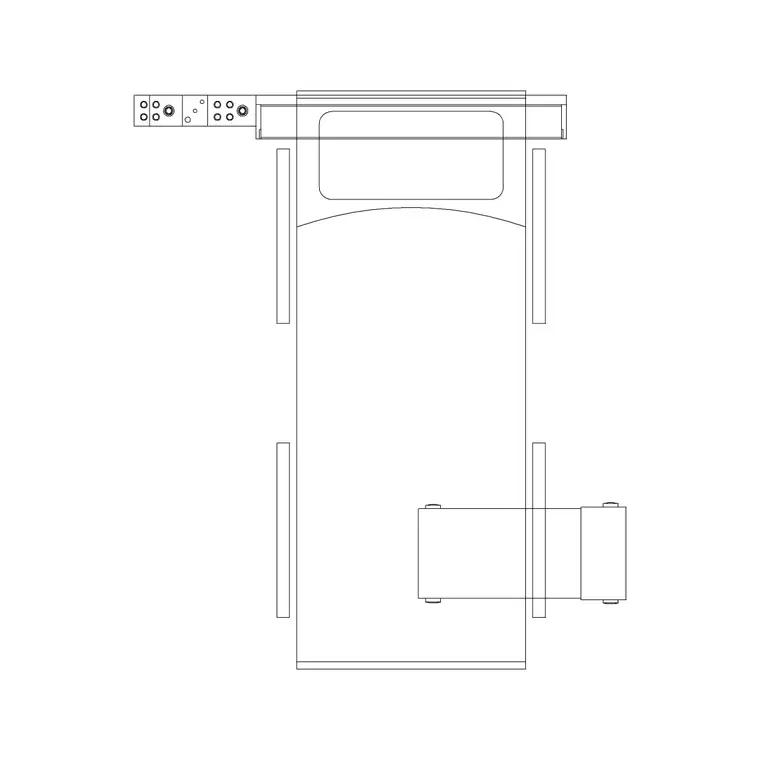
A ward is repeated bed bays with strict clearances
A hospital ward is laid out as a series of bed bays — each bed with its own clinical space around it — repeated along the ward and grouped into bays of four or six, with single isolation rooms as needed. The clearances here are not aesthetic preferences; they are clinical and often regulated, allowing staff, equipment and a bed itself to move around each patient. So the blocks you download are patient beds and their immediate equipment, placed with care.
Everything here is free DWG and DXF, no signup. The Medical category holds patient beds, bed-head units and related blocks. Start with the patient bed and its bed-head unit, because the bed bay is the repeating unit that defines the whole ward, and the space around each bed is what the layout must protect. Modern wards mix multi-bed bays with single rooms for isolation and privacy, so plan for both bay types from the outset rather than treating single rooms as an afterthought.
What to download for a ward
A ward bay typically needs:
- A patient bed in plan — around 900 by 2000mm for the bed itself, with clinical space around it. - A bed-head unit / medical trunking at the head of each bed for services (oxygen, power, nurse call). - A bedside locker / cabinet and an over-bed table. - A patient chair beside each bed. - Privacy curtain tracks defining each bay. - Shared elements: a nurses' station, hand-wash basins, and en-suite or assisted WCs.
The patient bed plus its bed-head unit are the core repeating blocks. A bed with an integrated bed-head unit, a bedside locker and a chair makes up one bay; repeat the bay along the ward to build it out.
Clinical clearances around each bed
The reason to lay out a ward with real bed blocks is that the space around each bed is the design. Allow generous clear space along both long sides of the bed and at the foot so staff can attend from either side and a second bed or trolley can pass — these zones are typically defined by health building guidance and are non-negotiable in clinical work. The gap between bed centres in a multi-bed bay is similarly governed.
Keep the bed-head services accessible, the privacy curtain able to fully enclose the bay, and the route from the door to each bed clear for a bed being wheeled in or out. Placing real bed blocks lets you confirm these clinical clearances precisely, which is the entire point of a ward layout — the spacing has to satisfy guidance before anything else.
Observation drives the plan as much as the clearances. Beds are usually arranged so the nurses' station has a clear line of sight into each bay, which is why bays open toward the staff base rather than facing away from it. As you place the bed blocks, sketch the sightlines from the station and confirm no bed is hidden behind a wall or a column. Infection control matters too: hand-wash basins belong at the entrance to each bay and beside the station, and the dirty-utility and clean-supply routes should not cross. These are clinical requirements, not preferences, so check them against current guidance for your region.
Inserting ward blocks in AutoCAD
Download the patient bed, bed-head unit, locker and chair. INSERT one complete bay — bed, bed-head unit, locker, chair — then array it along the ward at the governed bed spacing, mirroring across a central corridor where the plan is double-sided. The blocks are real-world sized, so keep scale at 1; correct any wrong-sized insert through units (INSUNITS to millimetres, or scale 0.001 / 1000).
Use object snaps to align the bed-head units precisely along the services wall, since the medical trunking has to coordinate with the building services behind it. Put beds, bed-head units, furniture and curtain tracks on separate layers so you can issue a clinical layout, a services-coordination plan and a clean architectural plan from the same model.
Finishing the ward drawing
Add the shared and finishing elements: the nurses' station, hand-wash basins at the bay entrances, en-suite or assisted bathroom fixtures, and storage. Dimension the bed spacing and the clear zones around each bed so the layout demonstrably meets the relevant health building clearances and can be set out on site.
Because the catalogue is free for commercial use with no attribution, a ward bay — patient bed, bed-head unit, locker, over-bed table and chair — is worth saving as a kit. Healthcare layouts repeat the bed bay endlessly, so a vetted, correctly-scaled set lets you build out the next ward quickly while keeping the clinical clearances right. Always check the dimensions against the current health building guidance for your region, since these are regulated rather than discretionary. Treat the downloaded blocks as accurate geometry to lay out and visualise the ward, but let the published clearances, not the block sizes, be the authority on spacing in any drawing that goes for approval.
Questions
Frequently asked
What blocks do I need to plan a hospital ward?+
Patient beds, bed-head units, bedside lockers, patient chairs and over-bed tables — free in the Medical category in DWG and DXF, plus shared nurses' station and basins.
How much space goes around a ward bed?+
Generous clear zones along both long sides and at the foot, plus a governed gap between bed centres — these are set by health building guidance and must be checked for your region.
How do I repeat a bed bay along a ward in AutoCAD?+
Build one bay (bed, bed-head unit, locker, chair), then array it at the governed bed spacing, mirroring across the corridor for a double-sided ward.
Free downloads from this article


Free CAD block library
Download the blocks from this article — free, no signup

