Block landing · patient stretcher cad block
Free patient stretcher CAD block in DWG and DXF
By Sumana Kumar · Published 14 Apr 2022 · Updated 22 Jan 2026
A patient stretcher — the wheeled trolley or gurney that moves patients through A&E, imaging and recovery — is a mobile unit, and that mobility is what makes it different to lay out from a fixed bed. The stretcher needs a parking bay, but it also needs a path: through doors, around corners and into lifts. A scaled stretcher CAD block lets you test both the bay and the route. This page offers a free patient stretcher block in DWG and DXF, drawn to true millimetre dimensions in plan and elevation, ready for AutoCAD 2004 or later — free for personal and commercial work, no signup, no watermark.
Where a ward is planned around a static bed, an emergency or imaging department is planned around stretchers in motion. Door widths, corridor widths and turning circles all have to accept a loaded trolley with staff on either side, so drawing the stretcher to its true footprint is what lets you prove a route works before the walls are fixed.
What's in the stretcher block
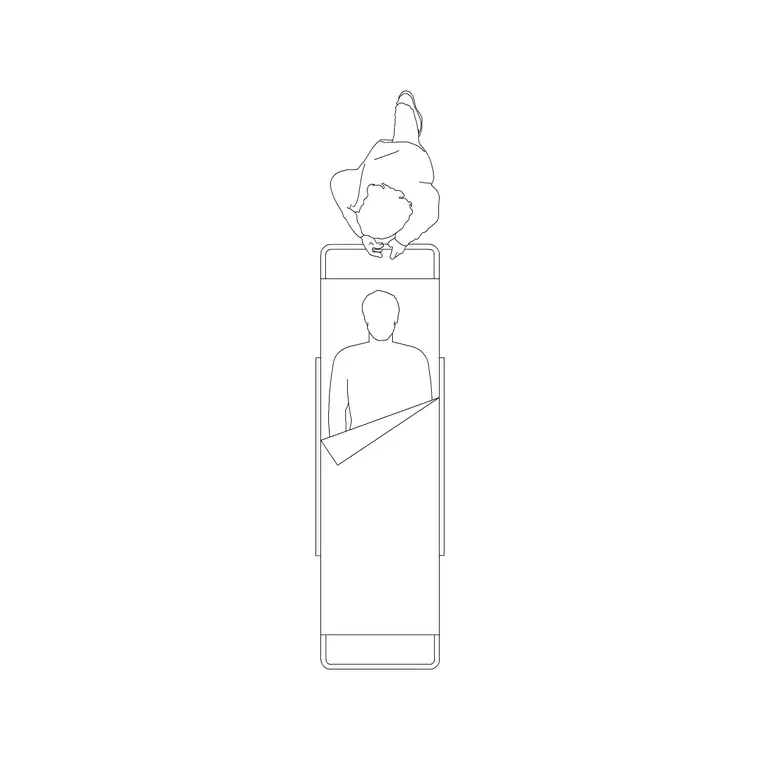
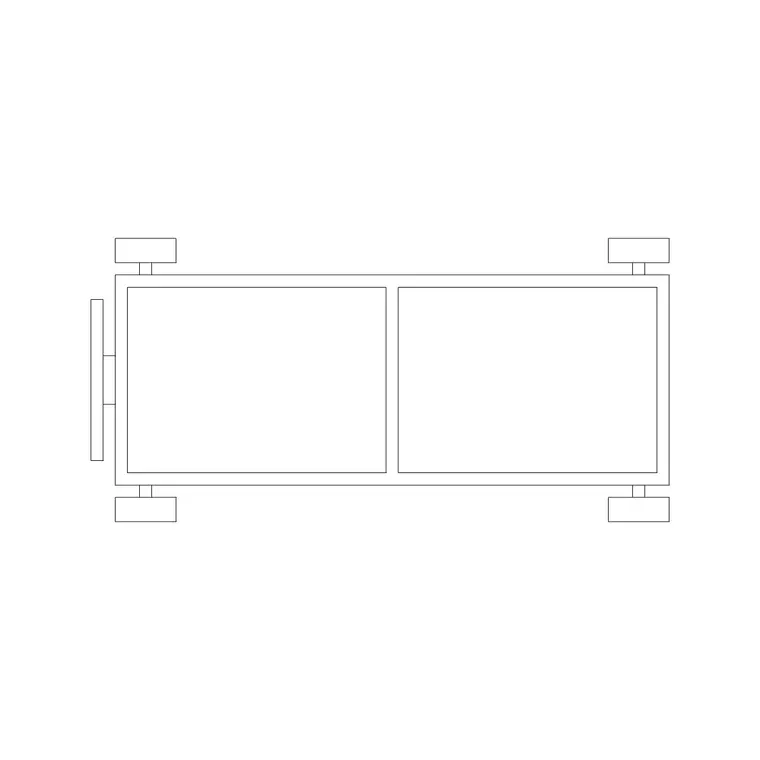
The plan view shows the trolley frame with the mattress platform, the castored base, and the push handle at one end. Because the stretcher is defined by movement, the useful blocks indicate the staff positions at the head and side, since a stretcher is rarely moved by one person and the route has to accept the people as well as the trolley.
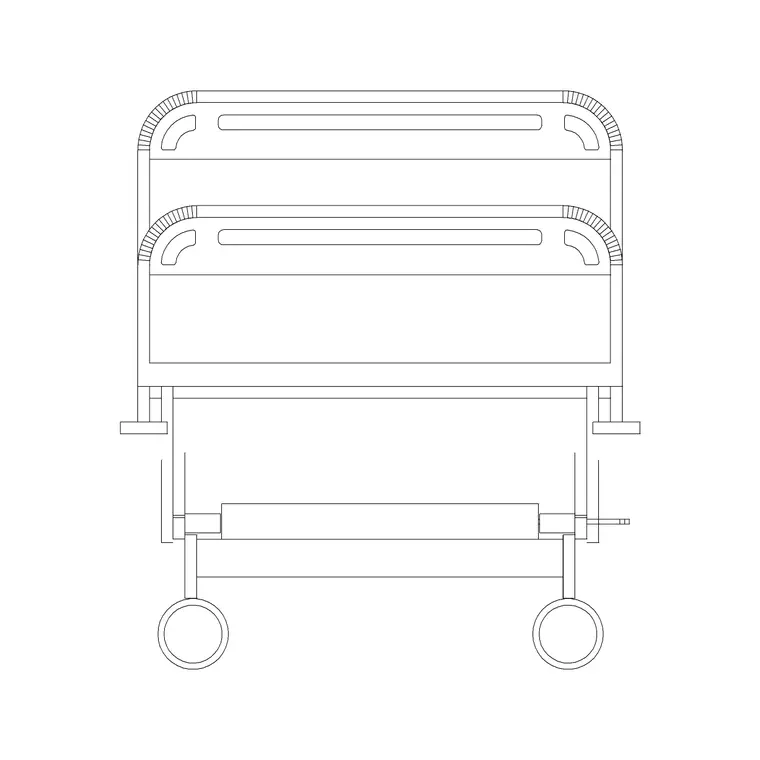
The elevation shows the variable platform height (these trolleys raise and lower, and many tilt to a head-down position) and the side rails. The platform, the base, the handle and any staff-position indication sit on separate layers so you can show a clean parked stretcher on a GA and the moving envelope on a circulation study.
Typical stretcher dimensions and clearances
Design around these ranges. A patient stretcher is roughly 1900–2100 mm long by 650–800 mm wide over the frame, narrower than a ward bed so it passes through standard clinical doors. Platform height adjusts within a band, commonly 550–900 mm, so patients can be transferred at the right level.
The clearances that matter are the route ones: a door and corridor must accept the trolley plus staff walking alongside, and a turn or a lift must accept the trolley's length. Health-building guidance sets corridor and door widths for trolley circulation — always design to it for the project — but the scaled block lets you push the stretcher along a route and prove the corners and doors work.
Plan for parking, plan for the route
Stretchers are planned in plan in two ways. First as parked units: trolley bays in A&E, recovery and imaging holding areas, arranged so a stretcher can be wheeled in and out without disturbing its neighbours. Second as a moving envelope: the same plan block pushed along a corridor, through a door and around a corner to confirm the route accepts a loaded trolley with staff.
The elevation supports transfer and imaging drawings, where the platform height has to match a scanner couch or an operating table for a safe patient transfer. On a section it confirms the trolley clears a doorway head and any low services along the route.
How to insert and test routes
The stretcher is drawn full size in millimetres. Insert at scale 1 in a millimetre drawing, 0.001 in a metre drawing, or set INSUNITS to millimetres so AutoCAD converts on insertion. Run INSERT, snap the base point to the centre of the platform, and rotate to align the trolley with the bay or the corridor.
To test a route, copy the block along the corridor centreline and rotate it through each turn, checking the swept path clears the walls and that doors are wide enough. Keep stretchers on a movable-equipment layer separate from fixed furniture, so a circulation study and a clean GA both come from one drawing.
Where stretcher blocks are used
Patient stretcher blocks belong in emergency department layouts, recovery and post-anaesthetic care units, imaging and radiology holding areas, and any clinical route where patients move on trolleys. Healthcare planners use them to size trolley bays and to prove corridors, doors and lifts accept a loaded stretcher; architects use them to set door and corridor widths; clinical-engineering teams use the elevation to match transfer heights to scanners and tables.
Because the stretcher is the unit that most tests a department's circulation, the block is as much a route-checking tool as a furniture symbol. Pair it with the hospital bed and the wider medical category to plan a complete patient-flow drawing from arrival to ward.
Patient transfers and matching heights
A stretcher's real job is to deliver a patient to another surface — an operating table, a scanner couch, an X-ray table or a ward bed — and the transfer is where the elevation block earns its keep. A safe lateral transfer needs the two surfaces at the same height, so the stretcher's adjustable platform has to overlap the height range of whatever it transfers to. Drawing both in elevation, side by side, proves the heights line up before anyone tries to slide a patient across.
The space around the transfer matters as much as the heights. Staff need to stand on both sides to move the patient, and there has to be room to bring the stretcher fully alongside the table or couch without the castored base fouling a column or a service. Showing the stretcher in its transfer position next to each fixed surface, on a movable-equipment layer, lets a single drawing confirm both the height match and the clear space — the two things that decide whether a transfer is safe.
Free download
Browse the full library — DWG & DXF, no signup.
Questions
Frequently asked
How is a stretcher block different from a hospital bed block?+
A stretcher is narrower and built for movement, so it is used as much to test routes — doors, corridors, turns and lifts — as to park in a bay. The bed is a static unit a ward is planned around; the stretcher is a moving unit a department's circulation is planned around.
Can I use the block to check a corridor route?+
Yes. Copy the plan block along the corridor centreline and rotate it through each turn, checking the swept path clears the walls and doors. Always design to the relevant health-building guidance for trolley circulation widths.
What scale is the stretcher drawn at?+
Full size in millimetres. Insert at scale 1 in a millimetre drawing, 0.001 in a metre drawing, or set INSUNITS to millimetres so AutoCAD rescales automatically on insertion.
Is the stretcher block free for commercial healthcare projects?+
Yes. It downloads free in DWG and DXF with no signup, no watermark and no attribution, and it is cleared for commercial project use.
Related downloads
Blocks for this guide
Related categories
Related guides
Block landing
Free Hospital Bed CAD Block — DWG & DXF Download
Download a free hospital bed CAD block in DWG and DXF — electric patient bed in plan and elevation with bedside clearances for ward layouts. No signup.
Block landing
Free Medical Trolley CAD Block — DWG Download
Download a free medical trolley CAD block in DWG and DXF — dressing, treatment and crash carts in plan and elevation for clinical layouts. No signup.
Block landing
Free Medical Equipment CAD Blocks — DWG Download
Download free medical equipment CAD blocks in DWG and DXF — diagnostic machines and clinical devices in plan and elevation for healthcare layouts. No signup.