How to download free palm tree CAD blocks for AutoCAD
Free palm tree CAD blocks in DWG for tropical and resort landscapes — where to find them on CADBlockDWG and how to insert and scale palms in AutoCAD.
Saumyajit MaityUpdated 17 February 20264 min read
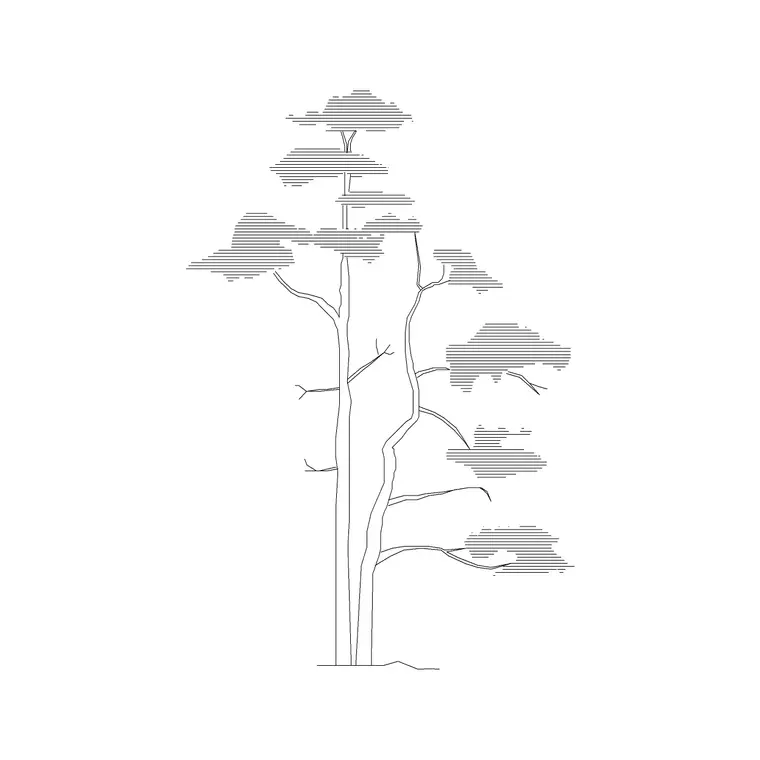
When you reach for a palm block
Palms are the signature tree of warm-climate, coastal and resort design. A row of palms along a hotel driveway, a cluster around a pool, or a single specimen in a courtyard instantly tells the viewer this is a tropical or Mediterranean setting. Their form is unmistakable: a tall, often bare trunk topped by a crown of fronds — very different from the rounded canopy of a broadleaf tree — which is exactly why a ready-made palm block saves you the fiddly work of drawing those radiating fronds by hand.
Palms also behave differently from other trees on a drawing. The slim trunk casts little shade at ground level, so a plan-view palm reads as a small core with a feathery crown rather than a solid disc, and an elevation palm emphasises height and the crown rather than a broad mass. Keeping palm blocks in your kit means your warm-climate schemes look right without redrawing fronds every time.
Finding free palm tree DWGs
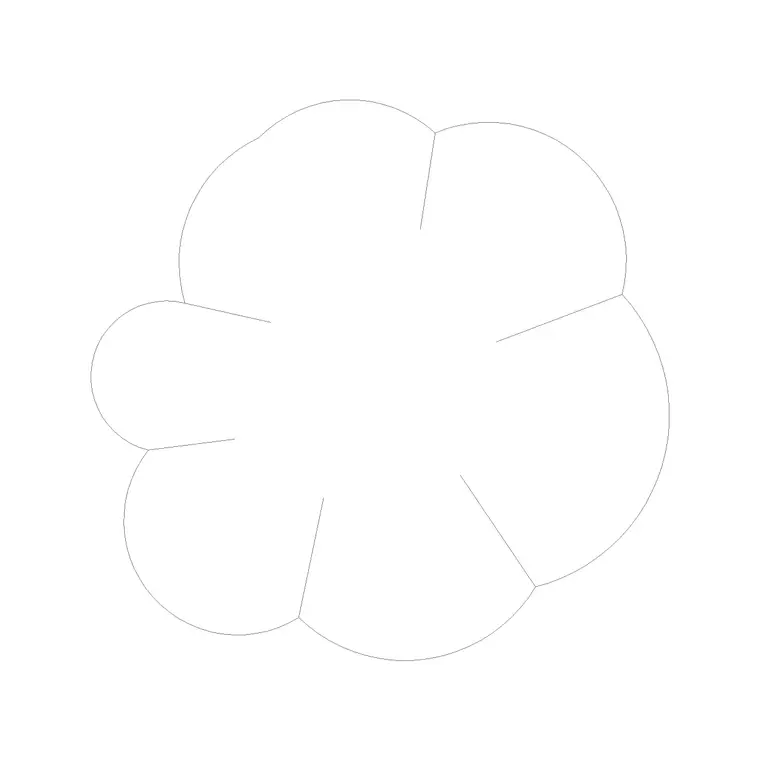
Palm blocks sit in the Trees & Plants category alongside the other vegetation. Search for 'palm' to surface them directly, and read the view label and preview image on each product page so you grab the version you need — a top-down crown for a site plan, or a side silhouette for an elevation. Some libraries also offer single, double and triple-trunk palm groupings for variety.
Every palm block downloads as a DWG with no account, no ad maze and no attribution required, and is free for commercial use, so it drops straight into resort, hotel and coastal projects. Because the block is real vector geometry, you can recolour the fronds, adjust line weights, or duplicate and offset trunks to build your own cluster once the block is in your drawing — none of which a flat image would allow.
Choosing plan or elevation
As with every tree, the view must match the drawing. On a site plan, masterplan or pool layout — anything seen from above — use a plan-view palm, which reads as a small trunk core surrounded by a radiating crown of fronds. On a street elevation, a resort frontage or a section, use an elevation palm showing the tall trunk and the crown in profile, because here height is the point.
Mixing the two is an instant tell: a side-on elevation palm lying flat on a plan, or a plan crown standing upright in an elevation, signals a careless drawing. Check the view label before downloading. When a scheme needs both a plan and a matching elevation — which resort work usually does — download both views so the same palms stay consistent from the masterplan to the frontage.
Inserting and scaling a palm
Save the DWG and run INSERT. Browse to the file, keep scale at 1 and rotation at 0 to start, and place the block with an object snap. For an elevation palm, snap the base of the trunk to the ground line so it stands on the pavement; for a plan palm, snap the trunk core to the planting position.
Height is the key dimension for palms in elevation. Ornamental and date palms commonly stand between five and fifteen metres, and some coconut and royal palms reach twenty metres or more, with a slim trunk all the way up — far taller and thinner than a typical broadleaf street tree, so make sure the block reflects that. If it imports at an odd size it is a units mismatch: set INSUNITS consistently so AutoCAD auto-scales, or apply a SCALE factor (0.001 for millimetres into a metre drawing, 1000 the reverse). Measure the trunk height of a known palm and divide to find the exact factor when the source units are unclear.
Group palms naturally and layer them
Palms look their best in deliberate groupings — a tight cluster of three around a pool, a rhythmic avenue along a drive — but even a formal avenue should not be a row of identical stamps. Vary the heights, rotate the crowns, and mirror some instances so the fronds are not all repeated. For a natural cluster, mix single and multi-trunk palms and offset their heights so the group reads as several real trees rather than one block copied.
Keep all palms on a dedicated planting layer so you can dim or recolour them independently of the architecture and hardscape; layer-0 geometry inherits that layer automatically. And because resort drawings almost always pair a plan with an elevation, download both views of your chosen palms so the masterplan and the frontage agree.
For a poolside or courtyard scene, draw-order control matters too: use the DRAWORDER command so the nearer palms sit convincingly in front of those behind, and so a crown overlapping a building reads correctly against the façade. If your software has trouble opening the DWG, grab the DXF where one is offered — it is the more universal exchange format. With the right view, honest heights, considered draw order and a little variation, your palms will read as a genuine tropical landscape rather than a copy-pasted motif.
Questions
Frequently asked
Where do I download free palm tree CAD blocks?+
In the Trees & Plants category on CADBlockDWG. Search 'palm', check the view label and preview on the product page, and download the DWG free with no signup — free for commercial use.
How tall should a palm tree be in an elevation?+
Ornamental and date palms are commonly 5–15m, while coconut and royal palms can reach 20m or more, with a slim trunk throughout. Scale the elevation block to a realistic height for the species.
How do I make a cluster of palms look natural?+
Mix single and multi-trunk palms, vary the heights, and rotate or mirror the crowns so the fronds aren't all repeated. Even a formal avenue should avoid identical, evenly-spaced stamps.
Free downloads from this article


Free CAD block library
Download the blocks from this article — free, no signup

