Download free kitchen island CAD blocks for AutoCAD
Build a free kitchen island from DWG cabinet blocks, with the sizes and clearances that work, plus how to add a sink, hob or seating in your plan.
Sumana KumarUpdated 20 May 20264 min read

Finding island and cabinet blocks
There is no single 'island' product on the site, and that is genuinely the right way to draw one — an island is built from the same cabinet and worktop blocks you use for the perimeter run, freestanding in the middle of the room. So head to the Kitchen category, grab the cabinet block, and assemble the island from base units, just as you would a wall run. Search 'cabinet' to reach the casework, free to download as DWG with no account and free for commercial use.
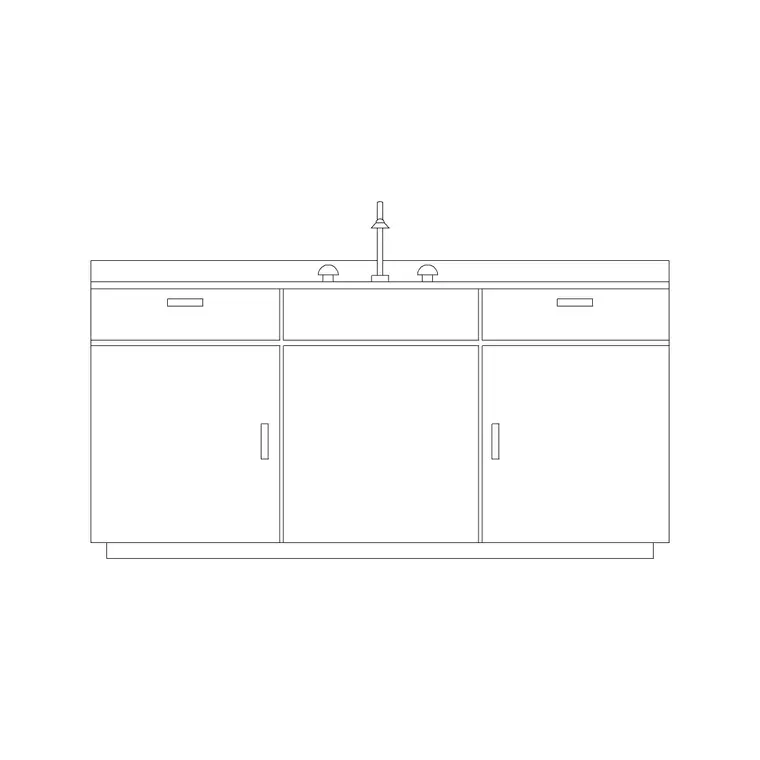
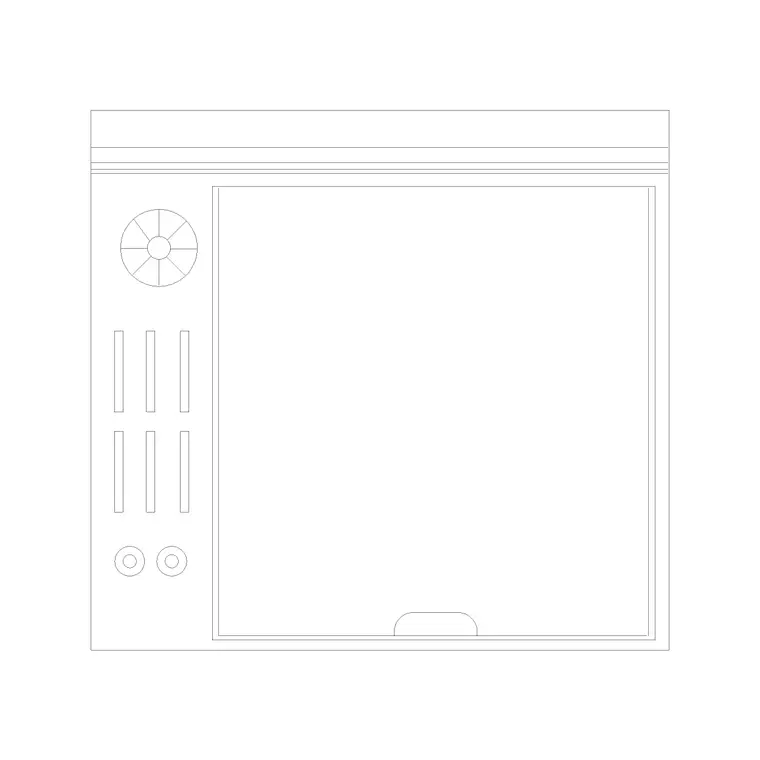
You will often want a sink or a hob in the island too, so pick up the sink-counter block and a cooktop block at the same time. Building an island from these standard parts keeps it dimensionally honest and means it ties into the rest of your kitchen drawing using the same modules, layers and worktop conventions as the perimeter. It also means that if the client changes the island length, you just add or remove a 600mm module rather than redrawing a bespoke box.
Island sizes and the clearances that govern them
An island is built from base cabinets, so it is 600mm deep per row — but islands are frequently double-sided, two rows of 600mm cabinets back to back, giving roughly 1200mm of depth (more with an overhang for seating). Length is whatever the room allows, commonly 1200–2400mm. The worktop oversails the cabinets, typically by 20–40mm on the working sides and by 300mm or more on a side designed for stools.
The numbers that really decide whether an island works are the clearances around it. Leave at least 1000mm of clear floor on every side between the island and the perimeter cabinets — 1200mm is better where appliance doors and dishwasher doors open into the gap, and on the main thoroughfare. An island that looks generous on a small plan but leaves only 800mm of gangway is the classic open-plan-kitchen mistake; drawing the cabinets accurately is what lets you catch it.
Building the island from cabinet blocks
Insert a base cabinet block in the middle of the room, then COPY and butt units together to make the island length, exactly as you would along a wall. For a double-sided island, mirror a second row behind the first so the carcasses sit back to back. Draw the worktop as a single polyline around the whole island with the appropriate overhang, on its own worktop layer.
Keep the island cabinets on the same joinery/cabinets layer as the perimeter so the whole kitchen reads as one system and can be styled together. Because the blocks here are built on layer 0, set your cabinets layer current before inserting and every unit adopts it. The result is an island that is not a vague rectangle but a properly modular run you can dimension, cost and hand to a joiner.
Putting a sink, hob or seating in the island
Islands often carry a function. To put a sink in the island, drop the sink-counter block into the island worktop and remember the plumbing has to reach the middle of the room — show the drainage run on the services layer so it is coordinated, not assumed. To put a hob in the island, place a cooktop block and, crucially, a downdraft extractor or a ceiling-mounted hood above it, since an island hob has no wall behind it for a conventional canopy.
For a seating island, extend the worktop 300mm or more past the cabinets on one side and tuck bar stools under the overhang — allow about 600mm of width per stool and at least 1000mm of clear floor behind for someone to sit and push back. Drawing the seating overhang and the knee space is what proves the breakfast bar actually works rather than just looking good in outline. Show the stools in plan as simple circles or squares under the overhang so the seat count is honest and you can confirm the stools tuck fully under without their backs projecting into the gangway.
Scale checks and tying it together
Open the cabinet block on its own and confirm a base unit reads 600mm deep before you build the island from copies. If it imports at metre scale set INSUNITS to millimetres in both files or SCALE by 1000, and run AUDIT and PURGE to keep the parts clean. Getting the depth right first matters because every error is multiplied across the copies that make up the island.
Finally, step back and check the island against the work triangle and the circulation. The island frequently holds one corner of the sink-hob-fridge triangle, so confirm the triangle stays comfortable and that the main route through the kitchen is not pinched between the island and a cabinet run. Walk the plan in your head: can someone at the island step back without colliding with an open dishwasher across the gangway? An island built from accurate cabinet blocks, with honest clearances and any sink or hob properly serviced, turns the centrepiece of an open-plan kitchen from a hopeful rectangle into a buildable design.
Questions
Frequently asked
How big should a kitchen island be in CAD?+
Build it from 600mm-deep base cabinets — single-sided is 600mm deep, double-sided about 1200mm. Length is commonly 1200–2400mm, with a 300mm+ overhang on any seating side.
How much clearance goes around an island?+
At least 1000mm of clear floor on every side, and 1200mm where appliance doors open into the gap or on the main route. Tight gangways are the usual island mistake.
Can I put a hob or sink in the island?+
Yes. Drop in a cooktop or sink-counter block, but show the services — a downdraft or ceiling hood for an island hob, and the drainage run for an island sink — on the plan.
Free downloads from this article
Free CAD block library
Download the blocks from this article — free, no signup


