Building a restaurant seating plan from free furniture blocks
Lay out a restaurant seating plan in AutoCAD from free DWG table and chair blocks: covers and circulation, mixing table sizes, and proving it with people.
Saumyajit MaityUpdated 21 June 20264 min read
Balance covers against comfort
A restaurant seating plan lives on a single tension: pack in enough covers (seats) to make the place viable, but keep enough space that guests and staff are comfortable and the room feels like somewhere people want to eat. Push too far toward covers and the dining room feels cramped and service struggles; push too far toward comfort and the business does not work. The seating plan is where that balance gets resolved, table by table.
So start with the shell and the fixed points: the entrance and waiting area, the bar, the route to and from the kitchen (the pass), the WCs, and any fixed banquettes or features. Service flow matters enormously here — staff must move from pass to tables and back without crossing the room awkwardly or colliding with guests — so map those routes before you place a table. With the shell, the pass and the circulation spine set, you can lay tables into the space that remains.
Source the tables, chairs and people (free DWG)
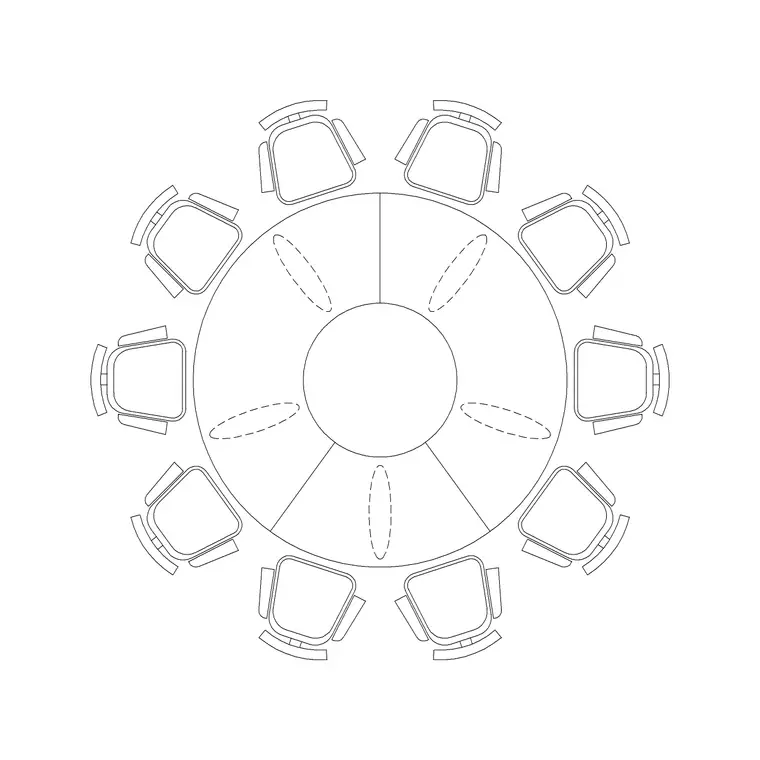
The Furniture category on CADBlockDWG carries dining tables and chairs in plan view, free in DWG with no signup and free for commercial use, and you will want a range of table sizes. Two-tops (tables for two) are the flexible workhorses; four-tops fill the bulk of most rooms; and a large round such as a 10-seater round table covers private dining or a big group booking. Having that spread lets you mix table sizes the way a real restaurant does, rather than tiling one size across the floor.
To prove the layout works in use, pull plan-view human figures from the People category and seat them at a sample of tables. Figures show that chairs have room to pull out, that diners are not back-to-back with the next table, and that staff can reach every cover. Grab each table, chair and figure as a single small DWG. Everything is free for commercial use, so the populated seating plan goes straight into an operator's or fit-out proposal.
Lay tables into the room
Set a furniture layer current and place tables starting from the fixed edges of the room — along walls and banquettes first, where two-tops and four-tops sit efficiently — then work into the floor. Insert each table block, leave scale at 1 (fixing INSUNITS if a block arrives oversized), and add chairs around it, or use a combined table-and-chairs block where the catalogue provides one. Drop the large round into the zone you have reserved for private or group dining and snap it central to that space.
Mix the sizes deliberately. A real dining room interleaves two-tops, four-tops and the odd larger table, often with some two-tops positioned so they can be pushed together for a party of four or six. Rotate and align tables to the room with object snaps so rows read tidily where they should and casually where a looser arrangement suits the space. Keep everything ByLayer so the whole seating layer can be dimmed for a base plan or coloured up for a presentation.
Prove the circulation and the covers
Now test the two things the plan exists to prove: that people and food can move, and that the cover count is real. Keep clear gangways through the room and a generous main route to and from the pass so staff carrying plates never have to squeeze past a pulled-out chair. Between tables, leave enough space for a chair to pull out without hitting the chair behind it, and for a guest to reach their seat and a server to reach the table. Confirm accessible routes and at least one accessible table position too.
This is where the people blocks pay off. Seat figures at a representative set of tables and the plan tells you immediately whether two diners sitting back-to-back leave a server any room, or whether a four-top in the corner traps its inside chairs. Count the covers you have actually placed and check it against the target. Because every table, chair and figure is a real block at real size, the trade-off between covers and comfort is visible on screen, not guessed.
Number the tables, layer it, and issue
Finish the way an operator needs it: number the tables on their own layer so the plan doubles as a service reference — front-of-house, the booking system and the kitchen all speak in table numbers, so a numbered seating plan is genuinely useful beyond the fit-out. Note any flexible tables that combine, and mark the accessible table position clearly.
Keep tables, chairs, numbering, people and any fixed banquettes on distinct layers, all ByLayer, so you can issue a clean fit-out plan, a numbered service plan, or a dressed presentation from one drawing. Run a quick AUDIT and PURGE after importing several block families to keep the file light. Put it together — shell and service routes first, a deliberate mix of table sizes laid from the edges in, circulation and covers proven with real people blocks, and clean numbered layers — and a restaurant seating plan that balances covers against comfort comes together quickly from free DWG furniture.
Questions
Frequently asked
Where can I download free restaurant table and chair blocks?+
The Furniture category on CADBlockDWG has dining tables and chairs in plan view — from two-tops to a 10-seater round table — free in DWG with no signup and free for commercial use.
How do I work out spacing in a restaurant seating plan?+
Place real table and chair blocks, then seat plan-view people at a sample of tables. The figures show whether chairs can pull out, diners aren't back-to-back, and staff can reach every cover.
Why number the tables on a seating plan?+
Because front-of-house, the booking system and the kitchen all refer to tables by number. Putting numbers on their own layer turns the seating plan into a working service reference, not just a fit-out drawing.
Free downloads from this article


Free CAD block library
Download the blocks from this article — free, no signup

