Where to find free window plan-view DWG files to use
Free window plan-view DWG blocks: where to download them, how a window is drawn in plan, and how to insert the plan symbol into a wall in AutoCAD.
Saumyajit MaityUpdated 10 March 20264 min read
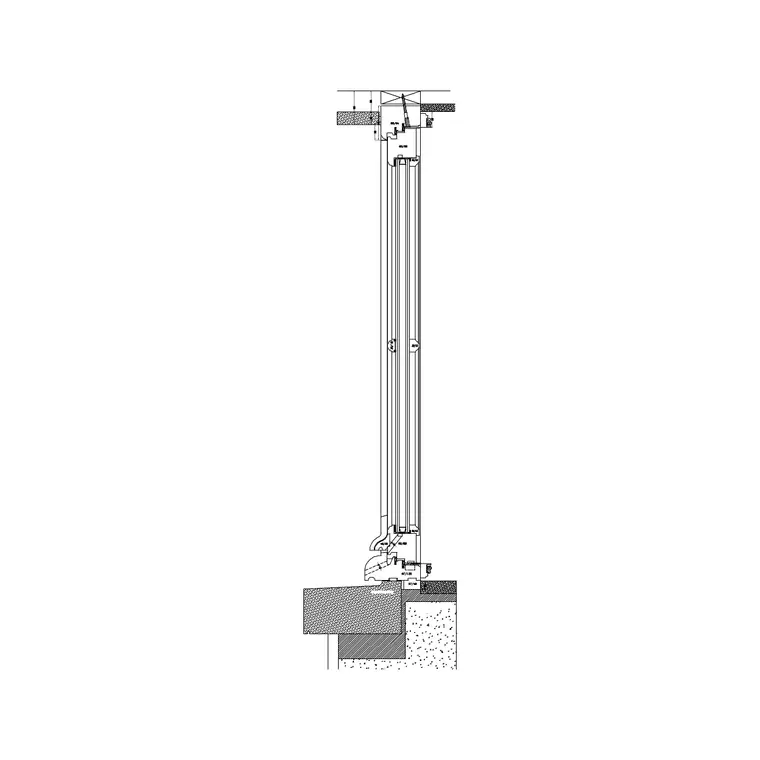
How a window is drawn in plan
On a floor plan, a window is not the pretty face you see in elevation — it is a small, precise symbol cut through the wall. The floor plan is conventionally cut about 1.2 metres above the floor, which is exactly window height, so the cut passes through the glazing. A window in plan therefore reads as a break in the wall hatching with the glass shown as one or more thin parallel lines spanning the opening, the frame indicated at the jambs, and sometimes the sill and a sub-cill line.
This plan symbol carries essential information: the width of the opening, where the window sits along the wall, and how many lights or sashes it has. It is the view that lets you lay out a facade rhythm, check that a window does not clash with a wall return or a kitchen unit, and dimension openings for the builder. Getting the plan symbol right is what makes a floor plan readable as a set of real rooms with real daylight.
Downloading window plan blocks
The Windows category includes dedicated window plan blocks — clean, ready-to-insert plan symbols — alongside the full windows that carry both plan and elevation. Look for blocks named as window plans (there are numbered plan variants); they are free, download as DWG, and need no signup, saving straight to your Downloads folder.
These plan-only blocks are handy when you are working purely on layout and want a tidy, correct window symbol without the elevation geometry coming along for the ride. Drop them into walls to set out the openings, then bring in the matching elevation windows when you develop the facades. Pick the plan variant whose glazing-line arrangement matches your window type — a single fixed light reads differently in plan from a multi-sash unit.
Inserting a window into a wall
Insert the DWG with INSERT (I, Enter) or by dragging it onto the canvas, scale 1, rotation 0. Snap the window into the wall opening with object snaps (F3): align the jambs to the sides of the opening you have cut in the wall, and make sure the frame sits within the wall thickness rather than floating in front of or behind it. The glazing line should span the opening cleanly from jamb to jamb.
If the wall is angled, ROTATE the window to match the wall direction so the glass line runs parallel to the wall face. For a bay or a wall that steps, place a window in each facet. Because the plan window defines the opening, dimension to its jambs — builders set out windows from the structural opening, so accurate jamb positions on the plan are what they will actually measure to.
Scale, units and wall coordination
Set INSUNITS to millimetres in both files so the window auto-scales, or SCALE by 0.001 to bring a millimetre block into a metre drawing if it comes in oversized. Dimension the opening width to confirm it matches the gap in the wall.
The coordination check unique to windows in plan is the wall itself. The opening you cut in the wall hatching must match the window's frame width, with the lintel over and the sill under accounted for in the wider documentation. A window symbol floating in a solid (un-cut) wall, or an opening with no window dropped in, are the two classic plan errors — both read as unresolved. Cut the opening, insert the matching plan window, and dimension the jambs, and the wall reads as genuinely glazed.
Using plan windows efficiently
Keep windows on a Windows layer so they isolate for daylight, ventilation or elevation-coordination checks. The plan symbol is the one you will place most when setting out a building, so make it fast: save your common window plan blocks to a Tool Palette and drop them into openings with a click.
When you later draw elevations, the plan windows are your reference for where every opening sits and how wide it is, keeping plan and elevation honest with each other. A facade whose elevation windows do not line up with the plan openings is a coordination failure that reviewers spot immediately, so treating the plan window as the master set-out — and dimensioning to it — keeps the whole drawing set consistent.
Reading the glazing lines and the sill
It is worth knowing what the lines inside a plan window symbol actually represent, because they encode the window type. A single thin line spanning the opening is the simplest shorthand for the glass. Two or three parallel lines usually indicate the glazing plus the frame depth, or in a double-glazed unit the two panes — and where you see two offset lines that do not quite meet, that often signals overlapping sliding sashes rather than a single fixed pane. A short line set forward of the wall face marks the sill or a projecting cill, and breaks in the frame line at the jambs show the reveal.
Matching the plan symbol to the real window type keeps the floor plan truthful: a sliding window drawn with a single fixed-light line, or a wide multi-sash unit shown as one pane, misleads anyone setting out from the plan. When you pick a window plan block, glance at how its glazing lines are arranged and choose the one that reflects what the window really is. That small consistency between symbol and reality is what lets the plan, the elevation and the schedule all describe the same window.
Questions
Frequently asked
How is a window shown on a floor plan?+
As a break in the wall hatching with the glass drawn as thin parallel lines spanning the opening and the frame at the jambs. The plan is cut about 1.2m up, right through the glazing.
Why use a plan-only window block?+
It gives a clean, correct plan symbol for setting out openings without the elevation geometry. You add matching elevation windows when you develop the facades.
Are window plan DWG files free here?+
Yes — the Windows category has numbered window plan blocks, free in DWG with no signup, for personal and commercial use.
Free downloads from this article
Free CAD block library
Download the blocks from this article — free, no signup


