Free vs paid lighting CAD blocks: what's worth it
Free lighting symbols and fittings cover reflected-ceiling and layout work. Here is when paid photometric or manufacturer lighting CAD pays off.
Sumana KumarUpdated 1 June 20264 min read
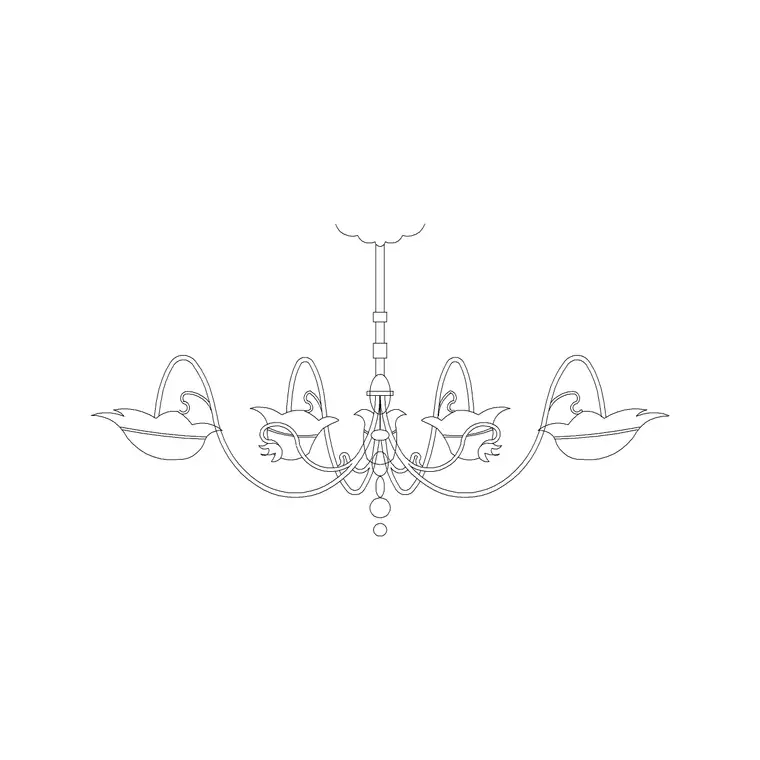
Free lighting blocks cover layout and RCPs
Most lighting work on a drawing is symbolic and geometric: placing downlights, pendants, wall lights, track and luminaire outlines on a plan or a reflected ceiling plan, and showing fittings in elevation. For that, free lighting blocks — fixture symbols and fitting outlines — are entirely sufficient. The symbol communicates type and position; it does not need to be a specific manufacturer's product to lay out a scheme.
Our Lighting category provides these as free DWG downloads, no signup, free for commercial use, including decorative fittings like pendants and chandeliers in elevation. For arranging lighting, spacing downlights, and producing a clear reflected ceiling plan, free blocks do the job. The case for paying arrives only with photometric performance and named-product specification, which the next sections cover.
What to check on a free lighting block
Lighting blocks split into two kinds, and you vet them slightly differently. Symbolic fixtures — the downlight circle, the switch, the pendant symbol on an RCP — mainly need to be clear, consistent and on a sensible layer; exact size matters less because they are diagrammatic. Physical fitting outlines and decorative pieces — a pendant or chandelier shown in elevation, a linear luminaire to scale — should measure realistically, so dimension them if you are showing real extents.
For any lighting block, check the view: a plan symbol belongs on a ceiling or layout plan, an elevation fitting belongs on an interior elevation. Our Lighting category labels the view. As with all blocks, prefer ones built on layer 0 so they inherit your lighting or electrical layer, and reject anything dragging in stray geometry or proxy objects. A clean, clearly-drawn symbol at the right view is production-ready whatever it cost.
When paid lighting CAD is worth it
Paid or manufacturer lighting content earns its cost in two specific situations. The first is named-product specification: when you are documenting a real luminaire schedule with specific fittings, the manufacturer's CAD download carries the exact dimensions, mounting details and reference codes that a generic symbol only approximates. Many lighting manufacturers publish this CAD free for specifiers, so 'paid' often means 'go to the maker'.
The second, and more decisive, is photometric analysis. If you need to calculate actual light levels — lux on a working plane, uniformity, glare — you need photometric data files (IES or LDT) and lighting-design software, not CAD symbols. That is a different category of tool entirely, and a free CAD block cannot substitute for it. Use free blocks to lay out and document the positions; use manufacturer photometric data and lighting software when the brief requires proven illuminance, not just arrangement.
Placing lighting cleanly
Download the fitting or symbol, INSERT it, and place it deliberately: downlights on a sensible grid related to the room and the furniture below, pendants centred on tables or islands, wall lights at consistent heights. On a reflected ceiling plan, keep symbols consistent in size and clear of clutter so the layout reads at a glance. Snap to grid lines or centrelines rather than eyeballing positions.
Keep lighting on its own layer — or split lighting and electrical — so you can produce a clean RCP and dim the layer on other sheets. Blocks built on layer 0 inherit that layer automatically and plot with the right lineweight. If a fitting block comes in at the wrong size, that is a units issue: fix INSUNITS or SCALE it, then confirm any real-extent fitting measures sensibly. After importing unfamiliar lighting blocks, AUDIT and PURGE to clear orphaned data.
Coordinate lighting with the furniture below
Lighting is never designed in isolation from the room it lights, which is why decorative fittings in particular are worth coordinating with the furniture plan. A pendant or chandelier wants to centre on the dining table or the coffee-table grouping below it; downlights want to relate to the seating, the worktop or the circulation, not to an abstract grid floating free of the layout. So it helps to have your furniture blocks in place, or at least visible, while you set out the lighting.
Free blocks make this easy because you can reference furniture and lighting together on screen and align them deliberately. Drop the decorative fitting, centre it on the furniture it serves, and check the symbol reads clearly on the reflected ceiling plan. Keep lighting on its own layer so you can isolate the RCP, but design it against the furniture layer rather than blind. A scheme that visibly relates to the room below reads as considered, and free furniture and lighting blocks together let you achieve that at no cost.
A sensible lighting-block approach
Lay out and document lighting with free blocks: fixture symbols and fitting outlines, checked for view, clarity and (for physical fittings) realistic size, and confirmed free for commercial use — which on this site is guaranteed. That covers arrangement, spacing and reflected ceiling plans, which is the bulk of lighting drawing work.
Step up to manufacturer CAD when you are specifying named luminaires and need exact dimensions and references, and step up to photometric data plus lighting-design software when the brief demands calculated light levels rather than positions. Keep those two paid cases separate in your mind from the free layout work. Vet each free block quickly, keep lighting on a tidy dedicated layer, and a downloaded set will carry a scheme from arrangement to a clean, readable lighting plan without paying for content the layout does not need.
Questions
Frequently asked
Are free lighting CAD blocks good enough?+
Yes, for layout and reflected ceiling plans — symbols and fitting outlines communicate type and position well. Check the view and that physical fittings measure realistically, and confirm commercial licensing.
When do I need paid lighting CAD?+
For named-product specification (exact luminaire dimensions and references, often free from the manufacturer) and especially for photometric analysis, which needs IES/LDT data files and lighting-design software, not CAD symbols.
Can a CAD lighting block calculate light levels?+
No. CAD blocks show position and type only. Calculating lux, uniformity or glare requires photometric data (IES/LDT) and dedicated lighting-design software — a separate tool from your CAD drawing.
Free downloads from this article


Free CAD block library
Download the blocks from this article — free, no signup


