Where to find free ceiling fan DWG files (and how to use them)
Free ceiling fan DWG blocks on CADBlockDWG — where the suspended fan fittings are, what they include, and how to place a ceiling fan in your AutoCAD drawing.
Sumana KumarUpdated 11 June 20264 min read
Where the ceiling fans live
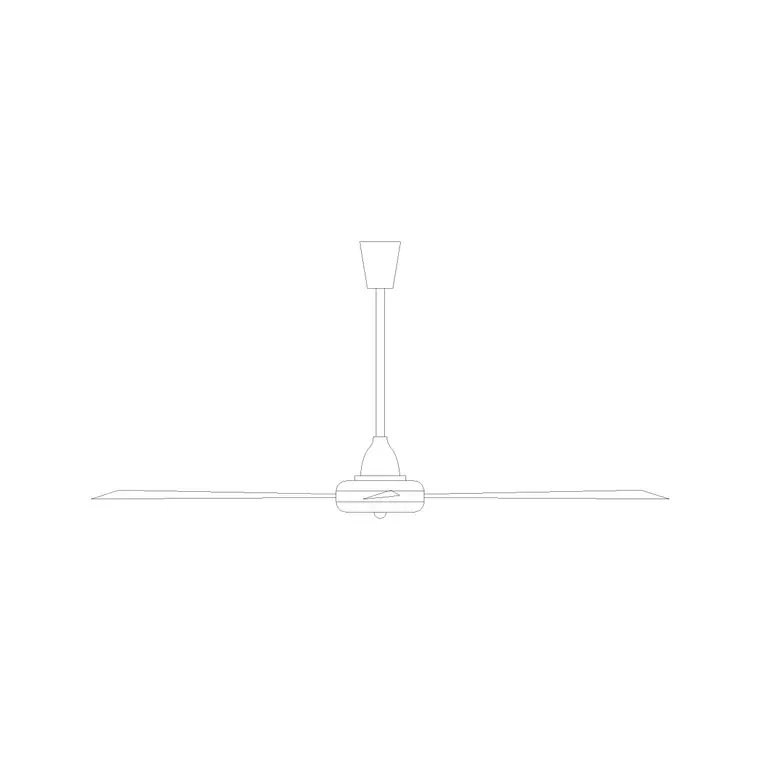
The ceiling fan fittings sit in the Lighting category — the same hub as the lamps and chandeliers, since fans and light fittings share the ceiling and often the same electrical drawings. There are two suspended ceiling fan blocks to choose from. Open the Lighting hub and search "ceiling fan" or "fan" to find them quickly.
Both download free as DWG with no account and no ad maze, and the licence covers commercial projects. Ceiling fans are essential in warm-climate residential and hospitality drawings, so having a ready block saves you drawing the fitting by hand every time you lay out a bedroom, veranda or living space.
What you get in the block
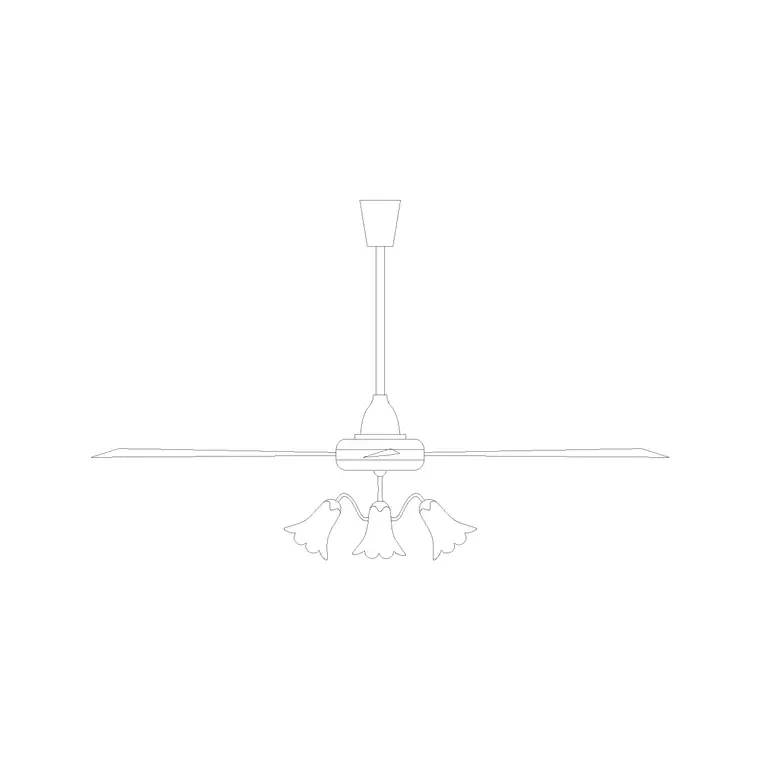
These suspended ceiling fan blocks show the fitting hanging from the ceiling on its down-rod, with the motor housing and the blade arrangement drawn as vector geometry. Having two distinct versions lets you vary the fan across rooms or match the style of the space rather than repeating one identical fitting everywhere.
The files are DWG, so AutoCAD opens them with nothing to convert. Because the geometry is true linework rather than an image, you can snap to the down-rod, adjust the drop to your ceiling height, restyle the lineweight, and copy the fitting cleanly. If your toolchain needs DXF, SAVEAS once it is open; for AutoCAD the DWG is ready to use as-is.
It is worth being clear on the view: these are elevation-style fittings, drawn as the fan would appear from the front or side with the blades shown edge-on or angled. That suits an interior elevation or a section through a room, where you want to show the fan hanging in the space and the clearance below it. For a reflected ceiling plan you would mark the fan's position with a simpler top-down symbol instead, since from below the blades read as a circle or a two-line symbol rather than the full profile.
Placing a ceiling fan
Insert with INSERT (shortcut I), Browse to the downloaded file, and keep "Specify On-screen" ticked. On an elevation or section, snap the top of the down-rod to the ceiling line with object snaps on (F3) so the fan reads as genuinely mounted. Centre it on the room or the bed it serves, the way a fan is normally positioned.
Mind the drop: a ceiling fan needs adequate clearance below the blades for safety, so on a normal-height ceiling the down-rod is kept short, while a high ceiling may use a longer drop to bring the fan into the occupied zone. Because the down-rod is editable geometry, you can lengthen or shorten it to suit the ceiling height in your drawing.
Scale, units and layers
A wrong-sized fan is a units mismatch — set INSUNITS the same in both files for auto-scaling, or insert and SCALE by 0.001 or 1000. Check the blade span and drop against the room: a fan that fills the whole ceiling or hangs to head height has the wrong scale and needs correcting. As a sanity check, a typical residential ceiling fan spans somewhere in the region of a metre to a metre and a half across the blades, so if your inserted fan is far outside that against a known room dimension, the scale is off.
Put the fan on the layer your office uses for ceiling-mounted services or electrical fittings. If the block is on layer 0 it inherits the current layer at insertion, so set that layer first. Keeping fans and light fittings on sensible layers lets you produce a clean electrical or services drawing, or dim the fittings on an architectural sheet, straight from the Layer Manager.
Using fans across a scheme
In a warm-climate project the same fan recurs in bedroom after bedroom, so add it to a tool palette and place it with one click. The two available versions let you distinguish, say, a living-area fan from the bedroom fans without drawing anything new.
If the project standardises on one fan model later, redefining the block updates every instance at once. Pair the ceiling fans with the ceiling lamp and a pendant or chandelier for feature rooms, and a single set of free Lighting blocks covers the full ceiling package — fans where you need air movement, decorative fittings where you want a focal point — while keeping every drawing consistent.
One coordination point worth flagging on the drawing: a ceiling fan and a central pendant rarely share the same spot, because the blades and the fitting would clash. If a room has both, show the fan centred and the decorative light offset, or note that the fan includes an integrated light. Drawing the fan accurately in elevation makes that clash obvious early, while it is still a line on a sheet rather than a problem discovered on site — which is exactly the kind of issue a clear elevation is meant to surface before construction.
Questions
Frequently asked
How many free ceiling fan blocks are available?+
Two suspended ceiling fan fittings in the Lighting category, each a free DWG download with no signup and a commercial-use licence.
Can I change the drop of the ceiling fan?+
Yes. The down-rod is editable vector geometry, so you can lengthen or shorten it to suit your ceiling height and keep safe blade clearance below.
Why is my ceiling fan block the wrong size?+
It is a units mismatch. Match INSUNITS in both files, or scale by 0.001 or 1000 after inserting, then check the blade span against the room to confirm it looks right.
Free downloads from this article
Free CAD block library
Download the blocks from this article — free, no signup


