Free DWG blocks for a restaurant layout — what to download
Plan a restaurant layout with free DWG blocks: dining tables, chairs and a bar. What to download, how to set covers and aisles, and how to insert it.
Sumana KumarUpdated 12 April 20264 min read
A restaurant plan is a seating density puzzle
Laying out a restaurant is really about balancing covers against comfort and circulation. Pack tables too tight and the room feels cramped and trips the fire officer; space them too loosely and the business does not pay. So you furnish the plan with real table and chair blocks specifically to count covers and prove the aisles work. The download list is mostly tables and chairs in a few configurations, plus a bar.
All blocks here are free DWG and DXF, no login. You will draw chairs and tables largely from the Furniture and Office categories, with planting from Trees & Plants for a softer dining room. Start by choosing your core table block — a two- and a four-top — because those repeat the most and set the rhythm of the whole floor.
What to download for a dining room
A restaurant floor typically needs:
- Two-top tables, around 700 by 700mm, the workhorse for couples. - Four-top tables, about 800 by 800mm or 1100mm round, that can combine for larger parties. - Larger round tables — a 10-seater for private-dining or banquet rooms. - Dining chairs at roughly 450 by 450mm seat, with about 600mm of footprint each when occupied. - A bar / counter run and bar stools if the venue has one. - Banquette seating against walls, plus a host stand and service stations.
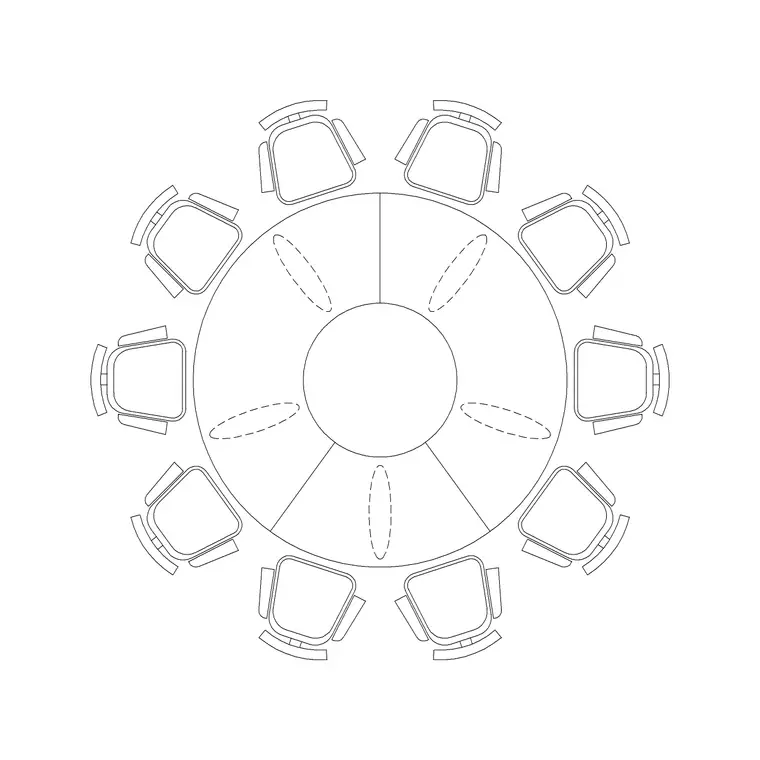
A round 10-seater table furnishes a private dining room or a banquet centrepiece in a single insertion, while the two- and four-tops fill the main floor. Build the floor from a small set of repeating tables rather than drawing each one.
Set covers and protect the aisles
The reason to furnish the plan is to test the numbers and the flow. Allow roughly 600mm per diner along a table edge, and keep at least 450 to 600mm between chair backs of adjacent tables so people can sit without colliding. Main service aisles want about 900mm to 1.2m so staff carrying plates pass safely; that also keeps egress routes clear.
Keep a clear path from the kitchen pass to every table zone, and make sure no table blocks an exit. Placing real table and chair blocks lets you count the covers, see the gaps and confirm the kitchen-to-table route works — the exact tests a restaurant layout exists to pass before fit-out begins.
Design in some flexibility while you are at it. Two-tops that sit on a banquette and can be pushed together to make a four- or six-top are worth more to an operator than the same seats fixed in place, because real service is unpredictable. Show a couple of these flex zones on the plan. Equally, leave the prime window and corner tables a little more breathing room — they are the seats guests remember — and accept slightly tighter spacing in the busier central zone. A drawing that thinks about how the room is actually worked, not just how many covers fit, is the one an operator trusts.
Inserting and arraying restaurant furniture
Download your table and chair blocks. INSERT one two-top with its chairs, then array or copy it across the relevant zone, swapping in four-tops and the larger round table where the plan calls for them. The blocks are real-world sized, so keep scale at 1; correct any wrong-sized insert through units (INSUNITS to millimetres, or scale 0.001 / 1000).
Make each table-plus-chairs arrangement its own block before you array it, rather than copying loose geometry. That way a whole place setting moves and rotates as one object, the floor stays tidy, and you can re-space the room by editing one definition. It also makes counting covers trivial, because each block is one table you can tally with a quick selection.
Drop the bar run and stools in as a group, and line banquette seating along the walls. Put dining furniture, the bar and any planting on separate layers so you can produce a clean covers plan and a separate furniture or FF&E sheet. Number the tables on a text layer if the drawing is heading to operations, since the venue will want a table plan they can run service from.
Finishing the restaurant drawing
Add the finishing layer: planting to break up the room, pendants over key tables and the bar, a host stand at the entrance and service-station positions. Dimension the aisle widths and a representative table grid so the layout sets out correctly and satisfies licensing and fire requirements.
Because the catalogue is free for commercial use with no attribution, a restaurant kit — two-top, four-top, a large round table, chairs, stools and a bar — is well worth saving. Hospitality projects reuse the same furniture families constantly, so a vetted, correctly-scaled set lets you lay out the next venue quickly while keeping your cover counts honest. Keep the two-top as your base unit in that kit, since it is the most flexible block on the floor and the one you will copy and combine the most across every dining room you draw.
Questions
Frequently asked
What blocks do I need for a restaurant layout?+
Two- and four-top dining tables, a larger round table, dining chairs, a bar with stools and banquette seating — free in the Furniture and Office categories.
How wide should restaurant service aisles be?+
About 900mm to 1.2m so staff carrying plates pass safely; this also helps keep egress routes clear for fire compliance.
How much space does each diner need at a table?+
Roughly 600mm of table edge per person, with at least 450 to 600mm between chair backs of adjacent tables so diners can sit without colliding.
Free downloads from this article


Free CAD block library
Download the blocks from this article — free, no signup

