How to download free bookshelf CAD blocks for AutoCAD
Free bookshelf and shelving CAD blocks in DWG for AutoCAD. Where to look, the shallow depth to plan for, and how to place a bookcase against a wall.
Saumyajit MaityUpdated 6 June 20264 min read
What a bookshelf block is
A bookshelf or bookcase is one of the shallowest furniture blocks on a plan: a long, thin rectangle against the wall, often with internal lines marking the shelf divisions or vertical bays. Bookshelves are around 300mm deep — sometimes as little as 250mm for a paperback case — and as wide as the wall allows, which is what makes them so easy to overlook and so useful for filling an awkward wall.
Drawn in CAD, a bookcase is mostly about that shallow footprint and the wall it lines, both of which a plan block captures cleanly. As a vector DWG it measures true, so you can confirm the 300mm depth with a quick dimension. The catalogue leans toward seating and storage, so where there is no dedicated bookcase block, a shallow cabinet or shelving outline of the right depth stands in well — and the Furniture and Office categories are where to browse for it. Everything is free and needs no login.
Finding shelving on the site
Browse the Furniture category for living-room and study shelving, and the Office category for workplace and library-style shelving runs. Search 'shelf', 'cabinet' or 'storage' to surface shallow outlines you can use as a bookcase on a plan.
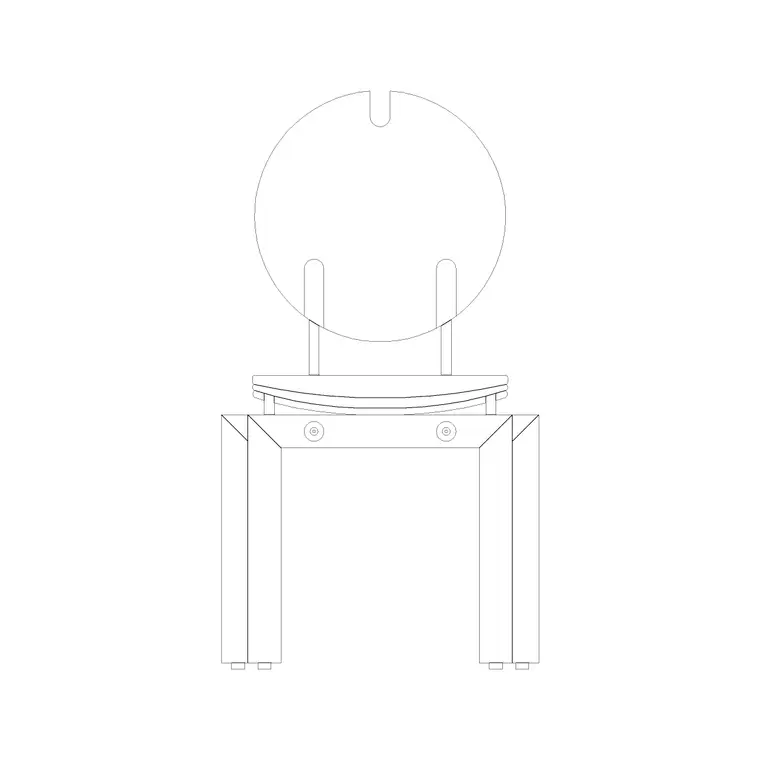
For a home study or living-room reading corner, pair the shelving with seating from the catalogue — a cushion-back or round-back chair makes a convincing reading nook against a wall of books. The sofa-set blocks help you build the surrounding living-room layout so the bookcase sits in a complete arrangement.
Open any product page, check the preview and proportions, and download the DWG. There is no signup, and the blocks are free for commercial use. If you need an exact modular shelving system with catalogue dimensions, reach for the manufacturer's CAD; for a generic bookcase on a layout, a shallow cabinet block is all you need.
Inserting the bookshelf
Run INSERT (I), browse to the chosen DWG, and place it at scale 1, rotation 0. Snap the back of the case flush to the wall using an object snap — a bookcase sits hard against the wall, and because it is so shallow, a few millimetres of gap looks wrong on a plan.
If it inserts at the wrong size, set INSUNITS consistently or SCALE by 0.001 / 1000 to bridge millimetres and metres. Then move the bookcase onto your Furniture or Joinery layer so it groups and plots with the rest of the fit-out.
For a run of shelving along a wall, place one unit and use a rectangular ARRAY to repeat it the length of the wall, or simply stretch the block if it is a single open case. Keep the shelf bays at a believable width — around 700 to 900mm between supports — so the bookcase reads correctly.
Placing shelving in the layout
Because a bookcase is so shallow, its main planning job is to line a wall without stealing circulation. A 300mm-deep case barely intrudes, which is exactly why it suits narrow rooms, hallways and the wall behind a desk. Keep a clear path of at least 600mm in front so people can browse and pass, and a little more if it is a study where someone will pull a chair up to it.
In an office, a run of shelving or library units works well along a perimeter wall or as a low divider between zones — at low height it screens without blocking light or sightlines. Show the shelving on the plan so the storage is accounted for and does not collide with a door swing or a desk return.
Keep the bookcases on the Furniture or Joinery layer so you can produce a clean joinery drawing, and grey them back when a structural plan does not need the detail.
Against a wall or as a room divider
A bookcase does not only line walls — used as a freestanding unit it becomes one of the most efficient ways to zone an open space on a plan. A double-sided or low open shelving run can separate a study from a living area, or a reading nook from a hallway, screening the two zones while letting light and sightlines pass over the top. On the plan, draw the case as a freestanding rectangle with clear circulation on both sides — about 600mm each side — rather than snapped to a wall.
When a bookcase is fixed to a wall, its shallow depth lets it slot into places a deeper cabinet could not: under a stair, in an alcove beside a chimney breast, or the full length of a corridor. Show the alcove or recess on the plan so the joinery is built to fit rather than added in front of it.
Whatever the use, vet the block first: dimension the depth to confirm roughly 300mm, check it sits on layer 0 so it inherits your Furniture or Joinery layer, and confirm there is no stray geometry. A clean, shallow shelving block is a quietly versatile piece — wall-lining storage one moment, a space-dividing screen the next.
Questions
Frequently asked
How deep is a bookshelf on a plan?+
Around 300mm, sometimes as little as 250mm for a paperback case. Snap the back flush to the wall and measure the block to confirm the depth.
Is there a dedicated bookshelf block?+
The catalogue focuses on seating and storage, so a shallow cabinet or shelving outline of the right depth works as a bookcase. Browse the Furniture and Office categories for the closest fit.
Are the shelving blocks free to download?+
Yes, every block downloads instantly in DWG with no signup and is free for personal and commercial use.
Free downloads from this article
Free CAD block library
Download the blocks from this article — free, no signup


