How to download free 3-shutter window CAD blocks for AutoCAD
Free 3-shutter window DWG blocks: where to download them, how three operable lights read in elevation and plan, and how to place a wide three-panel window.
Saumyajit MaityUpdated 1 January 20264 min read
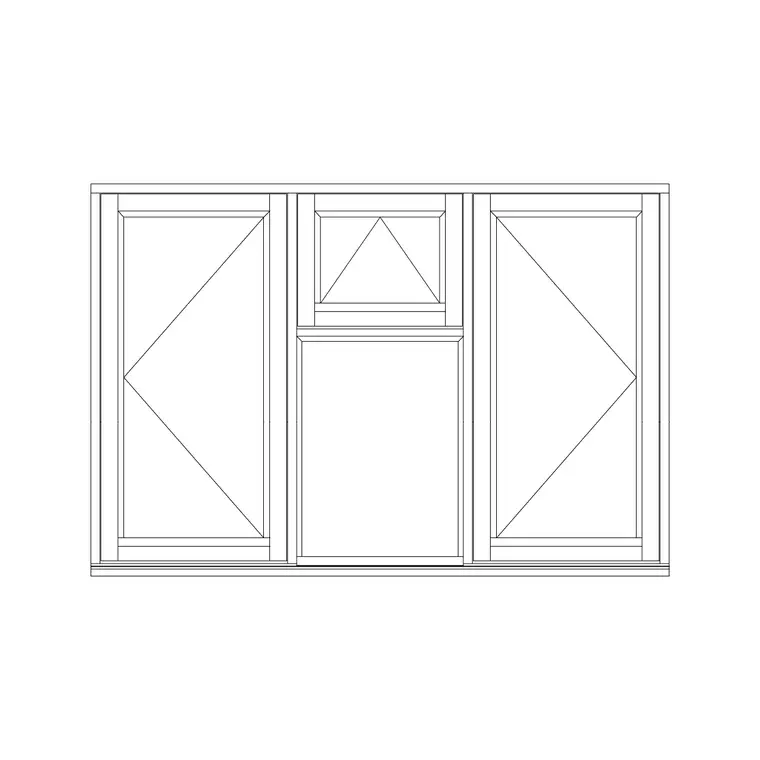
What a 3-shutter window is
A three-shutter window divides a wide opening into three lights, or shutters, side by side. Splitting a broad window this way is partly structural and partly practical: three narrower sashes are easier to operate, glaze and weatherproof than one enormous pane, and the configuration suits living rooms, large bedrooms and any room wanting a generous run of glass with controllable ventilation. A common arrangement is a fixed central light flanked by two operable side shutters, or three operable lights for maximum airflow.
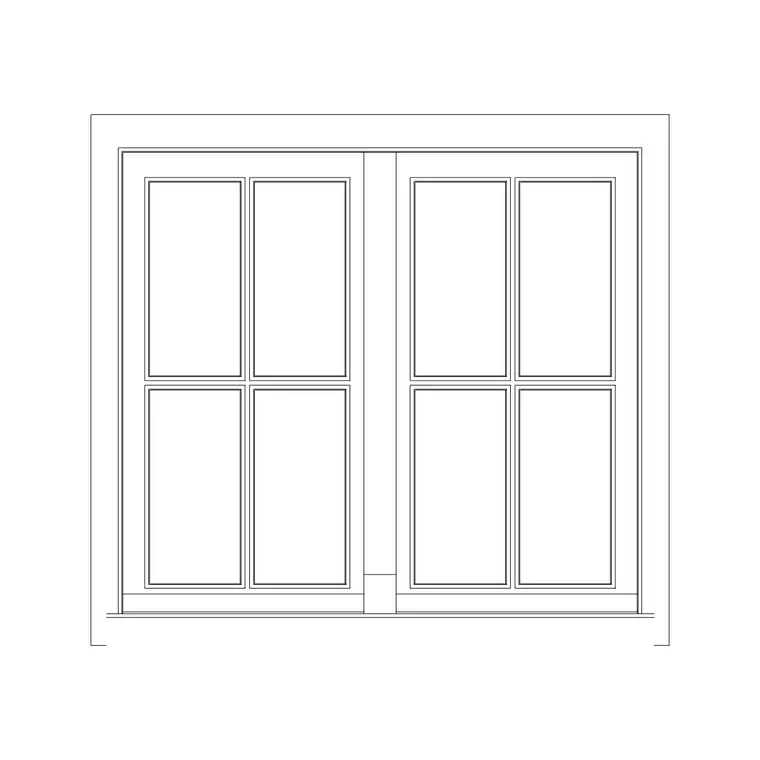
In elevation, the three-shutter window reads as three vertical lights separated by mullions, with the operable shutters marked by their opening indication. In plan it shows as a wide frame in the wall, subdivided into three at the mullions. The 'openable' label on a three-shutter window confirms the side lights actually open, which matters for the ventilation and escape calculations a wide window often has to satisfy.
Downloading 3-shutter window blocks
The Windows category includes a three-shutter openable window. It is free, downloads as a DWG, and needs no signup — click and it saves to Downloads. The block gives you the full three-light configuration so you do not have to assemble it from single windows.
That is the real time-saver: a wide three-shutter window drawn from scratch means setting out three frames, two mullions and the opening indications by hand, whereas the block drops the whole composition in at once. Place it where you want a broad, well-ventilated window — a living room overlooking a garden, a principal bedroom — and the proportion and the operable lights come ready-made. If the room needs an even wider run, you can copy the block along the wall to form a continuous band of glazing.
Placing a three-light window
Insert the DWG with INSERT (I, Enter) or by dragging it onto the canvas, scale 1, rotation 0. For the elevation, align the frame to the correct sill and head heights so the three lights sit at the right level on the facade. For the plan, snap the frame into the wall opening with object snaps (F3), making sure the full width of the three-shutter unit matches the opening you have cut in the wall.
Confirm which shutters open and in which direction; if the operable lights swing the wrong way for the room, MIRROR the block. Because a three-shutter window is wide, double-check the mullion positions line up with any structure over — a wide opening usually needs a substantial lintel, and the mullions may want to relate to it. The block gives you the geometry; coordinating it with the structure is your call.
Scale, units and the wide opening
Set INSUNITS to millimetres in both files so the window auto-scales, or SCALE by 0.001 to bring a millimetre block into a metre drawing if it lands oversized. Dimension the full opening width to confirm the three-shutter unit matches the gap in the wall.
With a wide window, two checks matter more than usual. First, the lintel: a three-shutter opening spans far enough that the supporting beam over it is a real structural element, so make sure your opening width and the lintel bearing are coordinated. Second, the ventilation area: count only the operable shutters when working out opening area, since a fixed central light contributes nothing to airflow. Drawing the operable lights honestly lets that calculation be correct.
Using wide windows well
Keep three-shutter windows on the Windows layer so the wide openings isolate cleanly for daylight and ventilation review — a broad window contributes a lot of glazing area, and being able to check it against the room's daylight target is exactly what that layer buys you.
If the scheme repeats the three-shutter unit across several rooms or as a banded facade, save it to a Tool Palette for fast placement, and record the configuration (which lights are fixed, which open, the mullion spacing) in the window schedule so the supplier fabricates the right unit. Drawn with its three lights and operable shutters clearly shown, a three-shutter window communicates both its generous proportion and its real ventilation capacity in a single insertion.
Mullions, transoms and how the width is carried
The vertical bars dividing a three-shutter window into its three lights are mullions, and they are not just visual — in a wide window they often carry real load and stiffen the frame against wind, so their spacing is a structural as well as an aesthetic decision. If a horizontal bar runs across the window too, splitting the lights into upper and lower sections, that is a transom; a three-shutter window with a transom gives you a grid of lights and lets you open, say, only the top sections for secure background ventilation. Knowing the names keeps your window schedule precise and your conversation with the supplier unambiguous.
When you place the block, relate the mullion positions to the structure over the opening where you can, since a wide three-light window usually sits under a substantial lintel and a tidy alignment between mullions and structural supports reads as resolved. If you extend the composition into a band of glazing along the wall, keep the mullion rhythm even so the facade looks ordered rather than improvised. The block hands you a correct three-light unit; coordinating its mullions with the structure and the rest of the elevation is what makes the wide window look designed.
Questions
Frequently asked
What is a 3-shutter window?+
A wide window divided into three side-by-side lights (shutters) separated by mullions, often with a fixed centre and two operable sides. It suits living rooms and large bedrooms wanting a broad, ventilated window.
How do I work out the ventilation area of a 3-shutter window?+
Count only the operable shutters — a fixed central light adds no airflow. Draw the opening lights honestly so the openable area is correct for your calculation.
Can I download a 3-shutter window CAD block free?+
Yes — the Windows category has a 3-shutter openable window, free in DWG with no signup, for personal and commercial use.
Free downloads from this article
Free CAD block library
Download the blocks from this article — free, no signup


