15 best free office furniture CAD blocks to download 2026
Fifteen free office furniture DWG blocks for 2026 — desks, workstations, conference tables and reception — sized for open-plan and meeting-room layouts.
Saumyajit MaityUpdated 9 June 20264 min read
Office layouts are about density and circulation
Fitting out an office floor is a balancing act between density — getting enough desks in — and circulation, the gangways and breakout space that make the floor work. Accurate office furniture blocks let you test that balance fast, because the moment a workstation cluster or a conference table is drawn, you can see whether the aisles and pull-out space survive. Every block in this roundup is free, available as DWG, needs no signup, and cleared for commercial use.
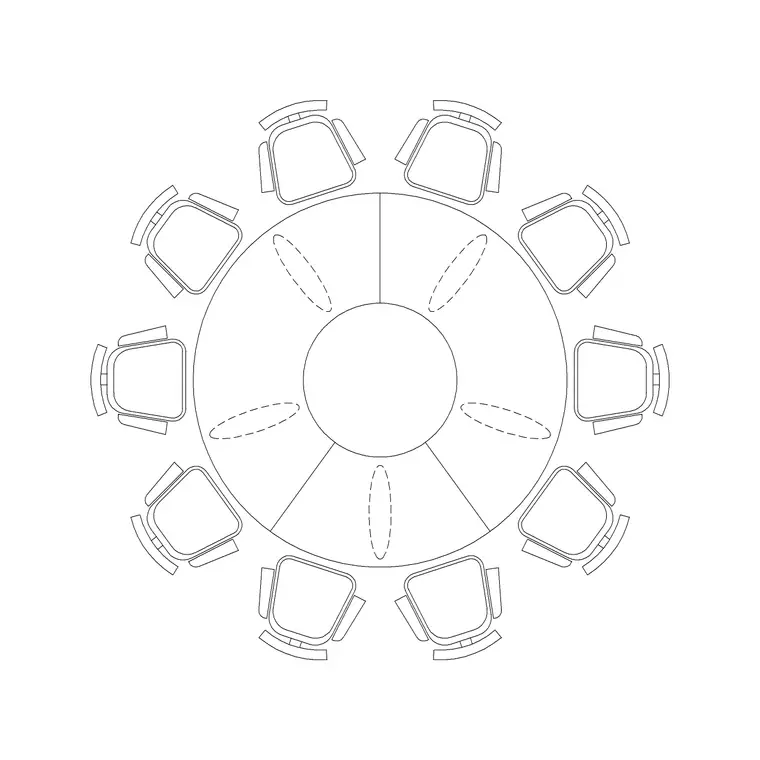
The 15 below are grouped by the zones of an office: individual desks and workstations, meeting and conference tables, reception and breakout, and storage. Browse them in the office category. The conference and meeting blocks are the real time-savers — the ten-seater round table block here, for example, fits out a whole boardroom in a single insertion. Lay the perimeter and circulation first, then drop these in and check the gangways against everything already placed.
Desks and individual workstations (1–6)
The desk is the unit an office floor is built from. A standard desk is 1200 to 1600mm wide by 600 to 800mm deep, and an office chair needs roughly 600mm of swing behind it to roll back. Bench desks pair workers back to back; L-shaped and corner desks suit managers and cellular offices; a sit-stand desk reads the same footprint in plan. Get the footprint and the chair swing right and the rest of the density follows.
Six blocks cover the individual workspace: a straight 1400 desk, a corner/L-desk, a back-to-back bench pair, a four-person bench cluster, a manager's desk, and a sit-stand desk. Array the bench clusters across the open floor on a regular grid, leaving honest gangways (commonly 1000 to 1200mm for a main route), and the plan immediately shows your real desk count versus the floor area. This is where an open-plan layout is won or lost.
Conference and meeting tables (7–11)
Meeting rooms are where generic blocks save the most time, because drawing a twelve-seat boardroom table by hand is tedious and error-prone. Conference tables come round, rectangular, oval and boat-shaped, sized for the room: a six-seater around 1800 by 1100mm, an eight-seater 2400 by 1200mm, and ten- to twelve-seaters longer again. Leave about 900 to 1000mm of clear circulation around the table so chairs pull out and people pass behind seated attendees.
Five blocks cover the meeting zone: a round meeting table, an eight-seat rectangular conference table, a ten-seater (round and boardroom variants), and a boat-shaped twelve-seater. The ten-person round table block here drops a complete meeting setup in one go. Place the table centred in the room, confirm the surrounding circulation and the clearance to a screen wall, and the meeting room is resolved in a single insertion rather than a manual build.
Reception and breakout (12–14)
The front-of-house and the social spaces set the tone of an office and need their own pieces. A reception desk is typically 1800 to 2400mm of counter with a return; soft seating, low tables and a few lounge chairs make a waiting or breakout area read as welcoming rather than corporate. These zones also test circulation at the entrance, where visitors, staff and the lift or stair lobby all converge.
Three blocks cover this: a reception desk with return, a breakout soft-seating cluster (sofa plus low table), and a pair of lounge chairs. Place the reception desk to face the entrance with clear approach space in front — and leave a section of the counter at an accessible lower height where the brief calls for it, so a wheelchair user can be served comfortably. Set the breakout cluster where it gives a moment of pause without blocking a main route. Even on an otherwise dense plan, these social pieces are what make the floor feel designed for people rather than just packed with desks, and they are usually the spaces a client notices first on a walkthrough.
Storage and downloading the set (15)
Finish with storage — the piece that quietly governs whether the aisles stay clear. A run of pedestal or tambour storage units (commonly 800 to 1200mm wide, 450mm deep) lines the edges of an open floor and defines circulation. One storage block brings the collection to 15 and lets you draw a complete office floor — desks, meetings, reception, breakout and storage — from one trusted set.
To download any block, open the office category, click the piece, and grab the DWG or DXF free with no account. Insert with INSERT at scale 1, snap to your planning grid, and keep the furniture on a dedicated layer so you can isolate it for a furniture, power-and-data, or structural sheet. With these 15 blocks the whole fit-out — from a single workstation to a twelve-seat boardroom — comes together by insertion, and the density-versus-circulation question gets answered on the drawing.
Questions
Frequently asked
What size is a standard office desk block?+
A standard desk is 1200 to 1600mm wide by 600 to 800mm deep, and an office chair needs about 600mm of swing behind it. Measure the block after downloading to confirm before relying on the layout density.
How much circulation should I leave around a conference table?+
Aim for 900 to 1000mm of clear space on every side so chairs pull out and people pass behind seated attendees. A drawn conference block lets you check this in one insertion.
Where can I download free office furniture CAD blocks?+
The office category on CADBlockDWG has desks, workstations, conference tables and reception furniture free in DWG and DXF, no signup, with commercial use allowed.
Free downloads from this article


Free CAD block library
Download the blocks from this article — free, no signup


