15 best free lighting CAD blocks to download in 2026
Fifteen free lighting DWG blocks for 2026 — chandeliers, pendants, wall lights and street lamps — for reflected ceiling plans, elevations and lighting layouts.
Sumana KumarUpdated 5 January 20264 min read
Lighting blocks span two drawings at once
Lighting is unusual because it appears on two very different drawings: the reflected ceiling plan (RCP), where fittings are shown as plan symbols looking up at the ceiling, and the interior elevation or render view, where a chandelier or wall light is drawn in its full decorative profile. A good lighting library serves both. Every block in this roundup is free, available as DWG, needs no login, and is cleared for commercial use.
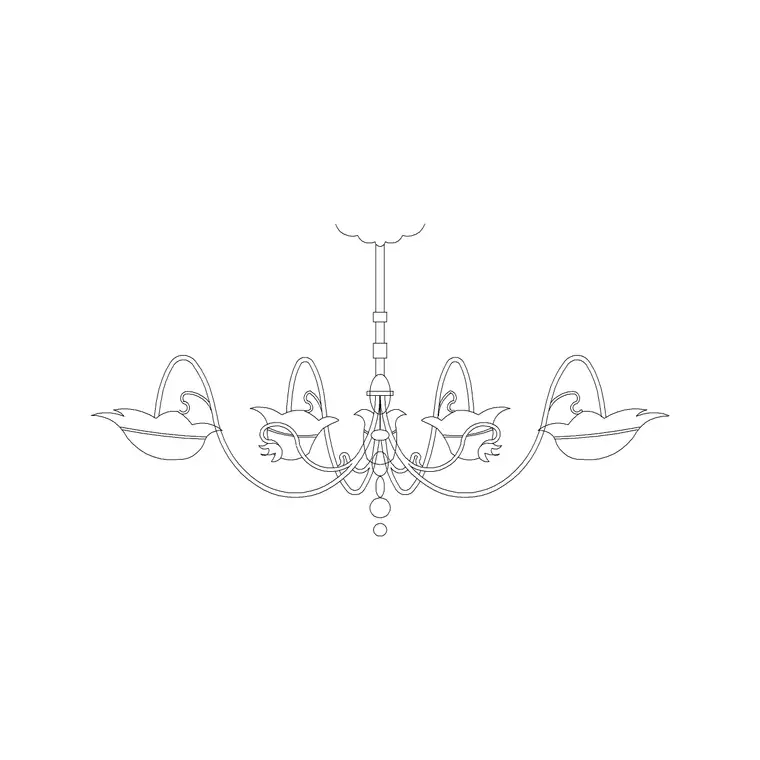
The 15 below are grouped by fitting type the way a lighting layout gets specified: ceiling-mounted decorative fittings, recessed and surface ceiling lights, wall-mounted fittings, and exterior lighting. Browse them in the lighting category. Decorative elevation blocks like the suspended metal chandelier are detailed enough to carry a render or an interior elevation, while plan symbols keep an RCP clean and readable — pick the view that matches the sheet you are drawing.
Chandeliers and decorative pendants (1–5)
Decorative ceiling fittings set the tone of a room and are usually the blocks you reach for first. A chandelier elevation block shows the full tiered or branched profile and reads beautifully in an interior elevation or a render; the same fitting on an RCP is just a circle with a fitting symbol. Pendant lights — single or in a cluster over an island or dining table — sit lower and want their drop height noted.
Five blocks cover this zone: a multi-arm metal chandelier, a round modern chandelier, a single pendant, a three-pendant cluster, and a large statement fitting for a double-height space. The suspended metal chandelier here is a clean elevation profile ready to drop into a render view. Place pendants centred over the surface they light — an island, a table — and on the RCP keep them on a dedicated lighting layer so they do not muddle the ceiling grid or services.
Recessed and surface ceiling lights (6–9)
The everyday workhorses of any lighting layout are the small, repeated fittings: recessed downlights, surface spots and flush ceiling lights. These are almost always placed as plan symbols on an RCP, arrayed on a grid or along a circulation route. A downlight is a small circle (often with a cross or centre mark); a flush ceiling fitting is a slightly larger circle or square. The value of a clean symbol here is readability when there are dozens on a ceiling.
Four blocks handle this: a recessed downlight, an adjustable spot, a surface-mounted ceiling light, and a linear strip fitting. Array them on the RCP rather than placing one by one — set out a regular grid for general lighting and a tighter run for task or accent zones. A common starting point for general downlighting is a grid at roughly 1200 to 1500mm centres, tightened over worktops and reception desks where task light is needed, but always let the room and the ceiling layout drive the spacing rather than a fixed rule. Because you will place so many, build a tool palette of these four and the RCP comes together in minutes instead of clicks adding up across a whole ceiling.
Wall lights and table lamps (10–13)
Wall-mounted fittings appear on both interior elevations and RCPs, and they soften a scheme that downlights alone would leave flat. A wall sconce or up/down light is drawn in profile on an elevation and as a small wall-hugging symbol on the plan. Table and floor lamps, while furniture as much as lighting, complete a room on a plan and help it read as lived-in.
Four blocks cover the wall and portable fittings: a wall sconce, an up/down wall light, a table lamp, and a floor lamp. On an interior elevation, place the sconces at a consistent height (commonly around 1500 to 1700mm to centre) so they line up honestly across a wall; on the plan, keep them on the lighting layer. These are the fittings that turn a technically-lit room into a designed one.
Exterior lighting and downloading (14–15)
Outdoor schemes need their own fittings. A street light or tall lamp column is drawn in elevation for a streetscape and as a symbol on a site plan; a bollard light marks paths and edges at low level. Two blocks finish the set: a street/lamp column and a path bollard. Place the column in elevation at its real height (a residential street column might be four to six metres) and add a scale figure so the streetscape reads truthfully.
To download any fitting, open the lighting category, click the block, and grab the DWG or DXF free with no signup. Insert with INSERT at scale 1; for decorative elevation blocks, snap to the ceiling line or wall so the drop and mounting height are honest, and for plan symbols snap to your ceiling grid. Keep everything on a lighting layer so the RCP and the services plan stay legible. Fifteen blocks, split across RCP symbols and decorative elevations, cover almost any lighting drawing you will produce.
Questions
Frequently asked
Do lighting CAD blocks work on a reflected ceiling plan?+
Yes. Use the plan-symbol view of each fitting on an RCP and the decorative elevation view on interior elevations and renders. Keep all fittings on a dedicated lighting layer so the ceiling grid stays readable.
What view is a chandelier block — plan or elevation?+
Decorative chandelier blocks are usually drawn in elevation to show the full profile for renders and interior elevations, while the RCP shows the same fitting as a simple circle symbol. Pick the view that matches your sheet.
Where can I download free lighting CAD blocks in DWG?+
The lighting category on CADBlockDWG has chandeliers, pendants, wall lights and street lamps free in DWG and DXF, with no account required and commercial use allowed.
Free downloads from this article

Free CAD block library
Download the blocks from this article — free, no signup


