12 best free window CAD blocks to download in 2026
Twelve free window DWG blocks for 2026 — casement, sliding, fixed and bay windows in plan and elevation — for clean openings on floor plans and facades.
Saumyajit MaityUpdated 14 April 20264 min read
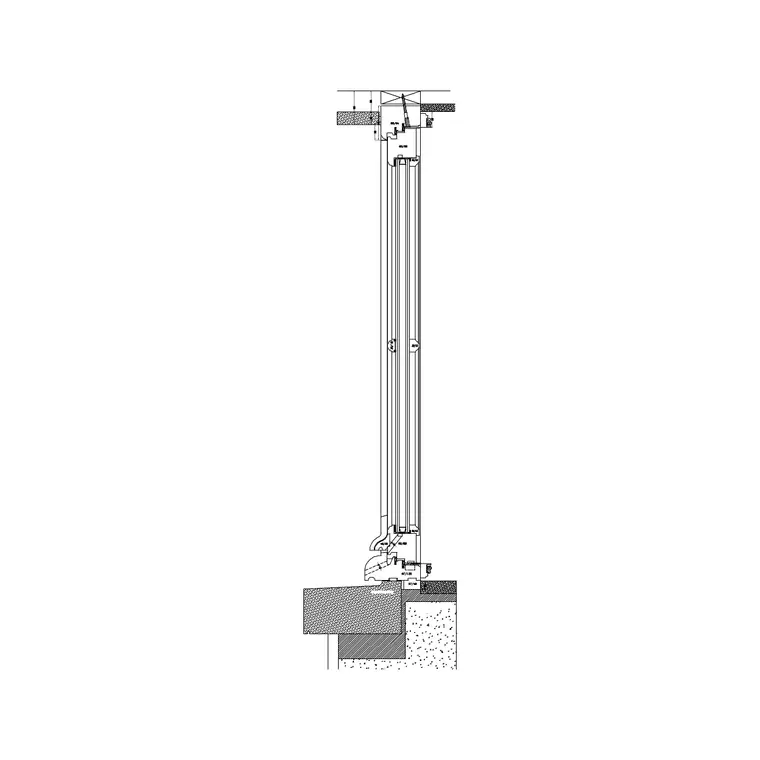
Windows live on the plan and the elevation
A window block has to work in two views. On the plan it is the opening through the wall — frame, glazing line, and a sill or cill indication — that breaks the wall hatch and shows where light and view come in. On the elevation it is the visible face of the window — its proportions, glazing pattern and opening type — that does most of the work of making a facade read. A good window library gives you both. Everything here is free, available as DWG, needs no login, and cleared for commercial use.
The 12 below are grouped by window type the way a facade gets composed: casement and side-hung windows, sliding and horizontal windows, fixed and feature glazing, and the projecting bay and corner windows. Browse them in the windows category. The window-plan block here carries both the plan and elevation view, which is exactly what you want — drop the plan into the wall, and use the matching elevation on the facade so the two agree.
Casement and side-hung windows (1–4)
The casement is the default domestic window and the first you reach for. In plan it is a simple opening with the frame and glass line; in elevation it shows the side-hung opening light, often with a small arc or arrow indicating the hinge side. Single, double and triple-light casements cover most domestic widths, from a 600mm single up to a 1800mm triple under one head.
Four blocks cover the casement family: a single-light casement, a double-light casement, a triple-light casement, and a casement with a top-hung vent over a fixed light. Insert the plan view into the wall opening, snapping the frame to the reveal, and place the matching elevation on the facade at the right sill and head height. Keeping the plan and elevation consistent — same width, same number of lights — is what makes the two drawings tell the same story to whoever builds from them.
Sliding and horizontal windows (5–8)
Where a casement's outward swing is awkward — over a path, in a kitchen behind a worktop — a sliding or horizontal window solves it. A horizontal sliding window shows two or three panels that pass each other; in elevation it reads as a wide, low aperture with the slide direction implied. These suit kitchens, bathrooms and anywhere a projecting opening light would foul something outside.
Four blocks handle this group: a two-panel sliding window, a three-panel slider, a low-level horizontal kitchen window, and a sliding window with a fixed feature panel. On the plan, draw the track line so the mechanism is clear; on the elevation, keep the panel proportions honest. Because these windows are often wide, they have a big effect on how a facade balances — place them and step back to check the elevation reads as composed rather than accidental.
Fixed and feature glazing (9–10)
Not every opening opens. Fixed lights and feature glazing bring in light and view without ventilation, and they are common above doors, in stairwells and as large picture windows. A fixed window in plan is the simplest opening of all — frame and glass, no swing or track — while in elevation it is defined purely by its proportion and any glazing bars.
Two blocks cover fixed glazing: a large fixed picture window and a tall fixed stairwell light. Use these where the brief wants light and outlook rather than air — a living-room picture window framing a view, a slot of glazing washing a stair with daylight. Because they carry no opening mechanism, the only thing to get right is the proportion, so place the elevation first, judge it against the rest of the facade, then drop the matching plain opening into the plan.
Bay and corner windows, plus downloading (11–12)
Projecting windows add character and complexity. A bay window steps out from the wall in plan as a faceted or curved projection — typically a wide central light flanked by two angled returns — and reads as a strong feature on the elevation. A corner window wraps an external corner and needs careful structural thought, but draws the plan a designed, light-filled corner. Two blocks finish the set at 12: a three-facet bay window and a corner window.
To download any window, open the windows category, click the block, and grab the DWG or DXF free with no signup. Insert the plan view into the wall, snapping to the reveal, and place the elevation on the facade at the correct sill and head height — a common domestic sill is around 900mm above floor for a habitable room and higher for a kitchen over a worktop, but always set it from the room's needs and any guarding requirement at low level. If a window comes in the wrong size it is a units issue — match INSUNITS or scale by 0.001 or 1000. With these 12 blocks you can break openings cleanly on every plan and compose a facade that reads as deliberate, using plan and elevation views that agree with each other.
Questions
Frequently asked
Do window CAD blocks come in plan and elevation?+
The best ones do — and several blocks on CADBlockDWG carry both views. Use the plan view to break the opening in the wall and the matching elevation on the facade so the two drawings agree.
How do I insert a window block into a wall opening?+
Run INSERT, snap the frame to the wall reveal, and keep scale 1. If the window comes in the wrong size it is a units mismatch — set INSUNITS consistently or scale by 0.001 or 1000.
Where can I download free window CAD blocks in DWG?+
The windows category on CADBlockDWG has casement, sliding, fixed and bay windows in plan and elevation, free in DWG and DXF, with no account and commercial use allowed.
Free downloads from this article
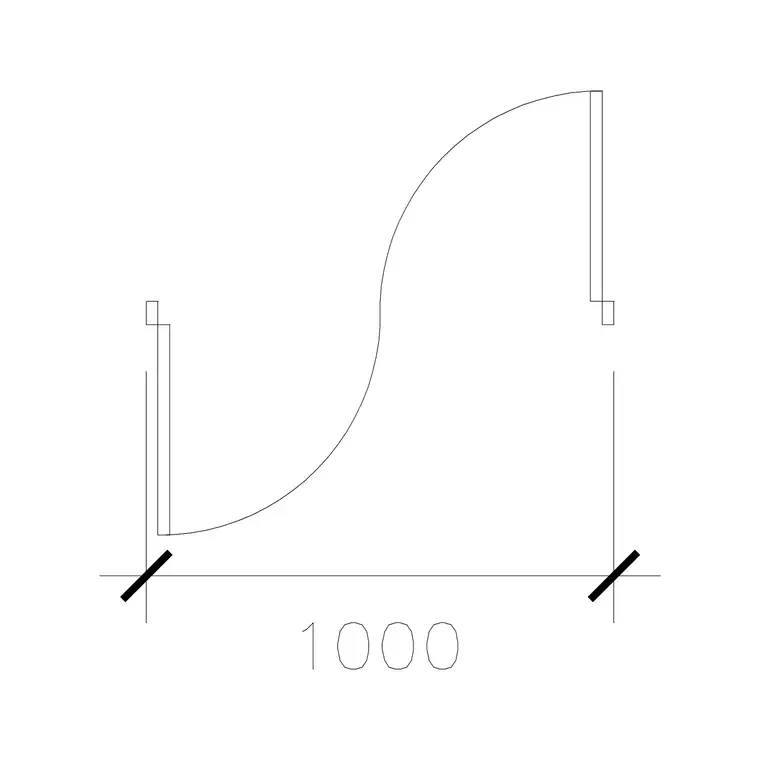

Free CAD block library
Download the blocks from this article — free, no signup


