How to download free toilet & accessibility symbol blocks
Free toilet and accessibility symbol DWG blocks — how to download male/female and wheelchair symbols, and how to place them on washroom and wayfinding plans.
Saumyajit MaityUpdated 9 March 20264 min read
Where the toilet and accessibility symbols live
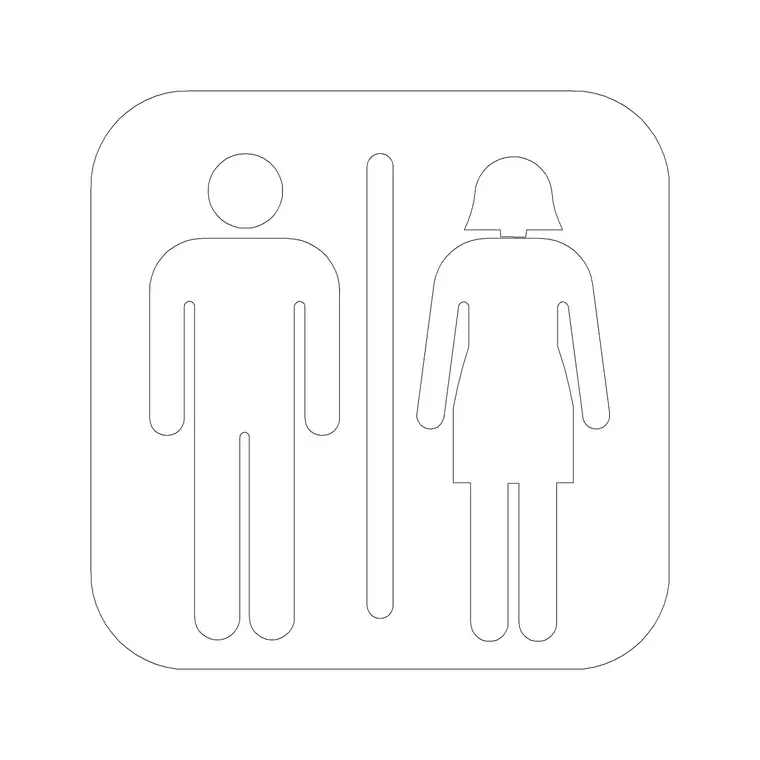
Toilet and accessibility symbols sit in the Building Symbols category on CADBlockDWG, the same collection that holds the directional arrows and life-safety markers. Search 'toilet', 'male female' or 'accessible' and the symbols surface — the male/female facility marker and the wayfinding glyphs that label washrooms and accessible facilities on a plan. Downloads are free and instant: no account, no email wall, no waiting timer.
These are generic, standard-style graphics rather than a specific signage range, which is exactly what washroom layouts and wayfinding drawings need. You are labelling which facility is which — male, female, accessible — and pointing people to it, so the plan and the signage strategy read clearly. Note the distinction worth keeping in mind: these symbols label and signpost the facilities, while the toilet fixtures themselves (the WC pans and basins you set out in the room) are separate plan blocks.
What the symbol blocks contain
Each download is a small DWG with the symbol drawn as clean 2D linework — a compact, self-contained graphic meant to drop straight onto a plan, a door schedule or a signage key. The male/female marker and the accessibility glyph are each a single tidy block, so they insert as one object you can place, count and restyle cleanly rather than as loose geometry.
The files open in any modern CAD program thanks to a widely compatible AutoCAD format, with DXF offered where available. The symbols are simple inside — no 3D, no clutter — which keeps your drawing light even when you place them at every washroom door across a large building. Being reusable blocks, editing the definition once updates every instance, so a change to the symbol style ripples through the whole set automatically.
Placing the symbols at a readable size
Like all signage, toilet and accessibility symbols are annotation, so they need to read at the plotted scale rather than at real-world size. Insert one with INSERT, place it at the washroom door or on the wayfinding route, and judge it against the printed sheet — a facility symbol too small to read is no use to anyone. Scale the block so it is clearly legible at your drawing scale instead of leaving it at the default insert size.
If you issue drawings at multiple scales, AutoCAD's annotative scaling holds a consistent printed size across viewports, which is worth setting up when you reuse the symbols a lot. As ever, an absurd insert size points to a units mismatch first — fix INSUNITS or scale by 0.001 or 1000 before fine-tuning the annotation. Place the symbol, confirm it on the print, and carry on around the plan.
Pair the signs with the fixtures inside
The signage symbols and the sanitary fixtures work together but live in different places. The male/female and accessibility markers label the washroom from the corridor; inside the room you set out the actual WC pans, basins and the accessible-toilet layout from the toilet fixture blocks, which are plan footprints rather than signage glyphs. A complete washroom drawing uses both — the fixtures to plan the room and prove the clearances, the symbols to signpost it.
When you draw an accessible toilet in particular, the plan needs to show the real fixture positions and turning space, while the accessibility symbol on the door announces the facility. Keeping the two as separate blocks on separate layers — fixtures on a sanitary layer, symbols on a signage layer — means you can isolate either one cleanly: a sanitary plan that shows the fittings, or a signage plan that shows the wayfinding, both generated from the same drawing.
Labelling washrooms and accessible facilities
On a plan, the male/female and accessibility symbols mark which facility is which at each entrance, and they map the route to accessible toilets through the building's wayfinding. Place them at the washroom doors and at the decision points along the way, and the plan communicates the facility strategy at a glance — useful for the design team, the signage package and anyone checking that accessible provision is clearly signposted.
Keep the same symbol on the plan and on the signage schedule so the two always agree, and build a small legend once that you reuse across the set. Because these are reusable blocks on their own layer, you can isolate them for a clean signage or accessibility plan without disturbing the architecture. The symbols document the wayfinding; the actual signage and the accessible sanitary provision are designed and specified to the standards that apply to the building.
Layer and reuse the symbols
Put toilet and accessibility symbols on a dedicated annotation or signage layer, separate from the building geometry, so you can isolate or freeze them to produce a clean signage or wayfinding plan. The symbols inherit the layer you insert them onto, so set that layer current before placing and they adopt it automatically, which keeps the whole set controllable from the Layer Manager.
Once you have the symbols you use most, save them to a tool palette so labelling a washroom or an accessible facility is a single click in any drawing. Combine that with annotative scaling and a tidy signage layer and you can annotate a building's washroom and accessibility wayfinding quickly and consistently from this free Building Symbols category, then isolate or restyle the layer whenever the signage package calls for it.
Questions
Frequently asked
Where can I download free toilet and accessibility symbol blocks?+
From the Building Symbols category on CADBlockDWG. Search 'male female' or 'accessible' for the facility and accessibility markers, then download the DWG free with no signup.
Are these the toilet fixtures or the signage symbols?+
These are the signage symbols that label and signpost washrooms — male, female and accessible. The WC pans and basins you set out inside the room are separate plan fixture blocks.
How big should a toilet or accessibility symbol be on the plan?+
Size it to read clearly at the plotted scale, since it is annotation. AutoCAD's annotative scaling can keep a consistent printed size across multiple viewport scales if you issue at several scales.
Free downloads from this article

Free CAD block library
Download the blocks from this article — free, no signup

