Where to find free double door DWG files (and how to use them)
Free double door DWG blocks for AutoCAD: where to download them, what the twin-leaf plan symbol shows, and how to place a pair so both swings read right.
Saumyajit MaityUpdated 24 March 20264 min read
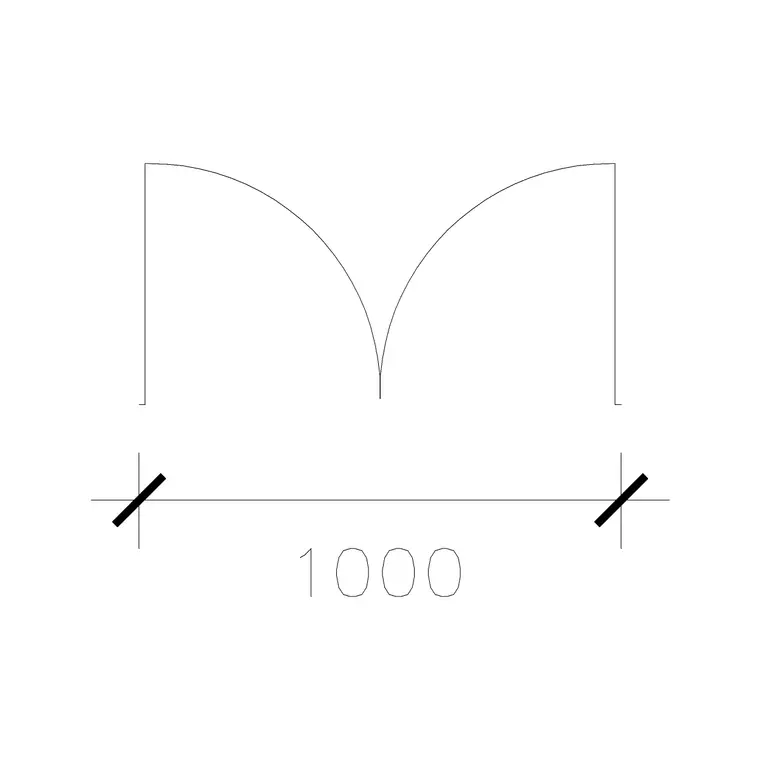
When a double door is the right choice
A double door — two leaves meeting in the middle — is what you reach for at a main entrance, between a living and dining room, onto a balcony or terrace, or anywhere you want a wide, symmetrical opening. In plan it reads as two door leaves, each with its own swing arc, hinged at opposite jambs and meeting at a central mullion or simply at the leaf edges. The pair of arcs immediately tells you the opening can be twice as wide as a single door while each leaf still clears furniture.
Double doors also carry a design signal. A grand entrance, a set of French doors onto a garden, or a wide opening between two reception rooms all say something about the space, and showing them properly on the plan helps a client read the intent. The twin-leaf block does that for you in one insertion.
Downloading double door blocks free
Head to the Doors category, where double-leaf doors sit among the single, sliding and pocket variants. Everything is free, downloads as a DWG, and needs no login — the file saves straight to your Downloads folder when you click.
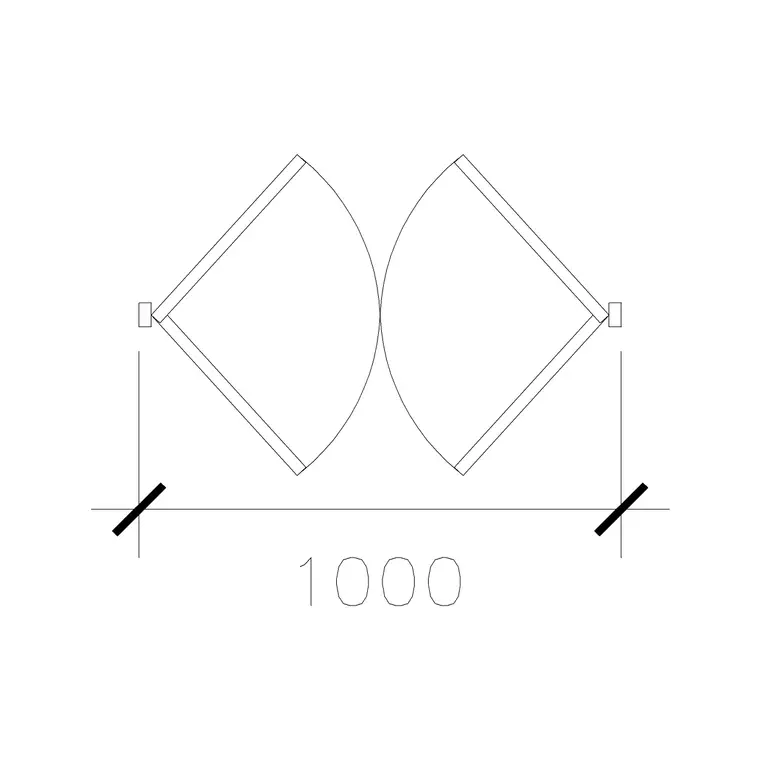
Names usually encode the overall opening width. A 1000mm double door means the whole opening is 1000mm, so each leaf is roughly 500mm — useful for a modest opening between rooms. Wider entrance sets run larger. Look too for a double-acting double door, which swings both ways (in and out) and is drawn with arcs on both sides of the opening — the classic restaurant kitchen or busy-corridor door. Match the named width to your wall opening and the leaves and arcs will be correctly proportioned from the start.
Placing a pair of leaves correctly
Insert the DWG with INSERT (type I, Enter) or by dragging the file onto the canvas, keeping scale 1 and rotation 0. Snap the block to the wall opening using object snaps (F3) — most double door blocks set their base point at the centre of the opening or at one jamb, so check which and snap accordingly so the two leaves sit symmetrically in the gap.
Both leaves should hinge at the outer jambs and open together. If the swing direction is wrong — say the doors open out when they should open in — MIRROR the whole block across the line of the wall to flip both leaves at once, rather than fighting each leaf separately. For double-acting doors, the block already shows arcs on both faces, so no mirroring is needed; just confirm there is clearance on both sides of the wall.
Sizing, clearance and units
Because a double door spans a wide opening, clearance matters even more than with a single leaf. Confirm both swing arcs are clear of furniture, the other half of the pair, and any wall return. For a pair of French doors onto a terrace, check the leaves do not foul outdoor furniture or a step.
If the block inserts at the wrong size, it is the usual units issue: set INSUNITS to millimetres in both files for auto-scaling, or SCALE by 0.001 to take a millimetre block into a metre drawing. Verify by dimensioning the opening — a 1000mm double door should measure 1000mm across the gap, with each leaf about half that. Getting the overall width right keeps the central meeting point where it belongs and the symmetry honest.
Reading double doors on the finished plan
On the completed plan, a well-placed double door communicates a lot at a glance: the width of the opening, the symmetry, and whether it is a one-way or double-acting set. Keep the pair on your Doors layer so they can be isolated for an egress or accessibility check — wide double doors often double as escape routes, and being able to highlight every door at once is genuinely useful in that review.
If you use the same entrance double door across several units in a scheme, save it to a Tool Palette so each placement is a single click. And always sanity-check the meeting point: two leaves that overlap in the middle, or leave an odd gap, are the small giveaways that the block was stretched rather than chosen at the right width.
Equal leaves or a leaf-and-a-half
Double doors come in two practical flavours and it pays to draw the one you mean. A true pair has two equal leaves meeting in the centre — the symmetrical look you want for French doors and grand entrances. A leaf-and-a-half (or one-and-a-half-leaf) door pairs a normal-width active leaf with a narrower secondary leaf that usually stays bolted shut, opened only when you need the full width to move something bulky through. The secondary leaf gives you occasional extra width without committing to two full-size leaves that both have to swing every time.
Whichever you specify, note it in your door schedule along with the overall opening width and the leaf split, because the ironmongery differs — a leaf-and-a-half needs flush bolts on the secondary leaf, and double-acting sets need the spring pivots. The plan symbol shows the geometry; the schedule captures the hardware. Getting both right is what lets the joiner order the correct set rather than guessing from two arcs on a drawing.
Questions
Frequently asked
What is the difference between a double door and a double-acting door?+
A standard double door has two leaves that open one way. A double-acting double door swings both in and out, shown in plan with swing arcs on both sides of the opening.
How wide is each leaf of a 1000mm double door?+
If the named width is the overall opening, each of the two leaves is roughly 500mm. Always confirm by dimensioning the opening after insertion.
Are these double door DWG files really free for commercial use?+
Yes — every block downloads free in DWG with no signup and is free for personal and commercial projects, no attribution required.
Free downloads from this article
Free CAD block library
Download the blocks from this article — free, no signup


