Free DWG blocks for a hotel room — what to download
Lay out a hotel guest room with free DWG blocks: bed, wardrobe, desk and en-suite. What to download and how to plan the compact, repeatable layout.
Sumana KumarUpdated 27 May 20264 min read
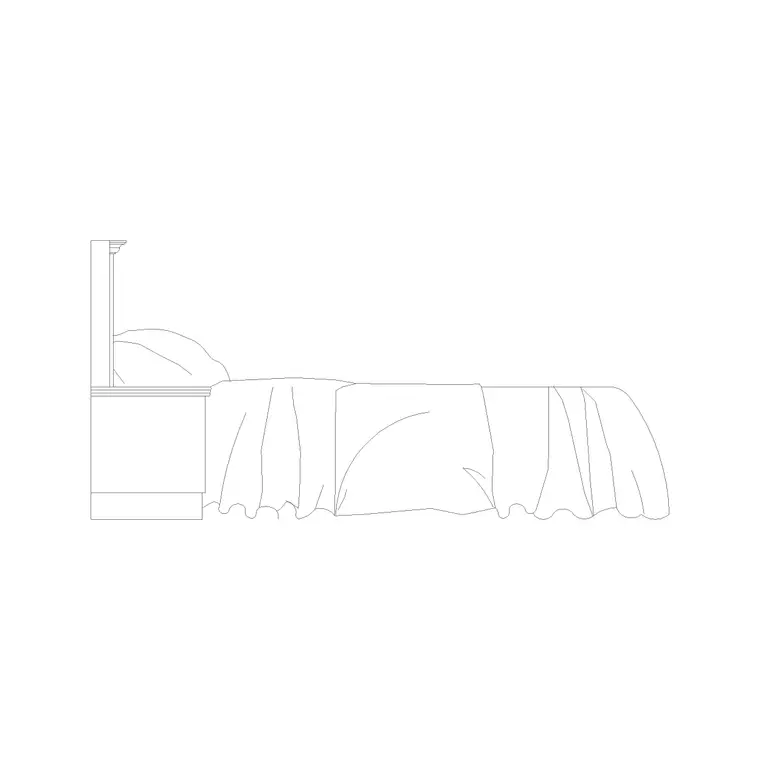
A hotel room is a compact, repeating module
A hotel guest room is one of the most repeated layouts in commercial work — design one well and it stamps across an entire floor and often the whole building. That makes accuracy and tight clearances matter enormously: a few centimetres saved per room multiplies across hundreds of keys. The blocks you download are similar to a bedroom's, but packed into a smaller, more disciplined footprint with an en-suite attached.
Everything here is free DWG and DXF, no signup. You will pull the bed and case goods from the Bedroom and Furniture categories, and the en-suite sanitaryware from the Bathroom category. Start with the bed, since in a hotel key the bed position fixes the wardrobe, desk and bathroom around it.
What to download for a guest room
A standard hotel room and en-suite needs:
- A bed — often a king (1800 by 2000mm) or twin beds (two singles), with headboard and pillows drawn. - A wardrobe or open hanging unit, usually 600mm deep, sometimes combined with a minibar and luggage storage. - A desk / dressing table with a chair, around 1100 to 1200mm wide. - A luggage bench at the foot of the bed. - En-suite sanitaryware: WC, basin/vanity and a bath or shower. - A bedside table each side and a feature pendant or bedside lights.
The bed plus the en-suite WC, basin and bath/shower are the load-bearing blocks. A king bed with side tables and a compact bathroom set essentially defines the key; the desk, wardrobe and bench fit into what remains.
A decision worth making early is bath versus shower, because it changes the bathroom footprint and the brand position. Mid-scale and business hotels increasingly go shower-only to save space and water, which frees room for a larger vanity or more wardrobe; upper-scale rooms keep a bath. Download both fixture options so you can test the key either way and see which lets the room hit its target size.
Plan the clearances for a tight key
The reason to furnish a hotel room precisely is that every clearance is multiplied across the floor plate. Hold roughly 600mm of access on at least one side of the bed (both sides for a king where possible), keep about 600mm in front of the wardrobe and desk, and protect the bathroom door swing and the 600mm in front of the WC and basin. The entry corridor past the bathroom needs to stay clear for luggage.
Because the room repeats, getting these gaps right once is worth real money — it can be the difference between fitting an extra key per floor. Placing real blocks lets you tune the layout down to the centimetre and confirm it works before it is replicated hundreds of times across the building.
The entry sequence is where most hotel rooms are won or lost. The standard arrangement places the bathroom right at the door, with the wardrobe opposite it, forming a short lobby before the room opens up to the bed and the window beyond. This keeps services (bathroom plumbing, the wardrobe and minibar) clustered near the corridor wall where risers run, and gives the guest a sense of arrival. Get that entry zone right on the single room and it pays off in every copy. Allow at least one accessible room type too, with its wider door, larger bathroom and turning circle — a separate module you array where the brief requires it.
Inserting the room and its en-suite in AutoCAD
Download the bed, case goods and sanitaryware. INSERT the bed first against its wall, then the bathroom fixtures into the en-suite, then the wardrobe, desk and bench into the remaining space. The blocks are real-world sized, so keep scale at 1; fix any wrong-sized insert via units (INSUNITS to millimetres, or scale 0.001 / 1000), snapping fixtures tight to walls.
Once one room is resolved, make the whole room a block or a group and array it along the floor — that is how a guest-room module is meant to be deployed, mirroring alternate rooms across a central corridor. Keep furniture, sanitaryware and lighting on separate layers so you can issue an FF&E plan, a plumbing plan and an architectural plan from the same module.
From one key to a whole floor
Finish the room with the hospitality details: bedside and desk lighting, a luggage rack, curtains or blind lines, and artwork positions. Dimension the room and the en-suite so the module sets out cleanly and the bathroom pods (often prefabricated in hotels) coordinate with the structure.
Because every block is free for commercial use with no attribution, the guest-room module is the ultimate reuse case — assemble it once from vetted, correctly-scaled blocks and it propagates across the entire project. Refine the single key until the clearances are perfect, then let the array do the rest of the floor for you. Save the resolved room as a named block so that if a fixture or a piece of case goods changes, you redefine it once and every key on every floor updates with it.
Questions
Frequently asked
What blocks do I need for a hotel room layout?+
A bed, wardrobe, desk and chair, luggage bench and en-suite sanitaryware (WC, basin, bath or shower) — free in the Bedroom, Furniture and Bathroom categories.
Why does accuracy matter so much in a hotel room plan?+
Because the room module repeats across the whole floor and building, so a few centimetres saved per key multiply into real space and sometimes an extra room per floor.
How do I repeat a hotel room across a floor in AutoCAD?+
Resolve one room, make it a block or group, then array it along the corridor, mirroring alternate rooms — refine the single key first so every copy is correct.
Free downloads from this article

Free CAD block library
Download the blocks from this article — free, no signup


