Free DWG blocks for a bedroom — what to download
Furnish a bedroom plan with free DWG blocks: bed, wardrobe and bedside tables. What to download, the clearances to hold, and how to insert them.
Sumana KumarUpdated 11 January 20264 min read
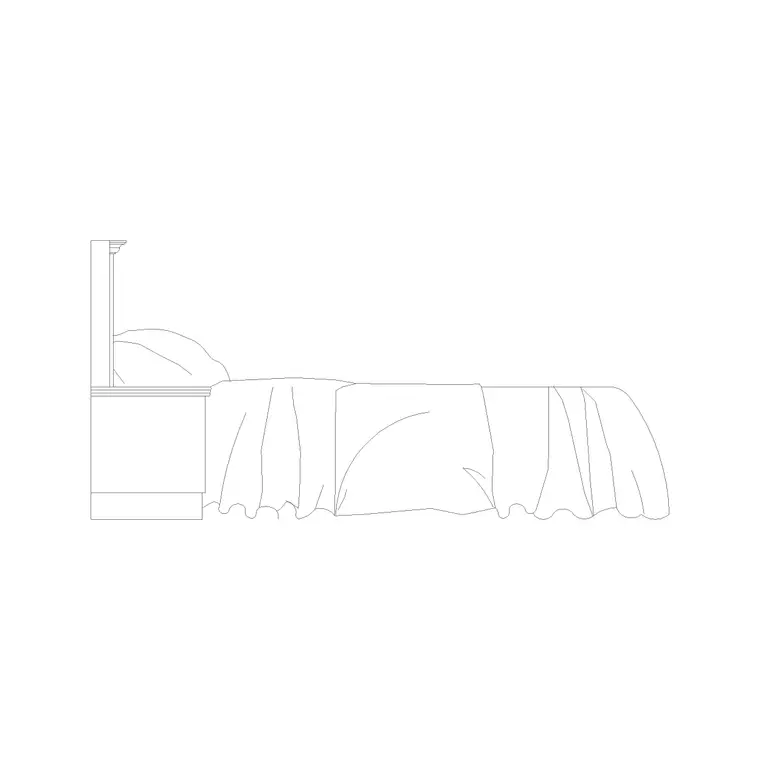
The bed sets the whole room
A bedroom layout lives or dies on one decision: where the bed goes. Everything else — wardrobes, bedside tables, a dressing table, a chair — arranges itself around the bed and the clearances it needs. So the bed block is the first thing to download and place, and getting its size right is the foundation of a workable plan. The convention is to set the headboard against a solid internal wall, ideally facing the door so the room feels settled when you walk in, with the window to one side rather than directly behind the bed.
All blocks here are free DWG and DXF, no account needed. The Bedroom category holds beds and bedroom-specific furniture, and the Furniture category adds wardrobes and seating. Grab a plan-view bed sized to your scheme — single 900 by 1900mm, double 1350 by 1900mm, queen 1500 by 2000mm or king 1800 by 2000mm — and anchor it before anything else. Confirm the block measures those dimensions once it is in; a mis-scaled bed throws off every clearance that follows.
What to download for a bedroom
A complete bedroom plan usually needs:
- A bed at the right size, ideally with a headboard line and pillows drawn so it reads as a bed from above. - A wardrobe — 600mm deep, in widths to suit, often a multi-door run along one wall. - One or two bedside tables, roughly 400 to 500mm square. - Optionally a dressing table with a stool, and an armchair or bench. - A rug outline and a plant to warm a presentation drawing.
The bed and the wardrobe are the two heavy hitters. A four-door wardrobe block along the wall plus a correctly-sized bed essentially defines the room; the bedside tables and dressing area are quick additions once those two are down.
Clearances that make a bedroom work
The reason to furnish the plan is to confirm the room actually functions around the bed. Hold about 600mm of clear floor on at least one long side of the bed for access and a bedside table; two-sided access is better in a main bedroom where space allows. Wardrobes need roughly 750mm of clear floor in front so doors open and someone can stand to use them — more for hinged doors than for sliders.
Watch the door swing into the room: a 600mm-deep wardrobe placed without thought can foul the entry door or block the route to the bed. Placing real blocks makes these conflicts obvious, so you catch them on paper rather than discovering them when the joinery is fitted and the door will not open fully.
Windows matter as much as walls here. A bed pushed under a low window, or a wardrobe that blocks one, both read as awkward and can breach habitable-room daylight expectations. Show the window positions on the plan and place the bed and wardrobe so they respect them — the headboard against a solid wall, the wardrobe on a windowless return where possible. The same applies to radiators: a bed or wardrobe covering a radiator wastes the heat and is a detail a good plan resolves rather than ignores.
Inserting bedroom blocks in AutoCAD
Download the bed, wardrobe and tables, then INSERT the bed first, snapping its head to the wall. The blocks are real-world sized, so keep scale at 1; if anything comes in wrong, fix the units (INSUNITS to millimetres, or scale 0.001 / 1000). Place the wardrobe run along its wall next, snapping module to module, then drop the bedside tables either side of the bed.
Put the furniture on a dedicated layer so you can dim it for a services or structural sheet. If the block is built on layer 0 it will adopt your furniture layer automatically when you insert it onto that layer current. Rotate and position the dressing table and chair last, once you can see how much room the bed and wardrobe have actually left.
A reusable bedroom kit
Finish the plan with the soft touches that sell a room: a rug under the bed, a plant in a corner, a pendant or bedside lamp symbol. Dimension the bed position and the wardrobe so the room can be set out and the joinery built to fit. If the bedroom has an en-suite or a walk-in wardrobe leading off it, show the connecting door swing and confirm the bed still has its access on at least one side once that door is accounted for.
Because every block is free for commercial use with no attribution, bedrooms are an ideal candidate for a saved kit. You draw a lot of them in residential work, and they repeat: a bed, a wardrobe, two bedside tables. Assemble a trusted, correctly-scaled set once and you will furnish future bedrooms in a couple of minutes, with consistent sizes across every drawing you produce. Keep a single, a double and a king bed in that kit so you can match the block to the room rather than rescaling one bed to fit every scheme.
Questions
Frequently asked
What blocks do I need to furnish a bedroom plan?+
A correctly-sized bed, a wardrobe, one or two bedside tables and optionally a dressing table — free in the Bedroom and Furniture categories in DWG and DXF.
How much clearance should a bed have?+
About 600mm of clear floor on at least one long side for access and a bedside table; two-sided access is better in a main bedroom where space allows.
How much room does a wardrobe need in front?+
Roughly 750mm of clear floor so doors open and someone can stand to use it — more for hinged doors than sliding ones.
Free downloads from this article

Free CAD block library
Download the blocks from this article — free, no signup


