How to download free double-acting door CAD blocks for AutoCAD
Free double-acting door DWG blocks: where to download them, how the both-ways swing reads in plan, and where to use a two-way door in your layouts.
Sumana KumarUpdated 10 June 20264 min read
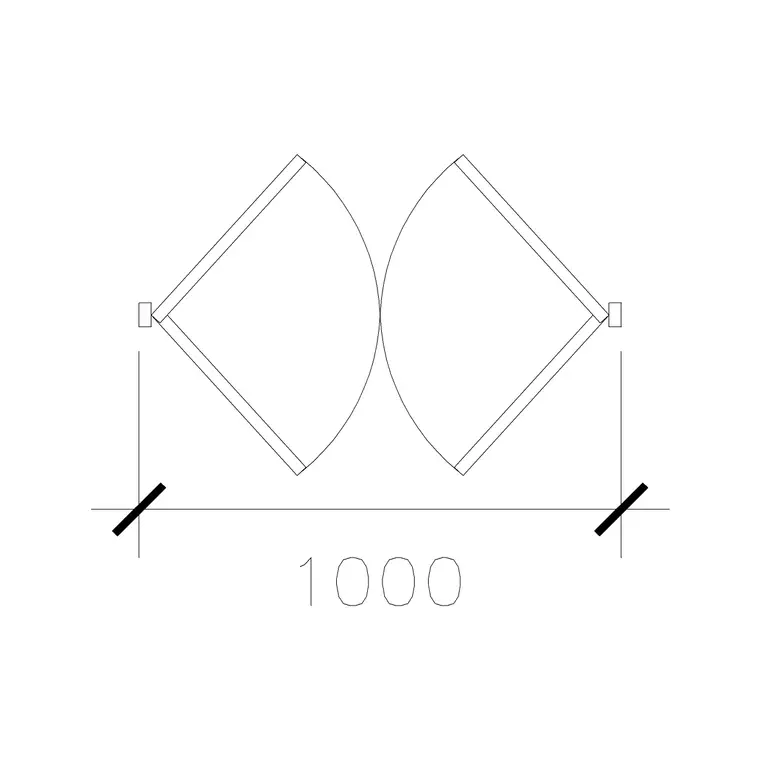
What a double-acting door does
A double-acting door swings both ways — push it from either side and it opens, then a spring hinge or pivot returns it to centre. It is the door you have walked through a thousand times without thinking: the swing door between a restaurant kitchen and its dining room, a hospital corridor door, a busy back-of-house route where people carry trays and trolleys and cannot stop to turn a handle.
In plan, this two-way action is unmistakable: the swing arcs appear on both sides of the opening, because the leaf can travel in either direction. That double arc is the signature that distinguishes a double-acting door from an ordinary one-way swing, and it immediately tells anyone reading the drawing that clearance is needed on both faces of the wall, not just one.
Downloading double-acting door blocks
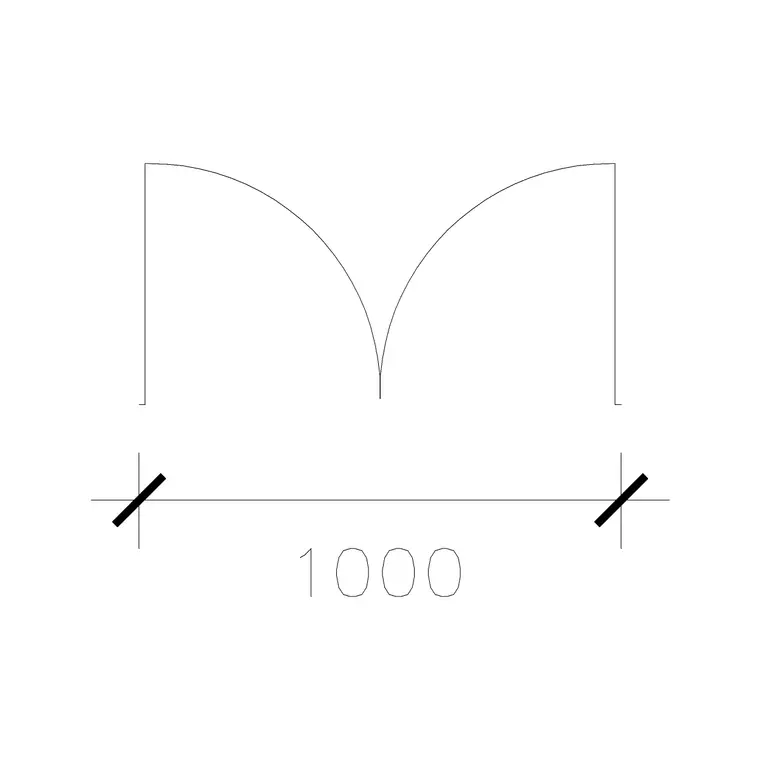
Look in the Doors category for the double-acting variants. The common offering is a 1000mm wide double-acting double door — a wide pair of leaves that each swing both ways, sized for trolleys and two-way foot traffic. It is free, downloads as DWG, and needs no signup; click and it saves to Downloads.
The 'DD' in the name signals a double door (two leaves) and 'double-acting' the two-way swing. For narrower routes you can also detail a single double-acting leaf. Choose by the opening width and whether the route needs one leaf or a pair; a busy commercial through-route usually wants the wider double, while a single back-of-house door may only need one leaf.
Placing a both-ways swing correctly
Insert the DWG with INSERT (I, Enter) or by dragging it on, scale 1, rotation 0, and snap to the wall opening with object snaps (F3). Because the door swings both ways, there is no 'wrong side' to mirror — the arcs are symmetrical about the wall — so placement is simpler than a one-way door in that respect. What you must do instead is confirm clearance on both faces.
Check that nothing sits inside either swing arc: no shelving against the wall on the kitchen side, no fire extinguisher or notice board on the corridor side, no second door whose own arc would clash. A double-acting door fails in use the moment something blocks one direction of swing, so the both-sided clearance check is the essential discipline when you place it.
Scale, units and traffic clearance
Set INSUNITS to millimetres in both the block and your drawing for auto-scaling, or SCALE by 0.001 if a millimetre block lands oversized in a metre drawing. Dimension the opening to confirm — a 1000mm double-acting double door should read 1000mm across, with each leaf about half that.
For a two-way traffic route, also think about the approach zones. People and trolleys converge on a double-acting door from both sides, so leave generous clear floor on each approach and avoid placing the door at a tight turn where a trolley cannot line up. The plan, with arcs on both faces, helps you see whether the door sits sensibly on the desire line of the route or awkwardly off it. It is also worth checking the two arcs do not foul each other where the leaves meet, and that the swing on each side clears any adjacent door or fixed equipment — a double-acting door that catches a worktop or a wall return on one side has effectively become a one-way door, defeating the reason it was chosen.
Where two-way doors belong
Keep double-acting doors on the Doors layer. They are specialised — overwhelmingly a commercial and hospitality fitting — so use them where hands-free, two-way passage genuinely matters: commercial kitchens, hospital wards, busy service corridors, and similar. In a home, a double-acting door is rarely the right call; a normal hinged or sliding door usually suits domestic life better.
If a project repeats the same kitchen or corridor door, save it to a Tool Palette and note the spring-hinge or pivot requirement in the door schedule, since the two-way hardware is the defining feature. Drawn with arcs on both sides and clearance confirmed each way, a double-acting door reads instantly to any reviewer as exactly what it is.
Vision panels and collision safety
Because a double-acting door swings toward whoever is on the far side, a vision panel is close to essential — a glazed pane, often a tall narrow strip or a porthole, that lets people see oncoming traffic before they push. On a commercial kitchen door this is frequently a code expectation rather than a nicety, since two people pushing from opposite sides with trays is exactly the collision the panel prevents. Even where it is not mandated, drawing the vision panel signals the safety intent and reminds whoever fits out the door that clear sightlines matter.
It is worth noting the vision panel and the self-closing pivot together in the door schedule, and on the elevation showing the panel at a sensible height for both standing adults and anyone seated. The plan arcs prove the door swings both ways; the elevation and schedule capture how it is made safe to do so. A double-acting door specified without a vision panel is the kind of omission that gets flagged in a review, so it pays to carry the detail through from the start.
Questions
Frequently asked
How do I recognise a double-acting door in plan?+
By swing arcs on both sides of the opening — the leaf travels either way. A one-way door shows a single arc on one side only.
Where are double-acting doors used?+
Mainly commercial kitchens, hospital corridors and busy service routes where people carry things and need hands-free, two-way passage. They're rarely the right choice in homes.
Can I download a double-acting door CAD block free?+
Yes — the Doors category has a 1000mm wide double-acting double door, free in DWG with no signup, for personal and commercial use.
Free downloads from this article
Free CAD block library
Download the blocks from this article — free, no signup


