Door CAD block sizes & dimensions explained (free download)
Standard door widths, leaf and frame sizes, and how door swing blocks read in plan — plus where to download free DWG door blocks at the right scale.
Sumana KumarUpdated 7 January 20264 min read
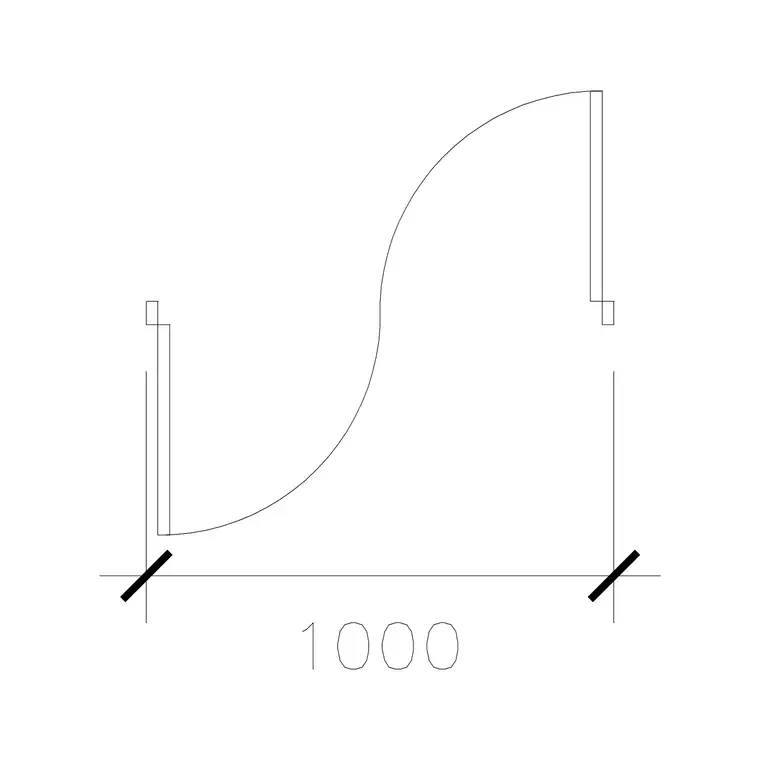
What a door block actually contains
A door CAD block is not just a rectangle in a wall. A properly drawn plan-view door block carries three pieces of geometry that have to be the right size to be useful: the leaf (the door panel itself, drawn as a thin line at its open or 45-degree position), the swing arc that shows which way it opens, and the frame or jamb that sits inside the wall opening. The opening width — the clear gap in the wall — is the number most people mean when they say "a 900 door", and it is the dimension you should be able to measure across the block.
When you download a free door block here, you are getting that whole assembly as a single named object. The leaf length equals the opening width, the arc is struck from the hinge point, and the frame width matches a typical timber or metal jamb. If a downloaded block measures wrong, it is almost never the geometry that is broken — it is a units mismatch, which the scaling section below explains how to fix.
Standard single-door widths and what they're for
Door widths follow well-worn conventions, and knowing them lets you sanity-check any block in seconds. Common single-leaf opening widths run in roughly 50-100mm steps:
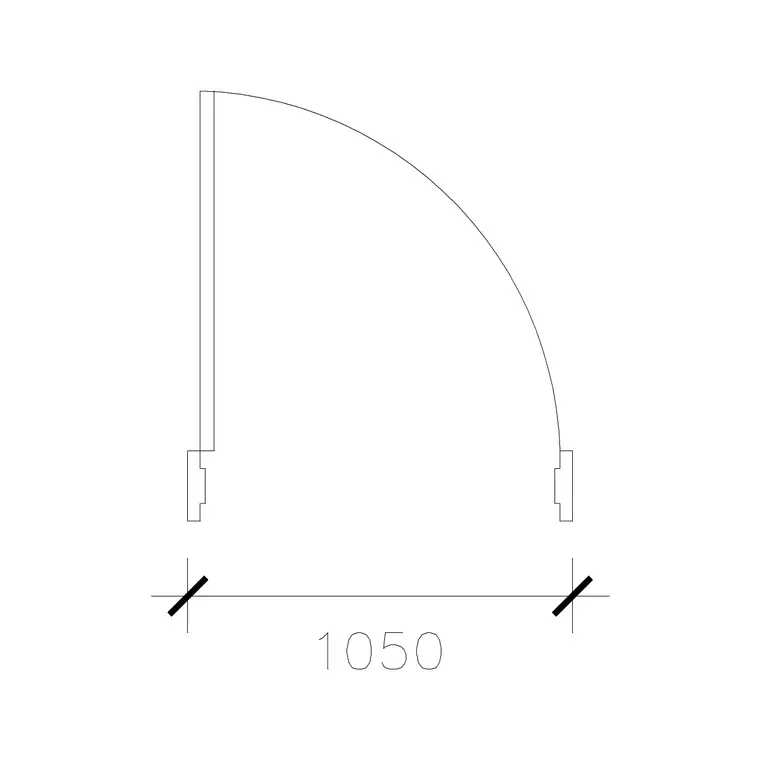
- 600-700mm — small openings: a WC compartment, a store cupboard, an ensuite. Tight, used only where space is scarce. - 750-800mm — secondary internal doors: bathrooms, utility rooms, smaller bedrooms. - 900mm — the default internal door across much of the world, and the size to memorise. A door leaf of about 900mm is the reference dimension drafters use to eyeball whether any block is at the right scale. - 1000mm — a generous main internal door or a comfortable accessible door; our 1000 mm door type 1 block sits here. - 1050-1200mm — wide single leaves for main entrances and accessible routes; the 1050 mm wide door is a clean example.
Leaf thickness is typically 35-45mm for internal doors and around 44-54mm for external ones, though at plan scale the leaf is usually drawn as a single line. Door height is not shown in a plan block at all — it lives in the elevation or door schedule — but for reference, a standard leaf height is about 2000-2100mm.
Double doors, sliding and pocket variants
Beyond the single leaf, the catalogue covers the configurations a real plan needs. Double doors (often labelled DD) are two leaves meeting in the middle: a 1500mm double door is two 750mm leaves, an 1800mm double door is two 900mm leaves, and so on. The swing arcs cross in the middle of the opening, which is the visual signature of a double door on a plan.
Sliding doors and pocket doors replace the swing arc with a track line and a leaf that parks alongside or inside the wall — useful precisely where a swing would foul furniture or circulation. Reverse-swing and left/right-hand variants exist because handing matters: a door that swings into a corridor when it should swing into a room is a coordination error, so the blocks are drawn for both hands. When you furnish a plan, pick the leaf width first, then the configuration (single, double, sliding) and the hand to match how the room is actually used.
How to download and insert a door block at the right size
Browse the Doors category, open the block whose width matches your opening, and download the DWG (every block is free, no signup, and most are available as DXF too if your software prefers it). The file saves to your Downloads folder.
In your drawing, run INSERT (shortcut I), browse to the file, and place it with the leaf hinge snapped to the wall opening using object snaps. Most door blocks are drawn in millimetres at real-world size, so a scale of 1 is correct if your drawing is also in millimetres. If you work in metres, set INSUNITS in both files so the block auto-scales, or scale the inserted block by 0.001. A quick check: dimension the leaf — if it reads about 900 (or 0.9 in a metre drawing) for a standard internal door, your scale is right.
Keep the block on a sensible layer. Well-made door blocks are built on layer 0 so they inherit your "Doors" or "Joinery" layer on insertion; set that layer current before you place, and the door adopts the correct colour and lineweight automatically.
Matching the door to the wall and the swing
A door block only reads correctly when its opening lines up with the wall thickness it sits in. The frame depth should roughly match the wall: a 100mm partition takes a shallow frame, a 230mm masonry wall a deeper one. If the frame is much thinner than the wall, the block will look like it is floating in the opening; trim or stretch the jamb lines to close the gap.
Swing direction is the other thing to get right. The arc should sweep into the space the door is meant to open into — usually a room rather than a corridor or an escape route — and clear of anything it would hit. Drawing the swing also doubles as a clearance check: if the arc overlaps a worktop, a radiator or a bed, the layout has a problem you can now see and fix before it reaches site. That is the quiet value of an accurate door block: it is a setting-out tool, not just a symbol.
Questions
Frequently asked
What is the standard width of an internal door block?+
About 900mm for a typical internal door — that is the reference size drafters use to check scale. Widths range from 600mm for cupboards and WCs up to 1000-1200mm for main and accessible doors.
What does the swing arc on a door block show?+
It shows which way the door opens and how far it sweeps. Use it as a clearance check: if the arc overlaps furniture or a corridor, the door is placed or handed wrong.
Are the door blocks free to download?+
Yes — every door block in the Doors category is free in DWG (and usually DXF) with no signup and is free for commercial use.
Free downloads from this article
Free CAD block library
Download the blocks from this article — free, no signup


