Bed CAD block sizes & dimensions explained (free download)
Single, double, queen and king bed sizes in plan and side elevation, plus bedside clearances — and where to download free DWG bed blocks at the right scale.
Saumyajit MaityUpdated 27 June 20264 min read
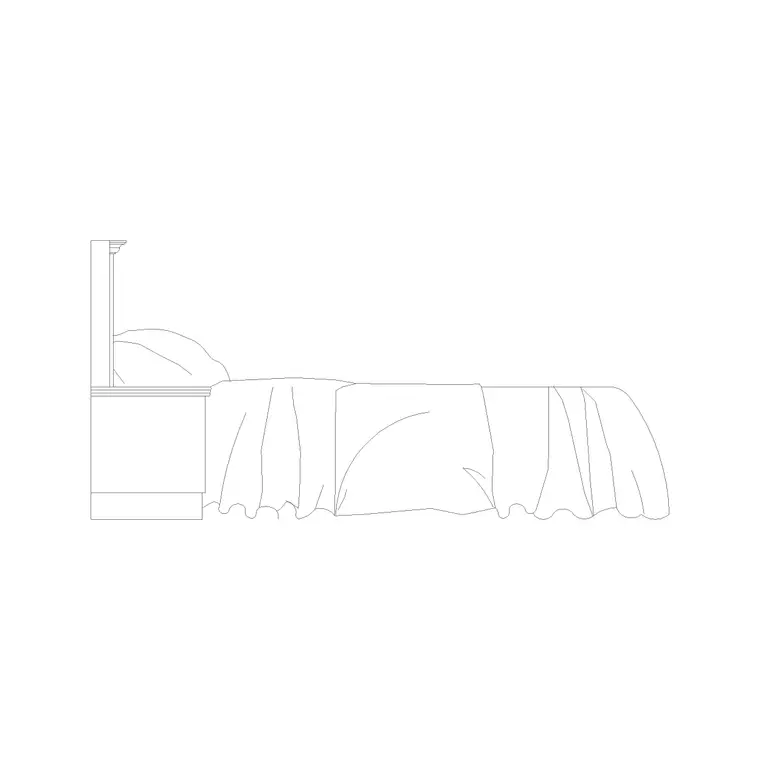
Bed blocks come in plan and elevation
A bed is one of the few furniture families where you genuinely use more than one view. The plan block — a rectangle with pillows and a turned-down throw line — is what you place in a floor plan to check the bed fits and that the door swing and wardrobe coexist with it. The side-elevation block shows the bed from the side: mattress thickness, headboard height, and any base or drawer detail, which matters for interior elevations and joinery drawings.
The Bedroom category carries both. The 500 mm high bed side elevation and the 550 mm high bed side elevation with side table are examples of the elevation family, where the number refers to the height of the bed (mattress top above floor). Decide which drawing you are working on — layout or elevation — and grab the matching view. A plan needs the top-down bed; a wall elevation needs the side view.
Standard mattress and bed sizes
Mattress sizes vary a little by region, but these are the widely used plan footprints to check a block against:
- Single: 900 x 1900mm (sometimes drawn 1000 x 2000mm). - Small double / three-quarter: 1200 x 1900mm. - Double (standard): 1350 x 1900mm. - Queen: 1500 x 2000mm. - King: 1800 x 2000mm. - Super king: 1800-2000 x 2000mm.
The overall bed block is a little larger than the mattress because of the frame and headboard — typically 50-100mm extra all round, and more at the head if there is a substantial headboard. So a double bed block often reads nearer 1450 x 2050mm overall. When you measure a downloaded block to verify scale, decide whether you are checking the mattress or the outer frame, because the two differ by exactly that frame allowance.
Sizes also drift by region, which is worth knowing if you work across markets. A UK/European "king" (1500 x 2000mm) is what the US calls a "queen", while a US "king" is 1930 x 2030mm — wider and squarer. Indian-market beds are often quoted in those rounded mattress sizes the catalogue uses in its named blocks, such as 1200 x 2000mm or 1500 x 2000mm. If a brief specifies a bed by name rather than dimension, confirm the actual width and length before you commit the layout, because the same word can mean a 150mm difference in either direction.
Bed height and headboard — the elevation numbers
Height only shows in the side elevation, and it is where the named blocks earn their labels. "500mm high" and "550mm high" refer to the top of the bed (mattress surface) above the finished floor — a comfortable sitting and getting-in height. Mattress thickness itself is usually 200-300mm, sitting on a base or divan that makes up the rest. Headboards range widely: a low modern headboard might rise 800-900mm above the floor, a tall upholstered one 1200mm or more.
These elevation blocks are what you place on a bedroom wall elevation to show the bed against the headboard wall, the bedside tables and any wall lights or art. Some, like the 550 mm bed with side table, include the side table so the composition reads as a finished bedhead in one insertion. For a plan you can ignore height entirely; for an elevation it is the whole point.
Downloading and inserting a bed block
Open the Bedroom category, choose the bed in the size and view you need, and download the free DWG (no signup, DXF where supported). In a plan, insert the top-down bed and snap it into the room — usually centred on a wall with the head against it. In an elevation, insert the side-elevation bed and sit it on your floor datum.
Units are real-world, so scale 1 in a millimetre drawing, or set INSUNITS / scale by 0.001 in a metre drawing. Check by dimensioning the length: a standard bed should read about 1900-2000mm. Put it on a "Furniture" or "Bedroom" layer (the blocks are built on layer 0, so they inherit it) so you can later produce a clean structural plan with the furniture dimmed back.
Bedside clearances that stop a layout failing
Bedrooms fail on clearance more than on bed size, so use the accurate block to lay these out:
- Allow at least 600mm on each long side you want to access; this is also the room for a bedside table. - Leave 700-900mm at the foot of the bed for circulation and to open a wardrobe or chest. - Where a wardrobe sits opposite the bed, check the door swing or sliding clearance against the foot of the bed — a 600mm-deep wardrobe plus an open door can swallow the gap entirely.
Because the bed block carries its true footprint, dropping it in immediately reveals whether the door swings clear, whether both sides are accessible, and whether the wardrobe and bed can coexist. That three-way check — bed, door, wardrobe — is the single most useful thing an accurate bed block lets you do, and it is far cheaper to resolve on the plan than on site.
Questions
Frequently asked
What are standard bed sizes in plan?+
Single 900 x 1900mm, double 1350 x 1900mm, queen 1500 x 2000mm, king 1800 x 2000mm. The block is usually 50-100mm larger than the mattress because of the frame and headboard.
What does '500mm high bed' mean on a block?+
It is the height of the mattress top above the finished floor, shown in the side-elevation block. Height only appears in elevation, not in the plan footprint.
How much clearance should a bed have?+
At least 600mm on each side you access (room for a bedside table) and 700-900mm at the foot. Check the wardrobe door swing against the foot of the bed too.
Free downloads from this article


Free CAD block library
Download the blocks from this article — free, no signup


