Explainer · what is an elevation drawing
What is an elevation drawing?
By Saumyajit Maity · Published 2 Sep 2025 · Updated 14 Jan 2026
An elevation drawing is the flat, head-on view of a building's face — the drawing that tells you what the place actually looks like. Where a plan answers 'what is the layout?', an elevation answers 'what does this side look like, and how tall is everything?' It is the view a client recognises as 'the front of the house', and the one that records heights, proportions and materials in a way a plan never can.
This explanation covers what an elevation is, the difference between exterior and interior elevations, why it is drawn flat rather than in perspective, and how to read one. Because many CAD blocks are drawn in elevation specifically for these drawings — a tree seen from the side, a sofa face-on, a window front view — understanding the view tells you exactly when to download an elevation block rather than a plan one.
An elevation, defined
An elevation is an orthographic drawing of one vertical face of a building or object, drawn as if you were looking straight at it from a great distance. 'Orthographic' is the important word: the view has no perspective, so parallel lines stay parallel and there is no vanishing point. A 3 m wall at the front of the building reads exactly as tall as a 3 m wall at the back, regardless of how far apart they are.
That flatness is deliberate. By removing perspective, an elevation lets you measure true heights and widths directly off the drawing. It is a measured record of a face, not a picture of it — which is why an elevation is a working drawing and a perspective render is a presentation image.
What an elevation shows
An elevation records everything you can see on a face without cutting into the building. That means the outline of the walls and roof, the position and appearance of every window and door, balconies, steps, string courses, materials and finishes, and the levels — floor lines, sill heights, eaves and ridge.
Crucially, it carries height information that the plan cannot. The floor-to-floor height, the head height of a door, the sill height of a window, the overall height to the ridge — all of these live in the elevation. When you draw an interior elevation of a kitchen, the same logic applies: you see the worktop line, the height of the wall cabinets and where the extractor hangs. Elevation CAD blocks supply these face-on heights ready-scaled.
Exterior vs interior elevations
There are two families of elevation. Exterior elevations show the outside faces of a building — typically named by direction (north, south, east, west) or by position (front, rear, side). A house usually has four, one per face, and together they describe the whole external appearance.
Interior elevations show the inside face of a wall within a room — the wall behind a kitchen run, the tiled wall of a bathroom, a feature wall in a living room. They are essential for joinery, tiling and fit-out, because they pin down the heights and positions of everything mounted on or against the wall. Both kinds use the same flat, measured convention; they differ only in whether you are standing outside the building or inside the room.
Why elevations are drawn flat
It can feel counterintuitive that an architectural face is drawn without any of the perspective our eyes actually see. The reason is precision. A perspective view foreshortens — distant things look smaller — so you cannot scale a true height off it. An orthographic elevation foreshortens nothing, so a tape measure on the drawing (via the scale) gives you the real dimension.
This is also why elevations coordinate so cleanly with plans and sections. A window's width in plan matches its width in elevation; a floor line in section matches the same line in elevation. The flatness is what lets the whole set lock together dimensionally. A render or a 3D walkthrough is the right tool for selling the look; the elevation is the right tool for building it correctly.
How an elevation differs from a plan
The cleanest way to separate the two: a plan looks down, an elevation looks across. A plan is a horizontal cut viewed from above and shows layout — where rooms, walls and furniture sit. An elevation has no cut; it is the vertical face viewed from the side and shows appearance and height.
They are complementary, not alternatives. You cannot read room sizes off an elevation, and you cannot read window heights off a plan. That is exactly why CAD blocks often ship both views: a tree block with a plan canopy for the site layout and an elevation tree for the street section; a window block with a plan symbol for the wall and a front view for the elevation. You pick the view that matches the drawing you are building.
How to read an elevation
Begin with the title and the scale so you know which face you are looking at and how to measure it. Find the ground line and the level marks — the small datum symbols that pin floor levels, sill heights and the ridge — because these tell you the heights of everything.
Then read the openings: each window and door appears at its true size and position, so you can see proportions and how the face is composed. Note the material indications and any hatching that signals brick, render, timber or glass. Finally, check that features line up with the plan and section — a well-coordinated set will have the same window appearing in the right place across all three views. Reading elevations becomes second nature quickly, and scaled elevation blocks are a big part of why they come together fast.
Free download
Browse the full library — DWG & DXF, no signup.
Questions
Frequently asked
What does an elevation drawing show that a plan does not?+
Heights and appearance. An elevation records floor-to-floor heights, window and door heights, rooflines, materials and the overall look of a face — none of which a top-down plan can show. The plan handles layout; the elevation handles vertical dimensions and the face's appearance.
What is the difference between an interior and an exterior elevation?+
An exterior elevation shows an outside face of the building (front, rear, side), describing its external appearance. An interior elevation shows the inside face of a wall within a room — used for kitchens, bathrooms and joinery — to set out everything mounted on that wall.
Why are elevations not drawn in perspective?+
So you can measure true dimensions off them. Perspective foreshortens distant features, which would make heights unreadable. An orthographic elevation keeps everything to scale, so the drawing doubles as a measured record you can build from.
Which CAD blocks do I use for an elevation?+
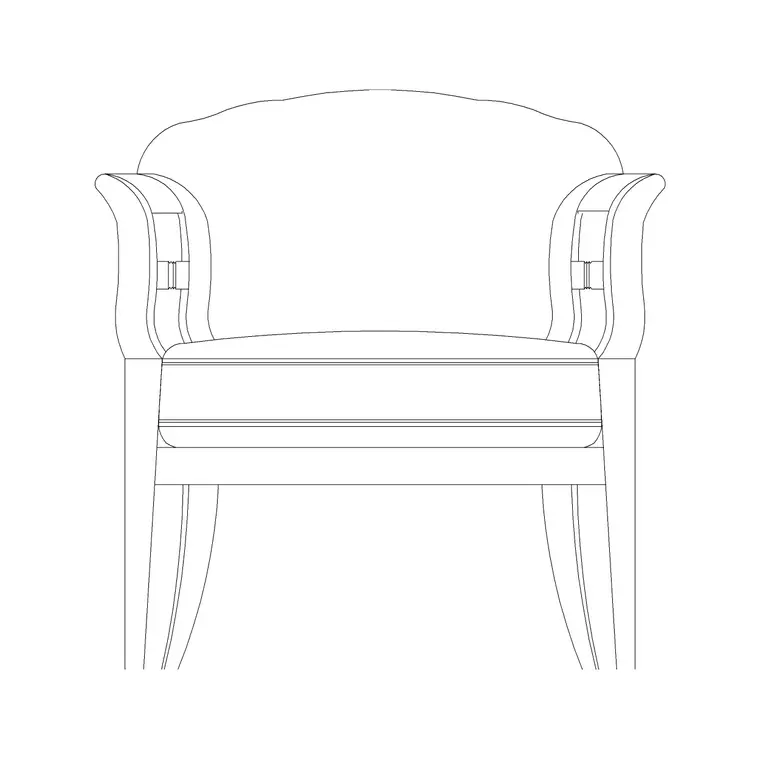
Elevation (face-on) blocks — a tree seen from the side, a sofa front view, a window or door drawn face-on. Many blocks ship both plan and elevation versions in one DWG, so you insert the elevation view when you are drawing a face.
Related downloads
Blocks for this guide



Related categories
Related guides
Explainer
Plan vs Elevation vs Section Explained
Plan vs elevation vs section explained simply — what each architectural view shows, how they differ, when to use each, and how they read together in a drawing set.
Explainer
2D vs 3D CAD Blocks Explained in 2026
2D vs 3D CAD blocks explained — what each is, file size and performance differences, when to use flat blocks vs solid models, and which to download for your drawing.
Explainer
What Is a Floor Plan? A Clear Explanation
What is a floor plan? A clear explanation of what it shows, the cut height, the symbols it uses, how to read one, and how it differs from other drawings.