Block landing · washing machine cad block
Washing machine CAD blocks in plan and elevation
By Sumana Kumar · Published 24 Jan 2025 · Updated 25 Apr 2026
A washing machine straddles two rooms in the drawing set: it belongs in the utility room where there is one, but in many homes it sits in the kitchen run, sharing the module and the plumbing with the sink and dishwasher. Either way, it is a serviced appliance with a forward-opening door, and a scaled block lets you place it where the water, the waste and the door all work. This page collects free washing machine CAD blocks in DWG and DXF, drawn to true millimetre sizes for AutoCAD 2004 or later, free for personal and commercial use with no signup and no watermark.
The washer block sits like a base unit on the kitchen module, but it pulls water and waste and it vibrates, so it has a few placement rules of its own. Drawn to scale, the block lets you set the door clearance, group it with the other plumbed appliances and keep it off a structurally lively floor.
What a washing machine block contains
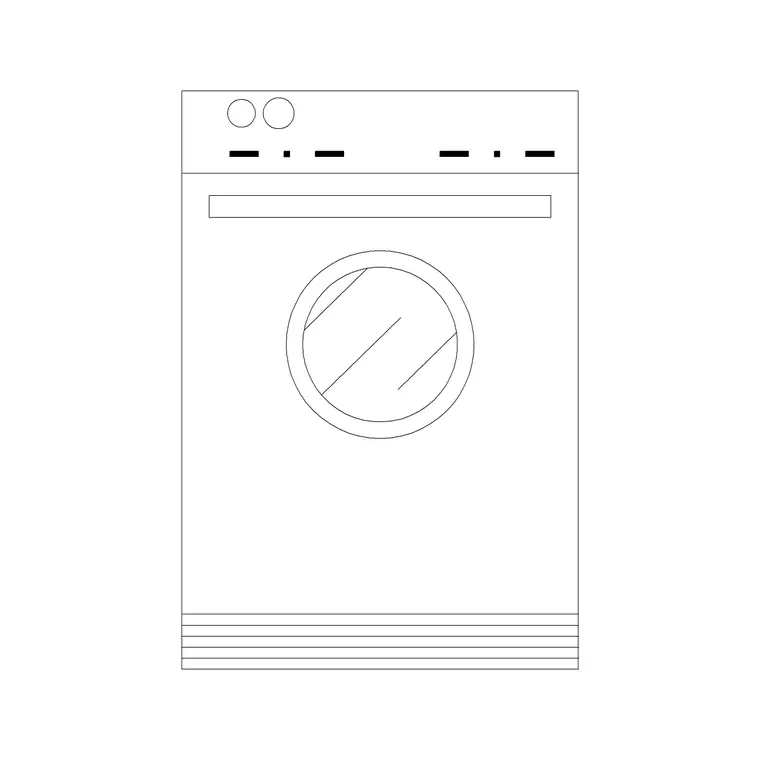
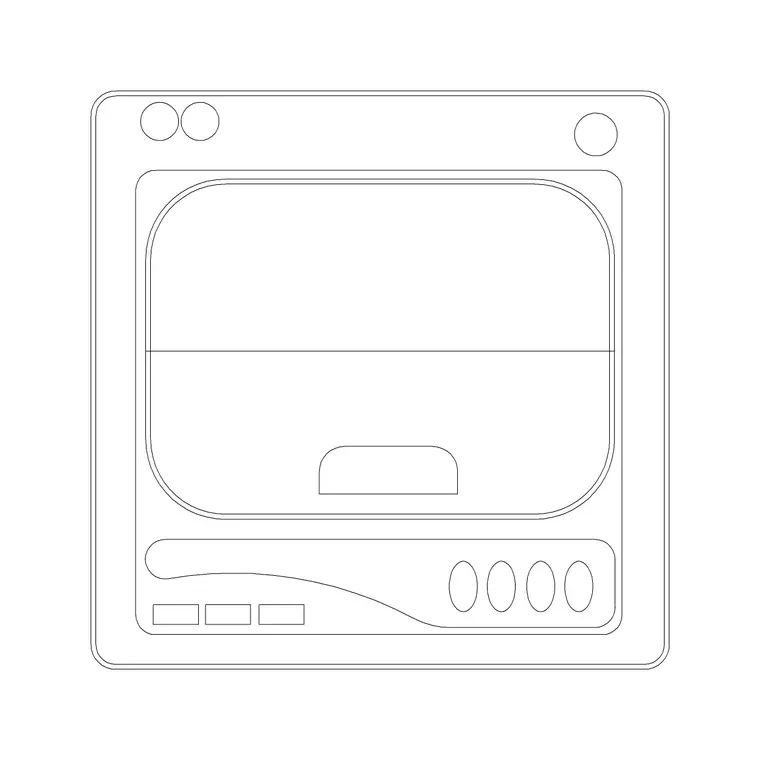
A washing machine block represents a base-unit-sized appliance with a front-loading door. The plan view draws the body footprint within the run and the door swing — typically a side-hinged round door that opens through a wide arc, which needs clear floor in front. For an integrated washer, the block shows the appliance behind a matching cabinet door so it hides in the kitchen run.
The elevation draws the door, the detergent drawer and the control panel at the appliance height, which aligns with the worktop in a kitchen run. The body, door and any cabinet front sit on separate layers so the elevation reads cleanly whether the washer is freestanding in a utility room or integrated into a kitchen.
Plan for placement, elevation for the run
For the layout you work in plan: the washing machine set into the run or the utility line, with the door swing checked against the opposite run and the walkway. The plan block fixes the appliance position and groups it with the sink and dishwasher for the plumbing.
For the kitchen or utility elevation you draw the washer face-on, integrated behind a cabinet door or freestanding with its finished front. Because a kitchen washer aligns under the worktop, the elevation block helps confirm it sits within the 900 mm run. Many downloads carry both views in one DWG, so the plan and the elevation stay coordinated.
Typical washing machine dimensions
Design around these and confirm against the model. A standard front-load washing machine sits on the 600 mm module, around 600 mm deep, and full-height to align with the 900 mm worktop, though the appliance body is usually a touch under 850 mm so it fits beneath. Slimline and compact washers run shallower, around 450 to 500 mm deep, for tight utility rooms. The round door projects forward when open and swings to one side.
Leave clear floor in front for the door to open fully and a person to load it. Because the door is side-hinged and round, check which way it opens and whether it clears the adjacent appliance or wall — flipping the block hinges it the other way. Allow access behind for the water and waste connections.
Inserting and grouping the plumbing
The blocks are full size in millimetres. Insert at scale 1 in a millimetre drawing, 0.001 in a metre template, or set INSUNITS to millimetres so AutoCAD rescales on insertion. Run INSERT, snap to a corner or the centre of the body, and place the washer in the run near the sink so it shares the water supply and the waste.
Keep the door-swing layer on and confirm the round door clears the neighbouring appliance and the walkway; flip the block if the hinge needs to be on the other side. For an integrated washer, align the cabinet front in elevation. Keep the appliance on its own layer, freeze it for a cabinet-only plan, and a change to a slimline unit edits the block once.
Where washing machine blocks are used
Washing machine blocks appear in residential kitchen and utility-room plans, apartment fit-outs where the washer lives in the kitchen, and the laundry and back-of-house areas of hospitality schemes. Interior designers use them to decide between kitchen and utility placement; architects use the footprint to coordinate the run and the services; developers use it to confirm a standard appliance fits a compact home.
Pair the washing machine with the sink, dishwasher and tumble-dryer blocks in the kitchen category so the plumbed appliances group together, a stacked washer-dryer aligns, and the utility or kitchen run reads cleanly across the elevation.
Placement rules a washing machine adds to the plan
A washing machine brings two considerations a dry appliance does not, and the scaled block helps you handle both. The first is the plumbing: like the dishwasher, the washer needs water in and waste out, so the natural home for it is next to the sink where it can share the supply and drainage. Group the washer, the dishwasher and the sink together on the plan and the wet services cluster sensibly rather than spreading pipe runs across the room.
The second is vibration. A washing machine on a spin cycle moves, so it wants a solid, level floor and ideally not a position where it can knock against a fragile adjacent unit or a thin partition. In a utility room this is rarely an issue; in an upper-floor apartment kitchen it is worth thinking about, and the scaled block at least lets you keep the appliance clear of anything it might rattle against. The door swing completes the picture — a side-hinged round door needs clear floor and the right hinge side, both of which the plan swing makes obvious before the machine is plumbed in.
Free download
Browse the full library — DWG & DXF, no signup.
Questions
Frequently asked
What size is a washing machine CAD block?+
A standard front-load washer sits on the 600 mm module, around 600 mm deep and full-height to align with the 900 mm worktop, with the body a touch under 850 mm to fit beneath. Slimline models run 450 to 500 mm deep. Confirm against the model.
Should the washing machine go in the kitchen or the utility room?+
In the utility room where there is one, since it keeps noise and clutter out of the kitchen. Where there is no utility, the washer sits in the kitchen run next to the sink to share the plumbing. The scaled block lets you test either placement on the plan.
Which way does the washing machine door open?+
A front-load washer has a side-hinged round door that swings through a wide arc to one side. Check the hinge side against the adjacent appliance or wall, and flip the block to hinge it the other way if the door would clash. Keep the swing on the plan to confirm clearance.
Are these washing machine CAD blocks free for commercial use?+
Yes. They download free in DWG and, where available, DXF, with no signup, no watermark and no attribution requirement, and they are cleared for commercial project use.
Related downloads
Blocks for this guide
Popular blocks to download
Related categories
Related guides
Block landing
Free Bathroom Fixtures CAD Blocks — DWG Download
Download free bathroom fixtures CAD blocks in DWG and DXF — toilets, wash basins, bathtubs, showers and vanities drawn in plan and elevation. No signup, commercial OK.
Block landing
Free Gas Stove / Cooktop CAD Blocks — DWG
Free gas stove and cooktop CAD blocks in DWG and DXF — drawn in plan and elevation at true kitchen-module sizes for AutoCAD 2004+. No signup, commercial-use OK.
Block landing
Single Burner Hob CAD Block — Free DWG
Free single burner hob CAD blocks in DWG and DXF for compact kitchens and studios — plan and elevation, true sizing for AutoCAD 2004+. No signup, commercial OK.