Block landing · wash basin with tank cad block dwg
Wash basin and WC with tank CAD blocks
By Saumyajit Maity · Published 29 Apr 2024 · Updated 24 May 2026
When people search for a wash basin with tank, they usually want the everyday close-coupled sanitaryware that fills a real bathroom: a WC with its cistern tank sitting directly on the pan, drawn alongside the basin it pairs with. This page collects free wash basin with tank CAD blocks in DWG — the toilet-with-tank and the matching basin drawn at true millimetre dimensions in plan and elevation, ready to insert into AutoCAD 2004 or later. Every file is free for personal and commercial use, with no signup, no watermark and no credit required.
The close-coupled WC, where the cistern tank rests on the back of the pan, is the most common toilet in domestic bathrooms, and it almost never appears alone — it shares the wall with a basin. Drawing both from correctly scaled blocks lets you set out the whole sanitary wall, line the tank top and basin rim up with the tiling, and check the gaps between fixtures the instant they land on the plan.
What 'with tank' means in the drawing
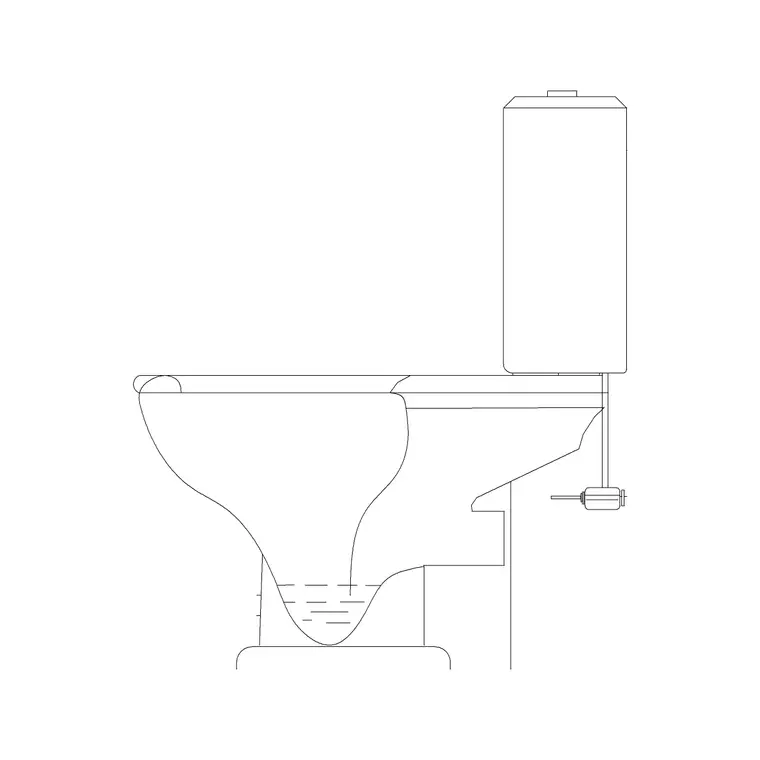
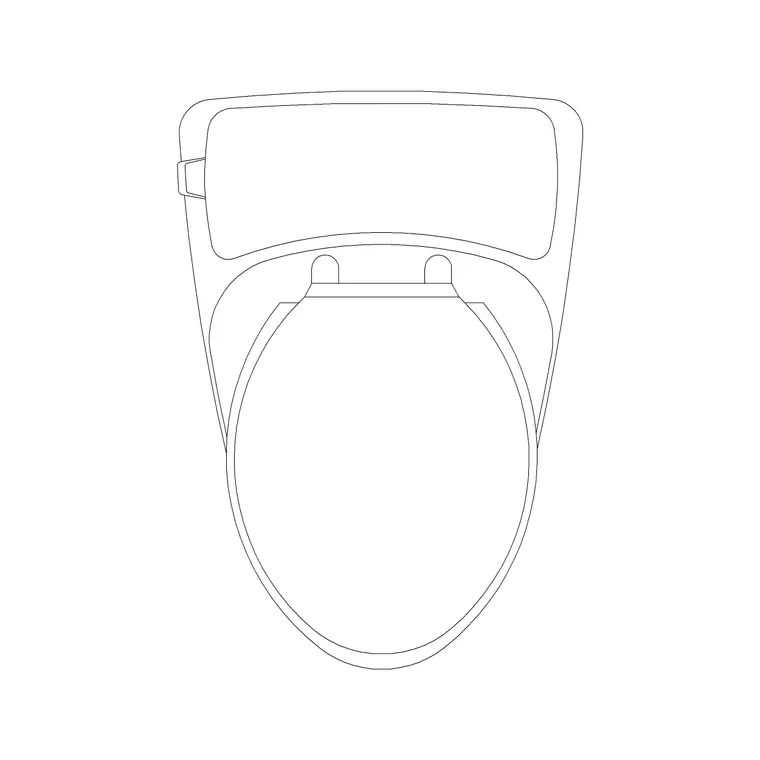
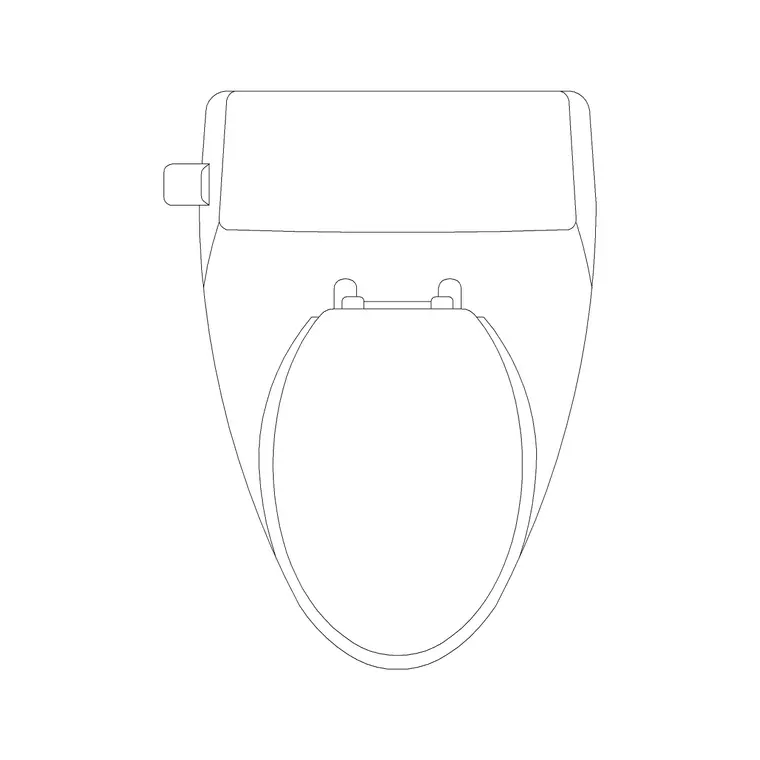
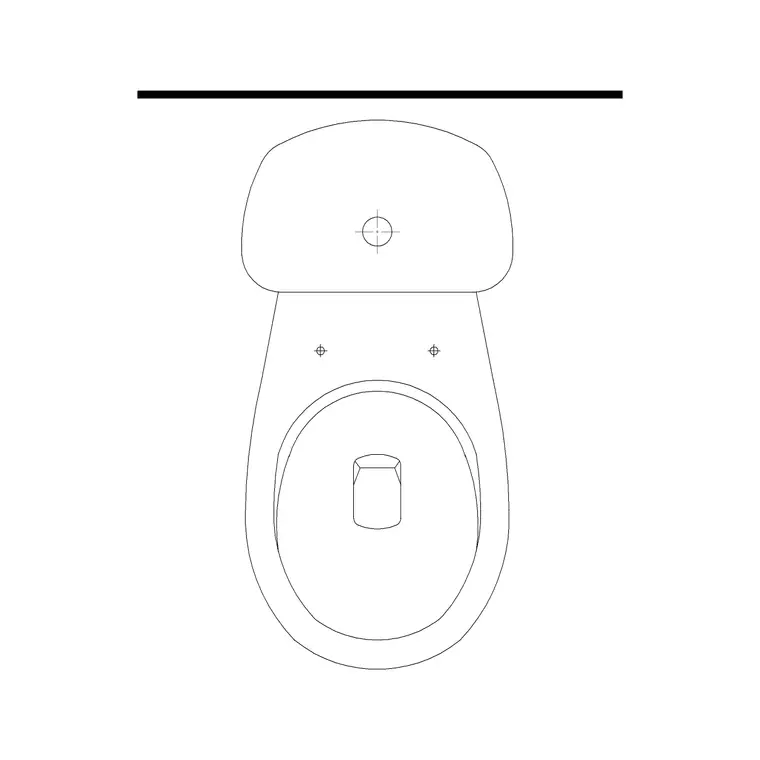
A WC with tank is a close-coupled toilet: the cistern tank sits directly on the rear of the pan, forming the familiar two-part profile. In plan you see the pan footprint with the tank box behind it against the wall; in elevation you see the pan, the seat and lid line, and the tank stacked on top with its lever or button. This is distinct from a concealed-cistern wall-hung WC, where no tank shows, and from a high-level cistern mounted up the wall.
The blocks here draw the pan and the tank as the close-coupled unit, on sensible layers, so the tank can be recoloured or frozen independently of the pan. Paired with a basin block, the set gives you the two fixtures that define most domestic sanitary walls in one coordinated drawing.
Drawing the basin and WC together
Because a basin and a tanked WC usually share a wall, it pays to draw them as a pair. Set the WC against the wall with the tank behind it, then place the basin alongside, leaving comfortable space between the two so a user is not crowded. The plan lets you check that gap and the door swing; the elevation lets you line the tank top, the basin rim and the mirror up with the tiling.
Keeping both fixtures on a shared sanitaryware layer means you can isolate the sanitary wall for a setting-out drawing or a tiling elevation in one move. Many downloads pair the views you need, so you can build the plan and the matching elevation of the whole wall from a small set of files.
Typical sizing to design around
Reach for these ranges when laying out a tanked WC and basin. WC pan projection from the wall: commonly 600–700 mm. Close-coupled tank width across the wall: roughly 350–450 mm. Tank top height: usually 750–850 mm above the floor. Seat height: around 400–430 mm. Basin width on the adjacent wall: typically 450–600 mm, with the rim around 800–900 mm above the floor. Leave comfortable clearance between the WC and the basin so both are usable.
These are planning envelopes, not fixed figures — fixtures vary by manufacturer, so confirm against the specified products before dimensioning. Placing correctly sized blocks first lets you test the whole sanitary wall, then refine each fixture to the chosen model and its tank or tap.
How to insert and set out the blocks
These blocks are drawn full size in millimetres. Insert at scale 1 in a millimetre drawing, 0.001 in a metre template, or set INSUNITS to millimetres so AutoCAD rescales on insertion. Run INSERT or drag each DWG from a tool palette, snap the WC tank and the basin to the wall line, and rotate to suit the wall they sit on.
In elevation, snap both to the finished-floor line so the tank top and basin rim heights carry correctly against the tiling, then position the flush lever and tap on sensible joints. Keep both fixtures on a sanitaryware layer across plan and elevation. Because each fixture is a single block reference, edits to a block definition update every placed instance, which is handy when a WC or basin is swapped late in design.
Where these fixtures are used
Close-coupled WC-with-tank and basin blocks are the staple of domestic bathroom drawings: family bathrooms, en-suites, cloakrooms, apartment fit-outs and small commercial washrooms. The close-coupled toilet is the default WC in most homes, so these are among the most-placed sanitaryware blocks in any residential set.
Pair them with the shower, bath and accessory blocks in the bathroom category to complete the room, and use the plan blocks to confirm the sanitary wall works against the door and the circulation. Because the files are free and licence-clear, they suit student schemes and concept boards as well as coordinated construction and tiling drawings, carrying the same fixtures from sketch to final set.
Free download
Browse the full library — DWG & DXF, no signup.
Questions
Frequently asked
Does 'wash basin with tank' mean a basin and a WC together?+
In practice the search usually means the everyday close-coupled WC — a toilet with its cistern tank on the pan — drawn alongside the basin it shares a wall with. These blocks provide both the tanked WC and the matching basin to set out the whole sanitary wall.
How is a close-coupled WC different from a wall-hung one?+
A close-coupled WC has its cistern tank sitting on the back of the pan, visible in elevation, while a wall-hung WC hides its cistern inside the wall and floats clear of the floor. The blocks here draw the close-coupled tanked unit.
What height is the cistern tank on a close-coupled WC?+
The tank top usually sits 750–850 mm above the floor, with the seat around 400–430 mm. Treat these as ranges and confirm against the specified product before dimensioning a construction drawing.
Are these blocks free for commercial use?+
Yes. Every WC-with-tank and basin block here downloads free in DWG with no signup, no watermark and no attribution requirement, and is cleared for commercial project use.
Related downloads
Blocks for this guide
Related categories
Related guides
Block landing
Free Bathroom Fixtures CAD Blocks — DWG Download
Download free bathroom fixtures CAD blocks in DWG and DXF — toilets, wash basins, bathtubs, showers and vanities drawn in plan and elevation. No signup, commercial OK.
Block landing
Free Sanitary Fixtures CAD Blocks — DWG Download
Download free sanitary fixtures CAD blocks in DWG and DXF — WCs, wash basins, urinals and sinks in plan and section for AutoCAD sanitary plans.
Block landing
Free Toilet / WC CAD Blocks — DWG Download
Download free toilet / WC CAD blocks in DWG and DXF — close-coupled, back-to-wall and commode pans in plan and elevation for AutoCAD. No signup, commercial OK.