Block landing · toilet cad block
Free toilet and WC CAD blocks for AutoCAD
By Saumyajit Maity · Published 11 Sep 2025 · Updated 15 Feb 2026
The WC is the fixture that sets out a bathroom, because its position is tied to the soil stack and it needs a protected activity zone in front of it. A correctly-drawn toilet CAD block lets you settle that position early and design everything else around it. This page collects free toilet and WC CAD blocks in DWG and DXF — close-coupled pans, back-to-wall and commode types — drawn at true millimetre dimensions and ready to insert into AutoCAD 2004 or later. Every file is free for personal and commercial use, with no signup, no watermark and no attribution required.
Drop a WC block into an en-suite, a family bathroom or a public washroom and you can immediately test the things that make or break a sanitary layout: the clear space ahead of the pan, the door swing, and the distance from the side wall that lets a person sit comfortably. Because the block is scaled, those checks are a glance rather than a calculation.
What a good WC block contains
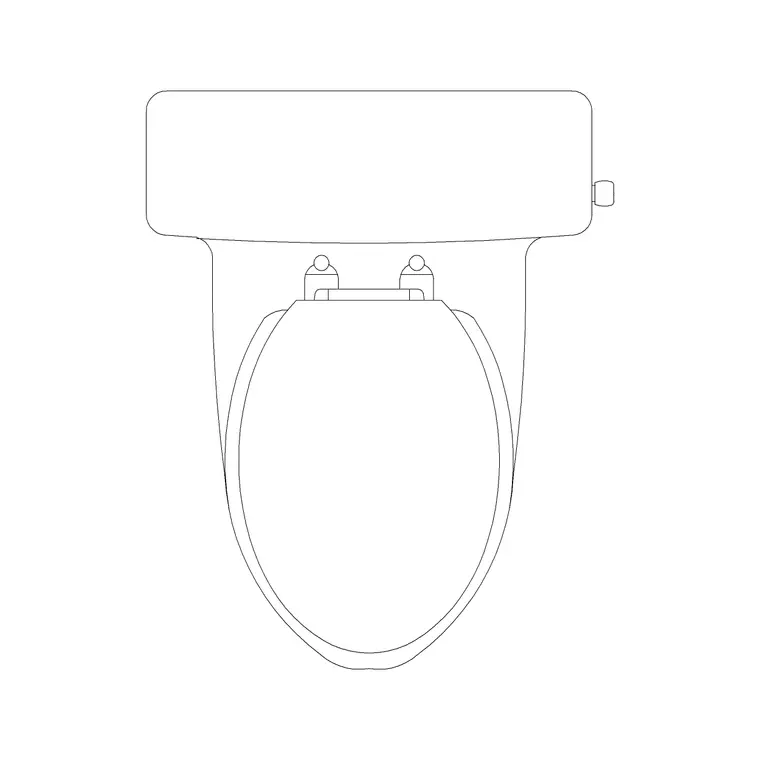
A usable WC block is more than a rounded rectangle. The plan view should show the pan outline, the cistern behind it and a centreline, because the centreline is what you dimension from when setting out. A standard pan footprint sits around 360–400 mm wide and 600–700 mm front-to-back including the cistern, so drawing it to that envelope keeps your spacing honest.
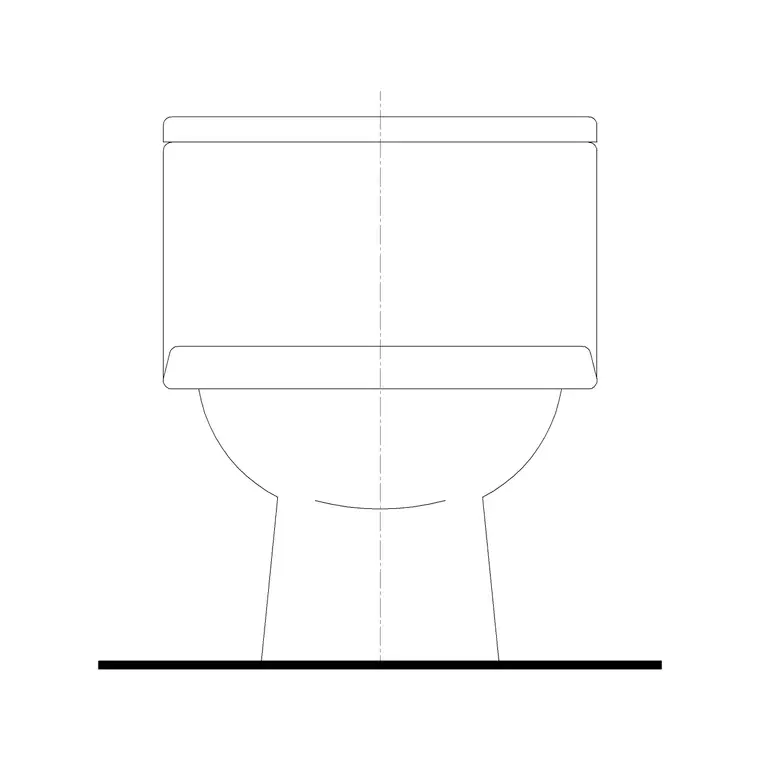
The elevation carries the seat height (around 400–430 mm to the seat top) and the cistern height, which matters when you draw a tiling or sanitary elevation. The blocks here keep the porcelain outline, the centreline and the setting-out dimensions on separate layers, so you can produce a clean architectural plan and a detailed setting-out drawing from the same insertion.
Views the WC block ships in
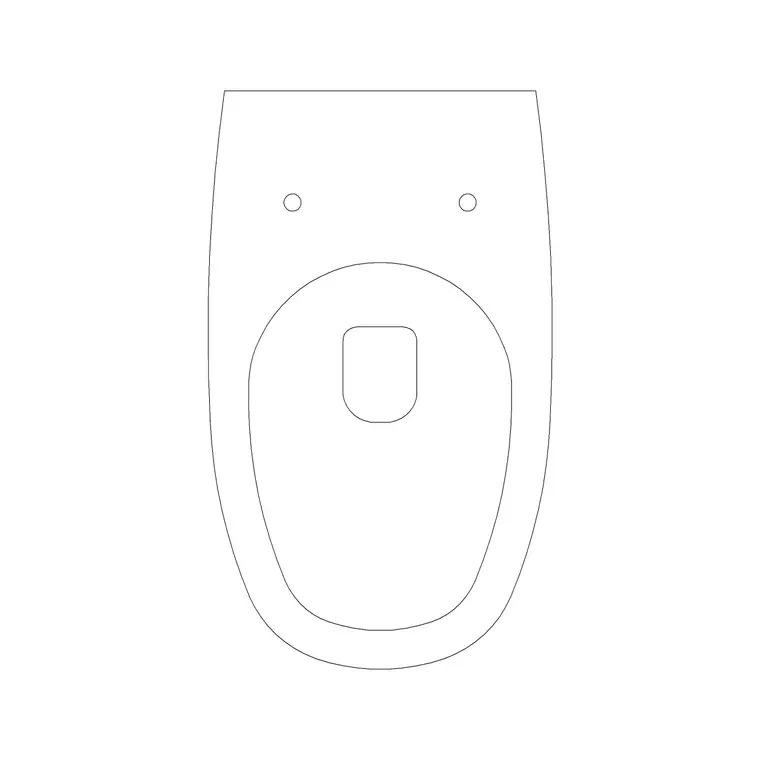
For layout work you use the plan view — the pan and cistern seen from above, set against the wall carrying the drainage. That is the view you mirror to flip an en-suite, or array down a row of cubicles in a public toilet.
For tiling drawings, sanitary elevations and presentations you switch to the front or side elevation, where the cistern, pan and flush plate are drawn face-on at their real heights. Several downloads on this page pair the plan with a front elevation in one DWG, so a single file covers both the layout and the elevation without redrawing.
Typical WC dimensions to design around
Reach for these figures when checking a layout. Pan width: 360–400 mm. Pan plus cistern depth: 600–700 mm (close-coupled), 500–540 mm for a back-to-wall pan with a concealed cistern. Seat height: 400–430 mm. Clear activity space in front: at least 600 mm, and more where the space also serves as circulation.
Keep around 200 mm from the centreline of the pan to a side wall as a comfortable minimum, and more where a person needs to turn. For an accessible WC the zone grows substantially — a 1500 mm turning circle and a transfer space beside the pan — and because the block is true-size you can simply draw those zones around it.
How to insert and set out the block
These WC blocks are drawn full size in millimetres. In a millimetre drawing, insert at scale 1 and the pan lands at real size; in a metre drawing insert at 0.001, or set INSUNITS to millimetres so AutoCAD rescales on insertion. Run INSERT (or drag the DWG from a tool palette), pick an insertion point on the pan centreline at the wall face, and rotate to suit the wall the WC serves.
Once placed, snap a setting-out dimension from the finished wall to the pan centreline — that single dimension is what the installer works to. Put the WC on a sanitaryware layer so you can freeze it for a structural plan and thaw it for the furnished plan, all from one drawing.
Where WC blocks are used
WC blocks turn up in nearly every building type: domestic en-suites and family bathrooms, hotel rooms, office and retail washrooms, school and hospital sanitary blocks, and accessible WCs. Architects place them to fix the sanitary layout; plumbing and drainage designers use them to coordinate pan positions with the soil stack; interior designers use them on fit-out drawings.
Pair the WC with the wash basin, bidet and vanity blocks in the bathroom category to build a complete sanitary layer quickly, and with the bath and shower blocks to fit out the whole wet room from one consistent, licence-clear library.
Coordinating the pan with the drainage
The WC is the one bathroom fixture whose position is dictated as much by services as by design, so the block earns its keep during coordination. A pan needs a short, well-fallen run of large-bore drainage to the soil stack, so it almost always sits on the wall carrying that stack. Place the WC block first against that wall, then arrange the basin, bath and shower so their smaller wastes can reach the same drainage zone.
Because the block carries a centreline, you can dimension the pan position precisely and hand the installer a setting-out drawing that matches the architectural plan exactly. That avoids the classic clash where the tiling grid, the fixture and the soil pipe were each drawn to slightly different positions and only meet on site.
Free download
Browse the full library — DWG & DXF, no signup.
Questions
Frequently asked
Are these toilet / WC CAD blocks free for commercial use?+
Yes. Every WC block downloads free in DWG and, where available, DXF, with no signup, no watermark and no attribution requirement. They are cleared for commercial project work.
What scale are the WC blocks drawn at?+
Full size in millimetres. Insert at scale 1 in a millimetre drawing, 0.001 in a metre drawing, or set INSUNITS to millimetres so AutoCAD rescales automatically on insertion.
Do the blocks include both plan and elevation views?+
Many do. Where a WC ships multiple views they are in the same DWG, so you can insert the plan for layout work and the elevation for tiling drawings. The views are listed on each block's download page.
How much space should I leave in front of a WC?+
Allow at least 600 mm of clear activity space in front of the pan for a standard WC, and more where that space also serves as circulation. Accessible WCs need a 1500 mm turning circle and a transfer space beside the pan.
Related downloads
Blocks for this guide
Related categories
Related guides
Block landing
Free Bathroom Fixtures CAD Blocks — DWG Download
Download free bathroom fixtures CAD blocks in DWG and DXF — toilets, wash basins, bathtubs, showers and vanities drawn in plan and elevation. No signup, commercial OK.
Block landing
Free Sanitary Fixtures CAD Blocks — DWG Download
Download free sanitary fixtures CAD blocks in DWG and DXF — WCs, wash basins, urinals and sinks in plan and section for AutoCAD sanitary plans.
Block landing
Free Two-Piece Toilet CAD Blocks — DWG
Free two-piece (close-coupled) toilet CAD blocks in DWG and DXF — separate pan and cistern in plan and elevation for AutoCAD. No signup, commercial OK.