Block landing · wall with arches cad block dwg
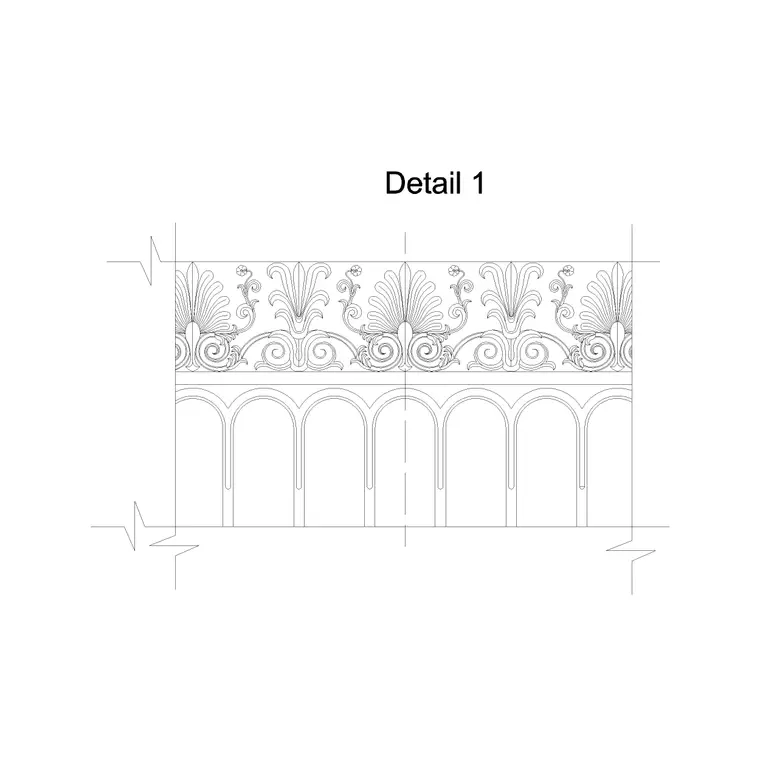
Wall with arches CAD block for AutoCAD
By Saumyajit Maity · Published 30 Mar 2026 · Updated 28 May 2026
A wall-with-arches CAD block saves you the fiddly job of setting out a whole arcade — several arches springing from a run of piers or columns, all sharing one springing line — by giving you the complete elevation in a single DWG. It is drawn full-size in millimetres and opens in AutoCAD 2004 or later. As with everything here, it is free for personal and commercial use, with no signup, no watermark and no attribution line.
An arcade is more than one arch repeated; the rhythm, the consistent springing height and the matching piers are what make it read as a unified wall. This block already coordinates those, so you scale it to your bay and length rather than building the arcade arch by arch. Use it for loggias, cloisters, shopfront colonnades, garden walls and the arcaded ground floors of classical buildings.
What the wall-with-arches block is
The block is an elevation of a wall pierced by a row of arches: the piers or columns that carry the arches, the springing line common to all of them, the arch rings with their voussoirs and keystones, the spandrels between adjacent arches, and the wall above and below. Many versions include the impost mouldings and a base or plinth course. It is editable linework, so you can stretch the wall to length, change the number of bays, or adjust the arch proportion.
Because it is real geometry, you can hatch the masonry, dimension the bay spacing and springing height, and keep the piers, arches and mouldings on separate sub-layers. It is a composition block — a coordinated set of arches — rather than a single opening.
Views and components
This is the elevation — the arcade seen face-on, the view you use on a facade, loggia or boundary wall. It is effectively a wall-with-arches built from the single classical arch detail repeated, so the two blocks pair naturally: use the single arch when you only need one opening, and this composition when you need the run. For the crowning storey, add an entablature or cornice block above the arcade; for free-standing columns instead of solid piers, swap in a column elevation block.
Keep the whole arcade on its own layer so you can isolate it from the rest of the facade. If your wall length is not a whole number of bays, you can stretch or trim the end bays, or add a wider terminating pier so the rhythm still resolves cleanly at the corners.
Setting out the arcade
An arcade reads well when the bays are even and the springing line is level across the whole run. The bay (centre-to-centre of adjacent piers) is set by the arch span plus the pier width; the springing height is the same for every arch. Domestic and garden arcades often run bays in the rough range of 1.2–2.5 m; monumental arcades go wider. The pier needs to be substantial enough to resist the arches' outward thrust, so it is usually a good fraction of the arch span.
Scale the block to your bay first, then set the overall length by adding or removing bays. End piers are often made wider or buttressed because they take unbalanced thrust from the last arch. Treat these as design ranges and confirm the structural pier sizing and any load-bearing arch spans with an engineer.
Inserting and stretching in AutoCAD
The block is full-size in millimetres. Insert at scale 1 in a millimetre drawing, 0.001 in metres, or set INSUNITS to millimetres in an imperial template so AutoCAD rescales on insertion. Snap the insertion point to one end of the wall at the base line and align it with your setting-out.
To lengthen the arcade, the cleanest route is to ARRAY a single bay (one pier plus one arch) at the bay spacing rather than scaling the whole block, which would distort the arch proportion. If the block is a fixed-length composition, explode it, keep one bay, and array that. Put the arcade on its own layer, and add an end pier to terminate the run. Where the arcade carries a storey above, line the entablature or floor line up with the tops of the spandrels.
Where arched walls are used
Arcaded walls appear on classical and Renaissance facades, cloisters and monastery walks, loggias and verandas, market halls and shopfront colonnades, bridges and aqueducts, and garden and boundary walls with arched openings. Architects use them on classical, Romanesque, Moorish and colonial-revival buildings; landscape designers on garden walls, pergolas and screen walls; restoration teams on record drawings of historic arcades.
Interiors borrow the motif for arched screens, room dividers and feature walls. Because the block is licence-clear, it suits student projects and competition boards with no sourcing concern. Combine it with the single arch detail, column elevation, entablature and cornice blocks from the same family to build a complete arcaded facade with its crowning storey.
Keeping a long arcade consistent
The risk with a long arcade is drift — bays that creep out of step or a springing line that wanders. Building from an arrayed single bay fixes the rhythm by construction, because every bay is an exact copy at an exact spacing. Keep the piers, arches, spandrels and mouldings on separate sub-layers so you can plot a clean outline at small scale and a fully-moulded version at large scale from the same drawing.
When you have an arcade you will reuse, WBLOCK one resolved bay to your library so future arcades start from a known-good unit. Mirroring helps at a symmetrical centrepiece — a wider central arch flanked by matching bays — where the two wings should read as mirror images of each other.
Free download
Browse the full library — DWG & DXF, no signup.
Questions
Frequently asked
How is a wall-with-arches block different from a single arch block?+
The single arch block is one opening; the wall-with-arches block is a coordinated arcade — several arches on a run of piers sharing one springing line. Use the single arch for one opening and this composition for a run.
How do I make the arcade longer or shorter?+
Array a single bay (one pier plus one arch) at the bay spacing rather than scaling the whole block, which would distort the arches. Add a wider end pier to terminate the run cleanly at the corners.
What spacing should the arches have?+
The bay is the arch span plus the pier width, kept equal across the run with a level springing line. Domestic and garden arcades often run bays around 1.2–2.5 m; confirm structural pier sizing and load-bearing spans with an engineer.
Is the wall-with-arches block free to use commercially?+
Yes. It downloads free in DWG with no signup, no watermark and no attribution requirement, cleared for commercial, personal and student use.
Related downloads
Blocks for this guide
Related categories
Related guides
Block landing
Free Classical Column CAD Blocks — DWG Download
Download free classical column CAD blocks in DWG — shaft, capital and base drawn in elevation and plan for AutoCAD. No signup, free for commercial use.
Block landing
Free Greek & Ionic Column CAD Blocks — DWG
Free Greek and Ionic column CAD blocks in DWG — fluted shafts and volute capitals drawn in elevation for AutoCAD. No signup, free for commercial use.
Block landing
Free Decorative Arch CAD Blocks — DWG Download
Download free decorative arch CAD blocks in DWG — round, segmental and classical archways drawn in elevation for AutoCAD. No signup, free for commercial use.