Block landing · ionic column cad block
Free Greek and Ionic column CAD blocks
By Sumana Kumar · Published 14 Apr 2022 · Updated 10 Jan 2026
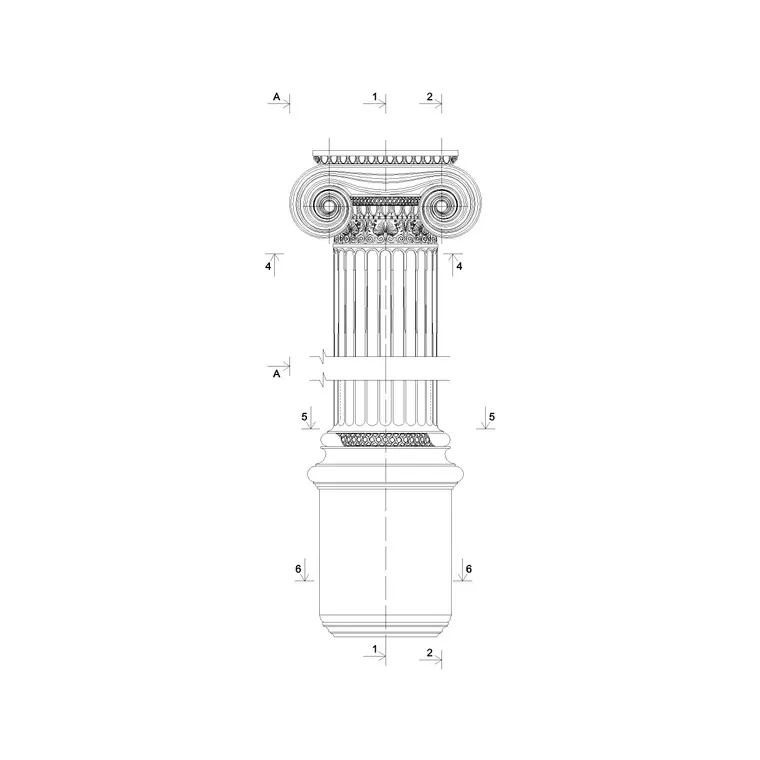
The Ionic column is the most recognisable of the Greek orders thanks to its scroll-like volutes, and drawing those volutes from scratch is fiddly enough that a ready-made block is genuinely worth having. This page gathers free Greek and Ionic column CAD blocks in DWG — fluted shafts, the distinctive volute capital and the moulded Attic base — drawn in elevation for AutoCAD 2004 or later, free for personal and commercial use with no signup or watermark.
Where the earlier classical column page covers columns of every order in general, this one focuses on the Greek temple language specifically: slenderer proportions than the Roman orders, deep flutes separated by flat fillets, and the volute capital whose geometry is set by a spiral construction the Greeks worked out with compass and rule. A block that gets that geometry right saves you reconstructing the spiral by hand every time a temple facade or a Greek-revival portico appears in a drawing.
What makes a column Ionic
Three features mark the Ionic order. The capital is the giveaway: a pair of opposed volutes — spiral scrolls — joined by a channel, sitting above a band of egg-and-dart moulding. The shaft is more slender than the Doric and carries twenty-four flutes separated by narrow fillets (flat lands), rather than the Doric's sharp-edged twenty. And the base is moulded — usually an Attic base of two tori with a scotia between — where the Doric column sits straight on the floor with no base at all.
A good Ionic block carries all three so the column reads correctly in elevation: the volute spiral, the fluting with its fillets, and the layered base mouldings. The Greek temple wall cornice that crowns the order is detailed in the same idiom, so the two belong together in a facade drawing.
Elevation is where the order lives
The Ionic order is read almost entirely in elevation, because that is where the volutes, the flutes and the base mouldings present themselves. So the elevation block is the workhorse here: drop it into a temple front, a Greek-revival portico, a museum facade or an interior order and it carries the detail at a glance.
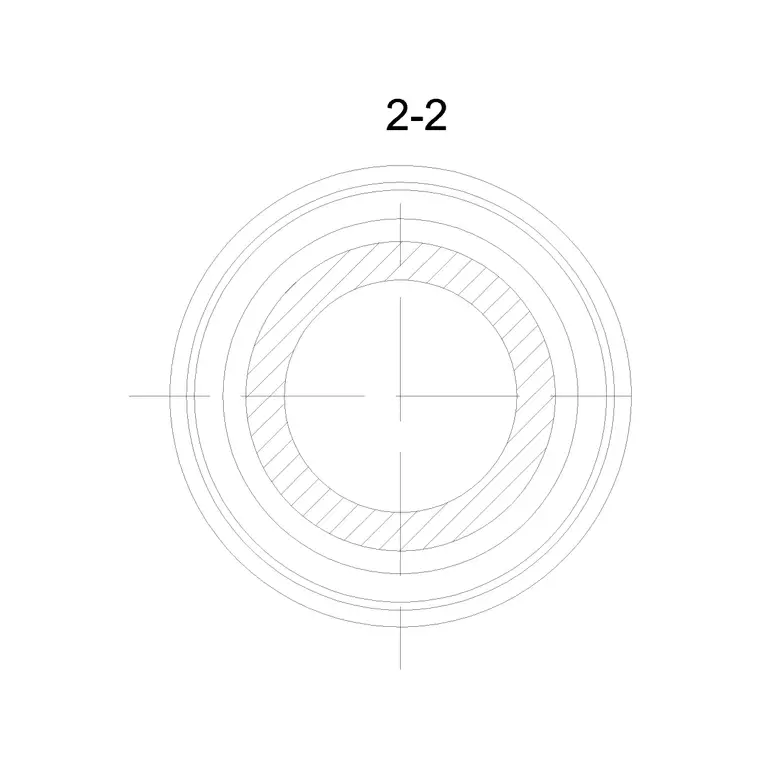
In plan, an Ionic column is essentially a fluted circle, which is what you array to set out a peristyle or a porch. The interesting wrinkle is that the Ionic volute looks different from the front and the side — front-on you see the paired scrolls, from the side you see the channel rolling between them like a bolster — so a thorough facade drawing may use a front elevation on the main face and a side-view capital on the returns.
Greek proportions to design around
Greek Ionic columns are slender by Roman standards. As a working guide, the column height including capital and base runs roughly 9 lower-shaft diameters, against about 7–8 for Doric and around 10 for Corinthian — treat these as ratios driven by your shaft diameter, not fixed millimetre sizes. So a 500 mm shaft puts an Ionic column near 4.5 m tall before the entablature.
The flutes number twenty-four on a canonical Ionic shaft, and unlike Doric flutes they are separated by flat fillets rather than meeting at a sharp arris. Intercolumniation on a Greek temple is tight — often well under two diameters on the flanks — which is part of why a temple peristyle reads as dense and rhythmic. Because the block is to scale, you can set that spacing in plan and read the rhythm directly.
Inserting and placing the column
The blocks are drawn full size in millimetres. Insert at scale 1 in a millimetre drawing, at 0.001 in a metre template, or set INSUNITS to millimetres so AutoCAD rescales on insertion. Use INSERT or drag the DWG in, snap to the base centreline, and place against the facade setting-out line.
When you resize an Ionic column to a different temple height, scale it uniformly from the base so the volutes and flutes keep their proportions — the volute spiral in particular looks wrong if it is squashed in only one axis. For a colonnade, array the plan footprint at your chosen intercolumniation, then place the matching front elevation on the main face and, where the temple turns a corner, a side-view capital on the return columns.
Where Greek and Ionic columns are used
Ionic and Greek columns appear wherever a building borrows the temple language: civic and cultural buildings, museums, courthouses, banks and memorials in the Greek-revival tradition, garden temples and follies, and of course archaeological and heritage drawings of the originals. At small scale they recur as decorative pilasters and as furniture and joinery motifs.
Assemble the Greek vocabulary by pairing these columns with the Greek temple wall cornice and the classical arch and decorative arch blocks in the other category. Column, entablature and cornice together give you a complete order; add the skirting and cornice moulding blocks for the interior trim, and you can detail a whole neo-classical room from one free, consistent library.
Capitals and the volute spiral
The volute is what makes the Ionic capital hard to draw and satisfying to get right. Its spiral is not a freehand curve but a constructed one, generated from an 'eye' with a series of quarter-circle arcs whose centres step around inside the eye. Reproducing that by hand for every column is exactly the kind of repetitive precision a block is built to spare you, which is why a ready-made Ionic capital is one of the more valuable column blocks to keep in a library.
If you do need to vary the capital — to widen it for a corner column, where Greek practice angled the outer volute at forty-five degrees so the order read correctly on both faces — edit the block definition once with BEDIT and let every instance update. Keeping the capital, the fluted shaft and the base on sensible layers also lets you simplify the column for a small-scale plan, where the full volute detail would only turn to mud, while preserving the detailed version for the presentation elevation.
Free download
Browse the full library — DWG & DXF, no signup.
Questions
Frequently asked
What is the difference between a Greek Ionic and a Doric column?+
The Ionic column has a volute (scroll) capital, a slenderer fluted shaft with flat fillets between the flutes, and a moulded Attic base. The Doric is stockier, has a plain cushion capital, sharper-edged flutes and usually sits straight on the floor with no base.
Are these Greek and Ionic column blocks free for commercial work?+
Yes. Every block downloads free in DWG with no signup, no watermark and no attribution requirement, and is cleared for commercial use including client projects.
Do the blocks include the volute capital detail?+
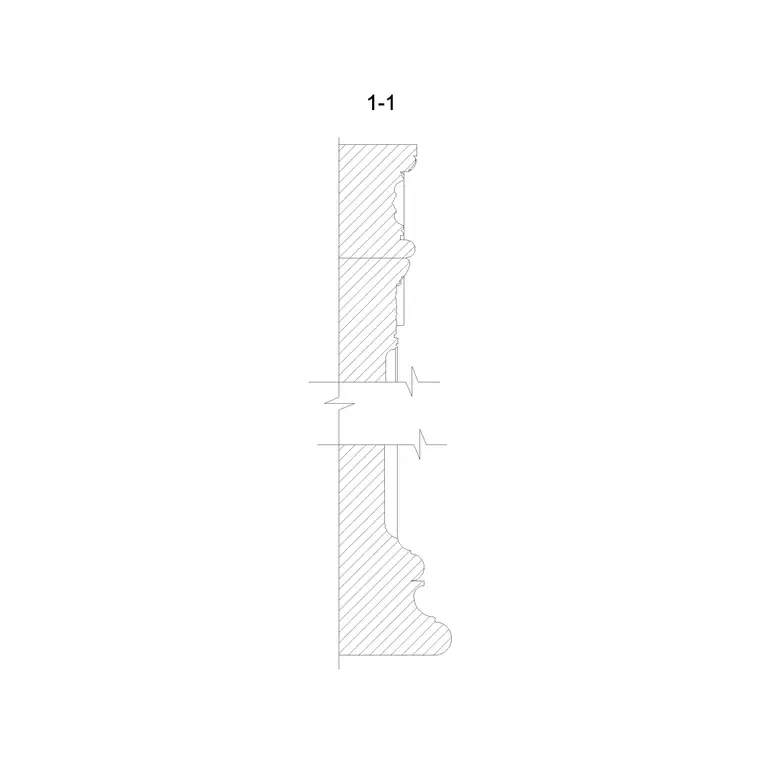
Yes. The elevation blocks carry the volute capital, the fluted shaft and the moulded base so the Ionic order reads correctly in a facade or interior elevation.
How tall should an Ionic column be?+
Greek Ionic columns are proportioned at roughly nine lower-shaft diameters tall including capital and base. Scale the block uniformly to your storey or temple height so the volutes and flutes keep their proportions.
Related downloads
Blocks for this guide

Related categories
Related guides
Block landing
Free Classical Column CAD Blocks — DWG Download
Download free classical column CAD blocks in DWG — shaft, capital and base drawn in elevation and plan for AutoCAD. No signup, free for commercial use.
Block landing
Free Decorative Arch CAD Blocks — DWG Download
Download free decorative arch CAD blocks in DWG — round, segmental and classical archways drawn in elevation for AutoCAD. No signup, free for commercial use.
Block landing
Free Cornice Moulding CAD Blocks — DWG Section
Download free cornice moulding CAD blocks in DWG — profile sections for ceilings, eaves and classical entablatures. No signup, free for commercial use.