Block landing · wall oven cad block dwg
Wall oven CAD blocks for kitchen plans and elevations
By Saumyajit Maity · Published 11 Sep 2025 · Updated 10 Feb 2026
A wall oven is a fixed appliance, so unlike a loose worktop gadget it has to be coordinated with a tall cabinet, a socket or hard-wired supply, and the surrounding run. That makes a correctly-scaled wall oven CAD block genuinely useful: drop it into the plan and you immediately see how much of the tall-unit run it eats, and drop it into an elevation and you can check the eye-level position the client expects. This page gathers free wall oven CAD blocks in DWG, drawn at true millimetre size for AutoCAD 2004 or later.
You will find single and double built-in ovens in plan and elevation here, ready to sit inside a housing unit. Every file is free for personal and commercial use, with no signup and no watermark. Pair them with the hob, hood and cabinet blocks in the kitchen category to build a complete cooking wall that snaps to the standard cabinet module.
What a wall oven block is for
A wall oven CAD block is the built-in cooking appliance that lives inside a tall or mid-height housing unit, rather than under the worktop. The block represents the appliance front and its housing footprint, so its real job on a drawing is to reserve the housing opening and to set the oven at the height the design calls for. That is information a joiner and an installer both need.
Because the oven is fixed and supplied, you cannot just slide it along later the way you can move a kettle. Placing the scaled block early means the tall-unit run, the worktop break and the appliance height are all settled on the drawing before the cabinetry is ordered, which is exactly when those decisions are cheap to change.
Single and double ovens, and the views included
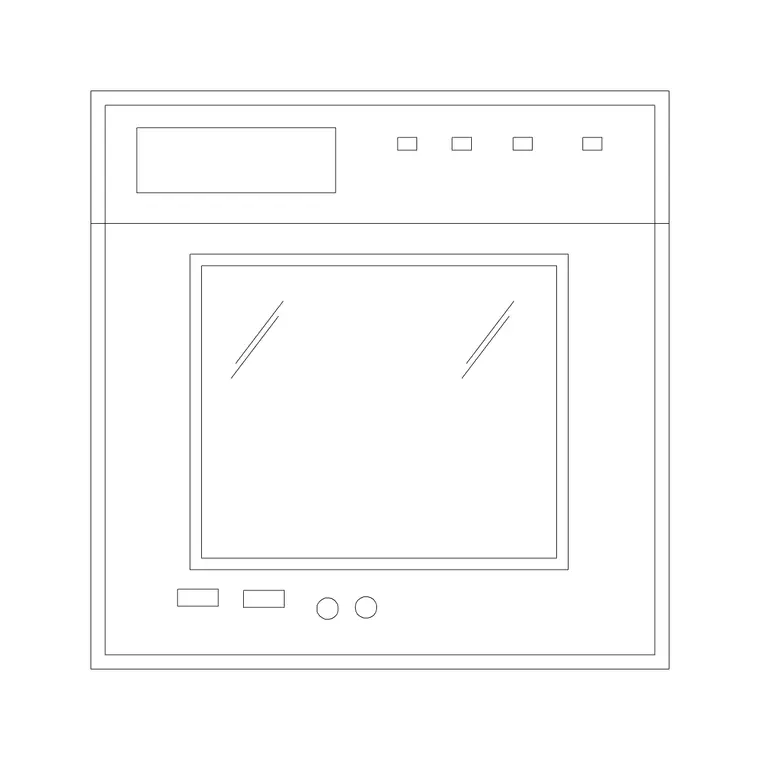
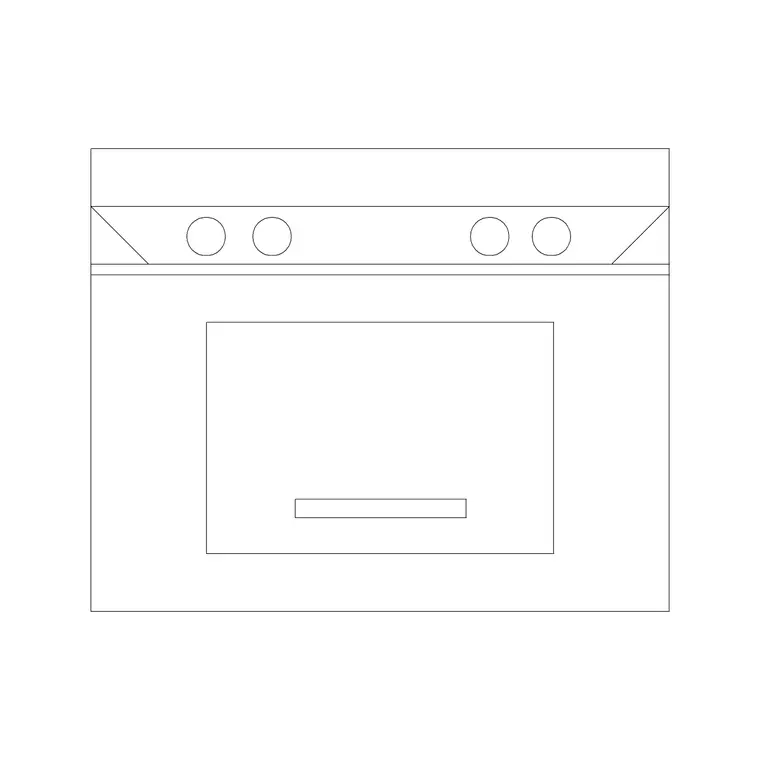
The downloads cover single built-in ovens and stacked double ovens, the two arrangements you meet most. A single oven occupies one housing aperture; a double oven stacks a main oven and a secondary oven or grill in a taller aperture, which changes both the elevation height and how much tall-unit run you lose.
Each block ships a plan footprint and a face-on elevation. The plan is what you place in the cabinet run from above; the elevation shows the oven door, controls and the housing reveal, which is the view that matters when a client asks how high the oven sits. Where both views are present they share one DWG, so you can insert the view you need and freeze the other.
Typical wall oven sizing to design around
Treat these as planning ranges, not fixed specs. Most built-in single ovens are built to the 600 mm appliance module — roughly 595–600 mm wide and a similar depth into a 600 mm housing — with the appliance height around 590–600 mm so it drops into a standard aperture. Compact and combination ovens are shorter, often around 450 mm tall. Double ovens roughly double the aperture height.
The ergonomic decision is mounting height: a single oven is frequently set so the door or the top of the cavity sits near worktop or chest height for comfortable loading, but that is a design choice, not a fixed rule. Use the block to test the height against the surrounding cabinetry rather than lettering an exact figure straight from the symbol.
How to insert the wall oven block
The blocks are drawn full size in millimetres. Insert at scale 1 in a millimetre drawing, at 0.001 in a metre drawing, or set INSUNITS to millimetres so AutoCAD rescales automatically on insertion. Run INSERT (or drag the DWG in), snap the insertion point to the front corner of the housing unit in plan, and align the oven square to the run.
For the elevation, place the oven into the drawn housing at the chosen mounting height and let the door and control geometry land in the right band. Keep the appliance on an appliance layer, separate from the cabinet carcass layer, so you can produce a clean carcass elevation and a fully-appointed appliance elevation from the same drawing. As a block reference it updates everywhere if you edit the definition.
Where wall oven blocks are used
Wall oven blocks belong in residential kitchen plans and elevations, apartment and house fit-outs, and any joinery or FF&E drawing where the cooking wall has to be set out precisely. They are essential on the elevation, because the oven height and the door swing are decisions a client cares about and an installer has to follow.
They also help on coordination drawings: a built-in oven needs a dedicated supply and ventilation around the housing, so showing the appliance to scale flags those services early. Combine the wall oven with the hob, the under-cabinet or chimney hood, and the tall larder units to build the full cooking and storage wall, all on the shared 600 mm grid so nothing leaves an awkward filler gap.
Coordinating ovens with the cabinet run
Because a wall oven sits inside a housing, the block and the cabinet carcass have to agree. Keep the oven on its own appliance layer and the housing on the cabinet layer, and the aperture will read clearly on both the plan and the elevation. That separation lets you check that the housing internal opening matches the appliance, which is where real installs go wrong when nobody coordinated the two.
If the kitchen has more than one fixed appliance — say a wall oven plus a combi microwave-oven stacked above — placing both scaled blocks in the housing shows whether the tall unit is tall enough and where the worktop and plinth lines fall. Settling that on the drawing is far cheaper than discovering it when the cabinetry arrives flat-packed on site.
Free download
Browse the full library — DWG & DXF, no signup.
Questions
Frequently asked
Are the wall oven CAD blocks free for commercial work?+
Yes. Every wall oven block here downloads free in DWG, with no signup, no watermark and no attribution requirement, and is cleared for commercial project use.
Do you have both single and double ovens?+
Yes. The downloads cover single built-in ovens and stacked double ovens. Where a file carries multiple variants or views they share one DWG, so you insert the arrangement and view you need and freeze the rest.
What size should I draw the oven housing?+
Built-in ovens are made to the 600 mm appliance module, so the housing aperture is set out around that. Use the scaled block to test the opening against your cabinet carcass rather than lettering an exact dimension from the symbol alone.
Will the DWG open in AutoCAD LT and free viewers?+
Yes. The files target AutoCAD 2004 and later, which opens in current AutoCAD, AutoCAD LT, BricsCAD, DraftSight and free DWG viewers including Autodesk's online viewer.
Related downloads
Blocks for this guide

Related categories
Related guides
Block landing
Free Bathroom Fixtures CAD Blocks — DWG Download
Download free bathroom fixtures CAD blocks in DWG and DXF — toilets, wash basins, bathtubs, showers and vanities drawn in plan and elevation. No signup, commercial OK.
Block landing
Free Gas Stove / Cooktop CAD Blocks — DWG
Free gas stove and cooktop CAD blocks in DWG and DXF — drawn in plan and elevation at true kitchen-module sizes for AutoCAD 2004+. No signup, commercial-use OK.
Block landing
Single Burner Hob CAD Block — Free DWG
Free single burner hob CAD blocks in DWG and DXF for compact kitchens and studios — plan and elevation, true sizing for AutoCAD 2004+. No signup, commercial OK.