Block landing · under cabinet range hood cad block dwg
Under-cabinet range hood blocks for kitchen elevations
By Saumyajit Maity · Published 11 Apr 2023 · Updated 28 Mar 2026
An under-cabinet range hood is the extractor that tucks beneath a wall cabinet directly above the hob, instead of a freestanding chimney. Because it occupies a wall-cabinet position and has to line up with the hob below, a scaled block is genuinely useful: it reserves that cabinet slot and confirms the extractor sits over the cooking zone. This page collects free under-cabinet range hood CAD blocks in DWG, drawn at true millimetre size for AutoCAD 2004 or later.
You will find slimline and visor-style built-under hoods here, in plan and elevation, ready to slot into a wall-cabinet run above the hob. Every file is free for personal and commercial use, with no signup and no watermark. Use the hood with the hob, wall cabinet and worktop blocks in the kitchen category to coordinate the cooking wall so the extractor lines up with what it is venting.
What an under-cabinet range hood is
An under-cabinet range hood is a built-under extractor that mounts to the underside of a wall cabinet, or replaces a short wall-cabinet section, directly above the hob. Unlike a chimney hood that stands proud of the wall, it keeps the line of the wall cabinets, so on a drawing it reads as part of the cabinet run rather than a separate feature.
That is exactly why a scaled block helps. The hood has to be as wide as, or wider than, the hob it serves, and it has to sit at a sensible height above the cooking surface. Showing it to scale in the wall-cabinet run confirms both — that the extractor covers the hob and that the cabinet above accommodates the unit and its ducting or recirculation.
Hood types and views included
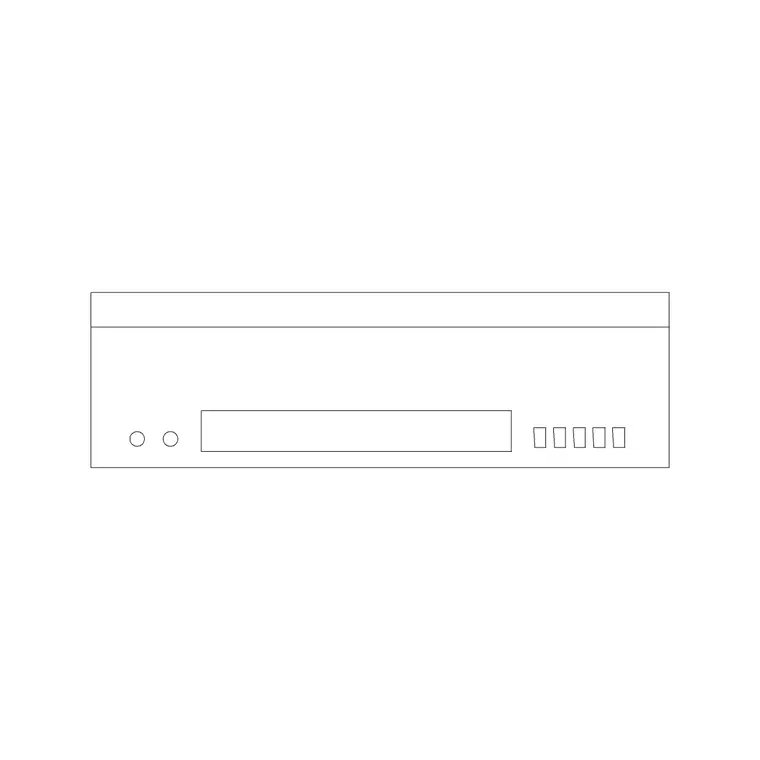
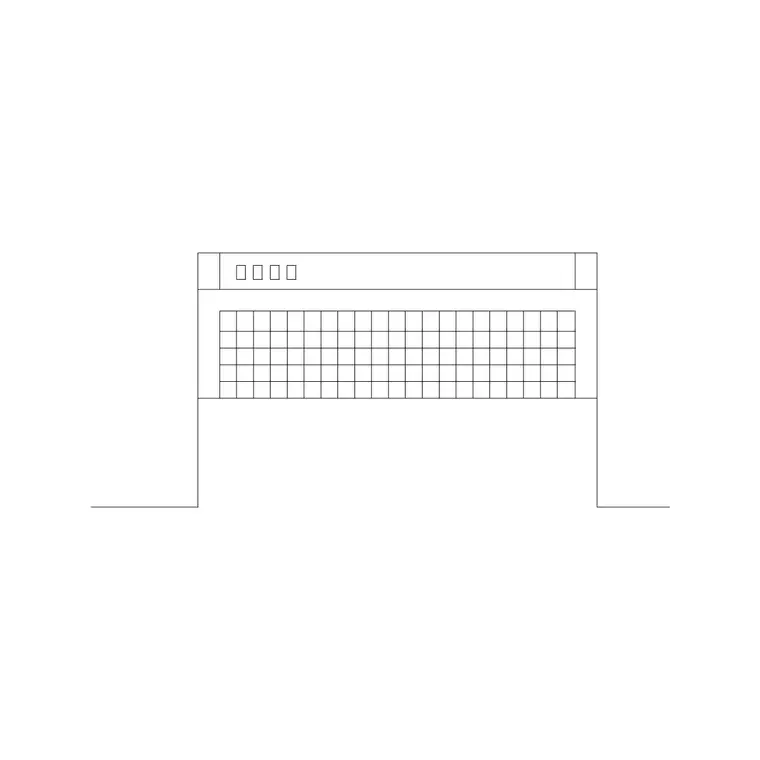
The downloads cover the common built-under formats: a slimline flat hood that mounts under a wall cabinet, and a visor or pull-out hood with a sliding front. Each ships a plan footprint — the rectangle seen from above that sits in the cabinet line over the hob — and an elevation showing the front fascia, the slim profile and the controls.
Use the plan to align the hood over the hob and check it fits the wall-cabinet module; use the elevation to set the height above the worktop and show the hood face-on. Where both views ship in one file they share a DWG, so you can insert the one you need and freeze the other, keeping the hood on the appliance layer for a clean cooking-wall drawing.
Typical under-cabinet hood sizing to design around
Use these as planning ranges. Built-under hoods follow the cabinet and hob module, so widths are commonly around 600 mm or 900 mm to match the hob below. The unit itself is slim front-to-back to fit under or in place of a wall cabinet, and the visible body is shallow in depth. Mounting height above the hob is a clearance decision rather than a fixed figure.
Manufacturers set minimum clearances over a hob, and they differ between gas and electric, so never letter an exact mounting height from a block alone. The block's value is in confirming the hood is at least as wide as the hob and that it sits in a credible band above the cooking surface, leaving the precise clearance to the appliance instructions.
How to insert and place the hood
The blocks are drawn full size in millimetres. Insert at scale 1 in a millimetre drawing, 0.001 in a metre drawing, or set INSUNITS to millimetres so AutoCAD rescales on insertion. In plan, place the hob first, then INSERT the hood and centre it over the hob within the wall-cabinet line. In elevation, drop the hood into the wall-cabinet run at the chosen height above the worktop.
Keep the hood on the appliance layer, separate from the wall-cabinet carcass layer, so the extractor reads clearly against the cabinetry on both views. As a block reference, editing the block definition updates every instance, which is handy when the same cooking wall appears on more than one elevation in a set.
Where under-cabinet hood blocks are used
Under-cabinet range hood blocks belong in residential kitchen plans and elevations, apartment and house fit-outs, and any joinery or FF&E drawing where the cooking wall has to be coordinated. They suit kitchens where the design keeps an unbroken line of wall cabinets and does not want a chimney hood standing proud.
They also flag the ducting question: a built-under hood either ducts out through the cabinet and wall or recirculates through filters, and showing the unit to scale prompts you to allow for whichever route the design uses. Combine the hood with the hob below, the wall cabinets either side and the worktop to present a coordinated cooking wall on the shared module.
Lining the hood up with the hob
The single most important coordination for any hood is that it sits over and at least as wide as the hob it serves, so an off-centre or undersized extractor does not pretend to work. Placing both scaled blocks on the plan makes that alignment obvious, and the elevation confirms the hood is at a sensible height above the cooking surface within the cabinet run.
If the kitchen repeats the same cooking wall, you can WBLOCK the hob, the hood and the flanking wall cabinets as one coordinated unit so the whole extraction setup drops into the next drawing aligned. That keeps the hood-over-hob relationship correct by construction rather than re-checked by eye on every elevation.
Free download
Browse the full library — DWG & DXF, no signup.
Questions
Frequently asked
How is an under-cabinet hood different from a chimney hood?+
An under-cabinet hood mounts beneath or in place of a wall cabinet and keeps the line of the cabinet run, while a chimney hood stands proud of the wall on its own. The under-cabinet block sits within the wall-cabinet line on your drawing.
What width should the hood be relative to the hob?+
The hood should be at least as wide as the hob it serves, so it follows the same module — commonly around 600 mm or 900 mm. Use the scaled blocks to confirm the hood covers the hob below.
Are the under-cabinet hood blocks free to use commercially?+
Yes. Every under-cabinet range hood block here downloads free in DWG, with no signup, no watermark and no attribution, and is cleared for commercial project use.
What units are the hood blocks drawn in?+
Full-size millimetres. Insert at scale 1 in a millimetre drawing, 0.001 in a metre drawing, or set INSUNITS to millimetres so AutoCAD rescales them on insertion.
Related downloads
Blocks for this guide

Related categories
Related guides
Block landing
Free Bathroom Fixtures CAD Blocks — DWG Download
Download free bathroom fixtures CAD blocks in DWG and DXF — toilets, wash basins, bathtubs, showers and vanities drawn in plan and elevation. No signup, commercial OK.
Block landing
Free Gas Stove / Cooktop CAD Blocks — DWG
Free gas stove and cooktop CAD blocks in DWG and DXF — drawn in plan and elevation at true kitchen-module sizes for AutoCAD 2004+. No signup, commercial-use OK.
Block landing
Single Burner Hob CAD Block — Free DWG
Free single burner hob CAD blocks in DWG and DXF for compact kitchens and studios — plan and elevation, true sizing for AutoCAD 2004+. No signup, commercial OK.