Block landing · tumble dryer cad block
Tumble dryer CAD blocks for utility rooms in AutoCAD
By Saumyajit Maity · Published 28 Apr 2024 · Updated 2 Jan 2026
A tumble dryer is the washing machine's natural neighbour — same module, same forward-opening door, but with one extra demand: depending on the type, it may need to vent warm, moist air outside. Where and how it sits, and whether it stacks on the washer to save floor, is a real planning decision. This page collects free tumble dryer CAD blocks in DWG and DXF, drawn to true millimetre sizes for AutoCAD 2004 or later, free for personal and commercial use with no signup and no watermark.
The dryer block sits like a base unit on the standard module, pairs with the washing machine, and for a vented type drives a duct route to an outside wall. Drawn to scale, it lets you place the pair side by side or stacked, set the door swing, and confirm the vent reaches an external wall.
What a tumble dryer block shows
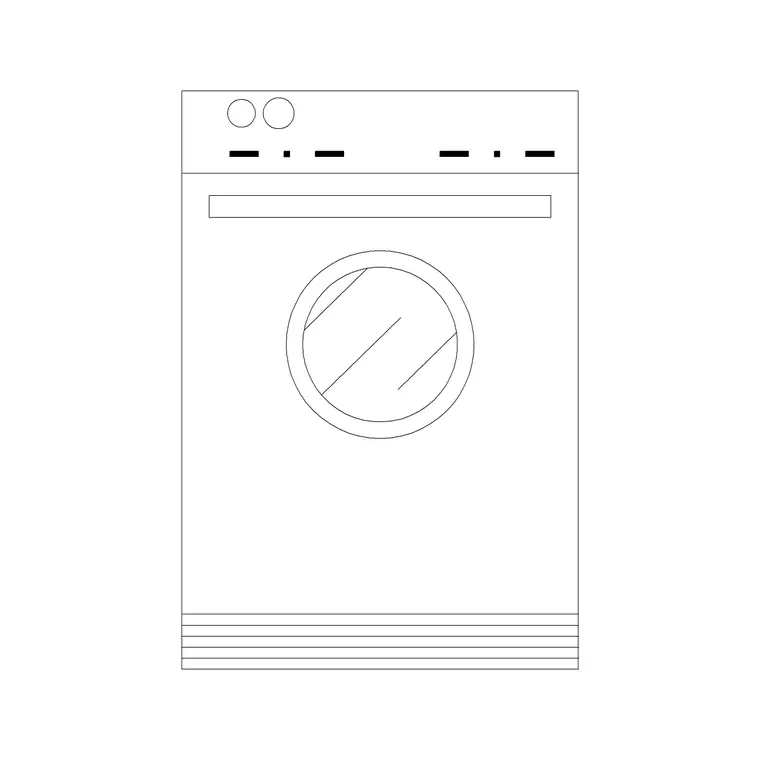
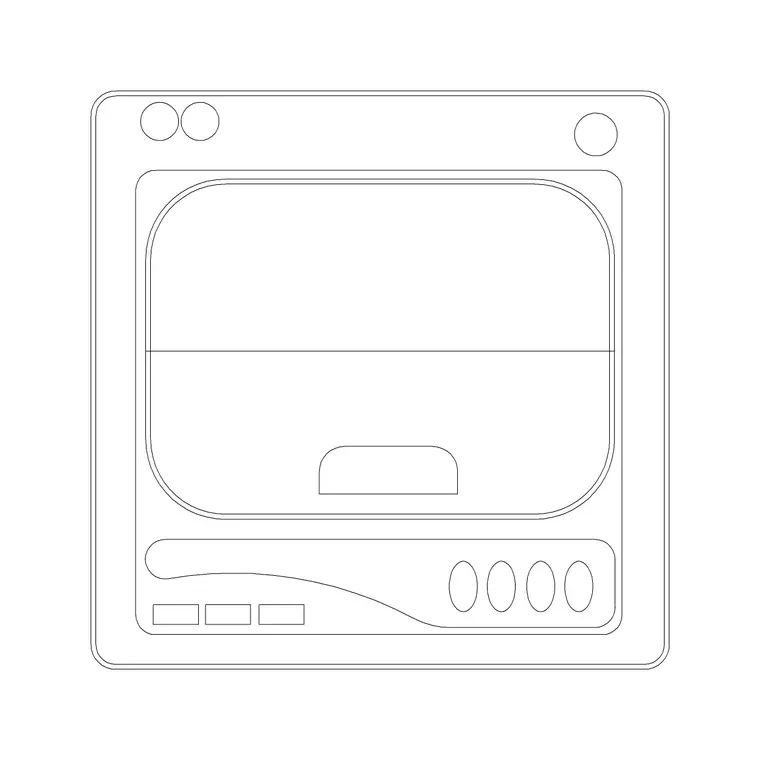
A tumble dryer block represents a base-unit-sized appliance with a front-loading door, much like a washing machine, so on first glance the footprints are nearly identical. The plan view draws the body within the run and the round door swing forward, with clear floor needed in front for loading. For a vented dryer, the plan also wants to show the vent position at the back, because that drives the duct route to the outside.
The elevation draws the door, the controls and the height. The real difference from a washer is the venting: a vented dryer needs a duct to an external wall, a condenser dryer collects water in a tank, and a heat-pump dryer recirculates — so the block lets you note the type and route the duct where one is needed. The body, door and vent sit on separate layers.
Side by side or stacked
A dryer pairs with the washing machine in one of two arrangements, and the block supports both. Side by side, the washer and dryer sit as two adjacent base units on the run — the simplest layout, but it uses two module widths of floor. Stacked, the dryer sits on top of the washer in a single column, halving the floor footprint, which is the go-to move in a tight utility cupboard or apartment.
For the layout you work in plan to set the footprint and the door swing; for a stacked pair the elevation matters most, to confirm the column height fits and the dryer door is still reachable. Many downloads carry both views and the stacked arrangement in one DWG.
Typical tumble dryer dimensions
Design around these and confirm against the model. A standard tumble dryer sits on the 600 mm module, around 600 mm deep, and full-height to match the washing machine so the two align side by side or stack neatly. Compact and slimline dryers run shallower. The round door is front-mounted and side-hinged, swinging to one side, so it needs clear floor and the right hinge direction.
A stacked washer-dryer column reaches roughly twice the appliance height, so confirm the dryer door at the top is still within comfortable reach — a stacking kit holds the two together. For a vented dryer, keep the appliance near an external wall so the vent duct run stays short, and allow access behind for the vent and the power.
Inserting and routing the vent
The blocks are full size in millimetres. Insert at scale 1 in a millimetre drawing, 0.001 in a metre template, or set INSUNITS to millimetres so AutoCAD rescales on insertion. Run INSERT, snap to a corner or the centre of the body, and place the dryer beside or stacked above the washing machine.
For a vented dryer, draw the duct from the vent position to an external wall terminal, keeping the run short and as straight as possible. Keep the door-swing layer on and confirm the door clears the neighbour and the walkway. For a stacked pair, align the dryer above the washer in elevation. Keep the dryer on its own layer and freeze it for a cabinet-only plan.
Where tumble dryer blocks are used
Tumble dryer blocks appear in utility-room and laundry plans, apartment and studio fit-outs where the dryer stacks on the washer, and the back-of-house laundry areas of hospitality and care schemes. Interior designers use them to plan the laundry zone and decide side-by-side versus stacked; architects use the footprint and the vent to coordinate the run and the external wall; developers use it to fit a full laundry into a compact home.
Pair the tumble dryer with the washing machine, sink and base-cabinet blocks in the kitchen category so the laundry appliances group together, a stacked column aligns, and the utility run reads cleanly across the elevation.
Choosing the dryer type changes the plan
The single decision that most affects how a tumble dryer sits on the drawing is its type, and the scaled block lets you reflect that choice. A vented dryer is the simplest and cheapest appliance, but it has to push warm, moist air outside through a duct — so it must sit near an external wall, and the plan has to show a short, sensible duct route to a terminal. Put a vented dryer in the middle of an internal utility room and you commit to a long, awkward duct that may not be practical, which is exactly the kind of clash the scaled plan reveals.
A condenser dryer frees you from the external wall — it collects the moisture in a tank the user empties, or plumbs it to the waste — so it can sit anywhere on the run, including stacked in an internal cupboard. A heat-pump dryer goes further still, recirculating air efficiently with no duct at all. For the drawing, the practical move is to note the dryer type early, because it decides whether the appliance is tied to an outside wall or free to stack in a cupboard. Drawing the dryer, its door swing and any vent route to scale lets you settle that on the plan, where it belongs, rather than discovering on site that the chosen dryer cannot be vented where it sits.
Free download
Browse the full library — DWG & DXF, no signup.
Questions
Frequently asked
What size is a tumble dryer CAD block?+
A standard tumble dryer sits on the 600 mm module, around 600 mm deep and full-height to match the washing machine so the two align or stack. Compact and slimline models run shallower. Confirm the exact dimensions against the appliance datasheet.
Can a tumble dryer stack on a washing machine?+
Yes, with a stacking kit that holds the two together in one column, halving the floor footprint. Draw the pair to scale in the elevation to confirm the column height fits and the dryer door at the top is still within comfortable reach.
Does the dryer need to be near an external wall?+
Only a vented dryer does, because it ducts warm, moist air outside — keep its run short to an external terminal. A condenser or heat-pump dryer collects or recirculates the moisture and can sit anywhere, including stacked in an internal cupboard. Note the type on the plan.
Are these tumble dryer CAD blocks free to download?+
Yes. They download free in DWG and, where available, DXF, with no signup, no watermark and no attribution requirement, and they are cleared for commercial project use.
Related downloads
Blocks for this guide
Popular blocks to download
Related categories
Related guides
Block landing
Free Bathroom Fixtures CAD Blocks — DWG Download
Download free bathroom fixtures CAD blocks in DWG and DXF — toilets, wash basins, bathtubs, showers and vanities drawn in plan and elevation. No signup, commercial OK.
Block landing
Free Gas Stove / Cooktop CAD Blocks — DWG
Free gas stove and cooktop CAD blocks in DWG and DXF — drawn in plan and elevation at true kitchen-module sizes for AutoCAD 2004+. No signup, commercial-use OK.
Block landing
Single Burner Hob CAD Block — Free DWG
Free single burner hob CAD blocks in DWG and DXF for compact kitchens and studios — plan and elevation, true sizing for AutoCAD 2004+. No signup, commercial OK.