Block landing · toilet commode elevation cad block dwg
Toilet commode elevation CAD blocks in DWG
By Saumyajit Maity · Published 10 Mar 2023 · Updated 20 Mar 2026
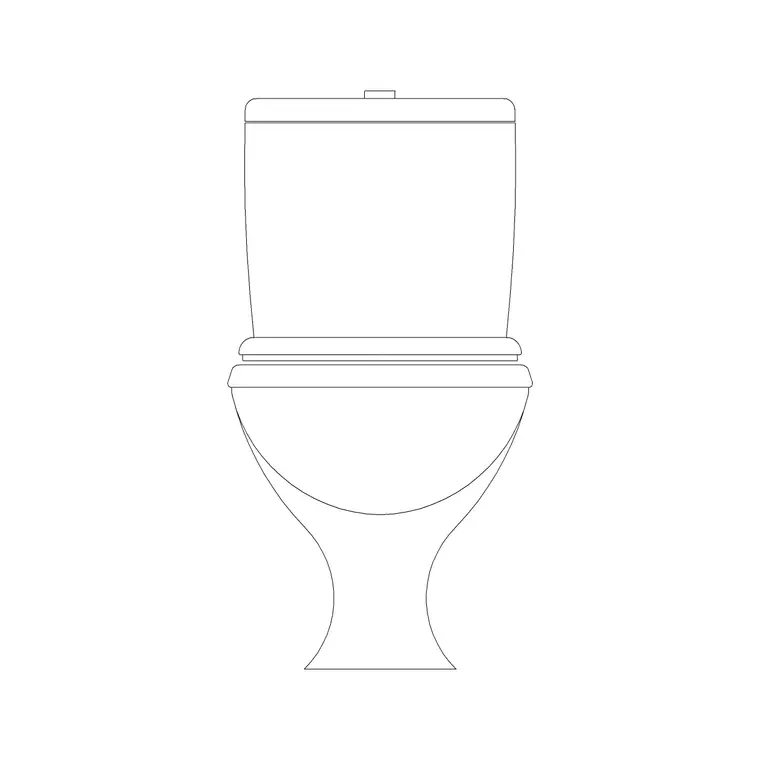
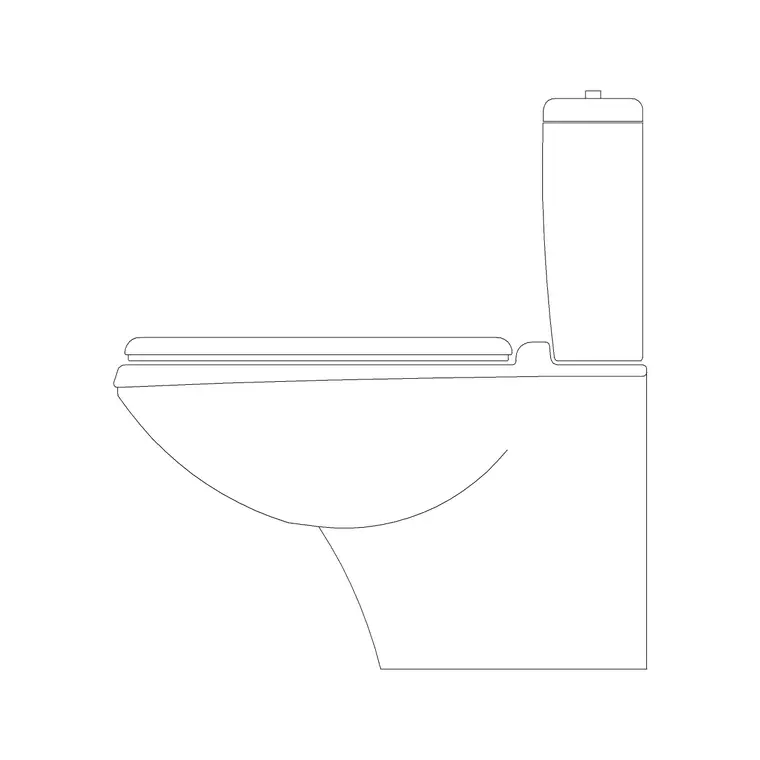
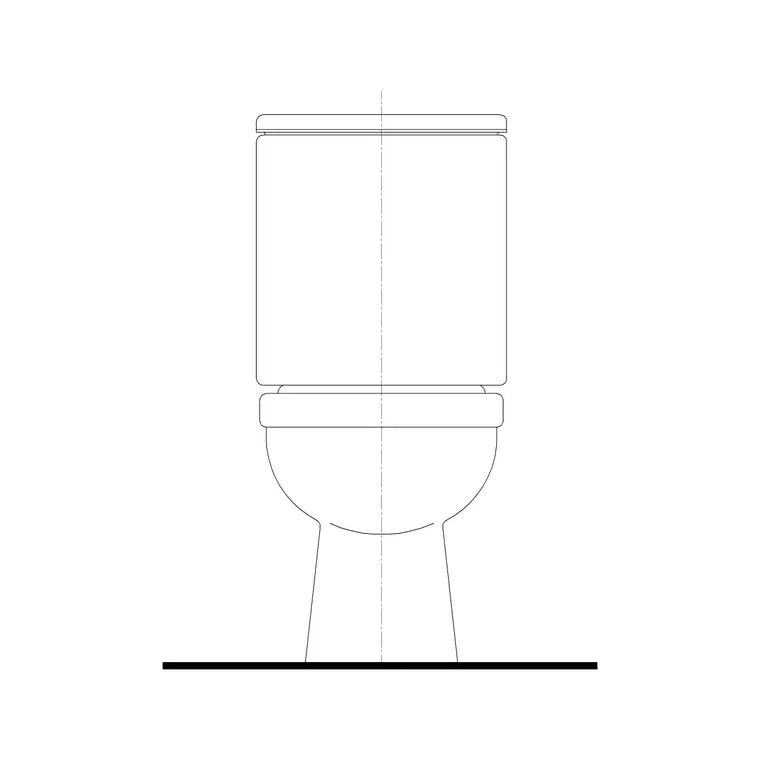
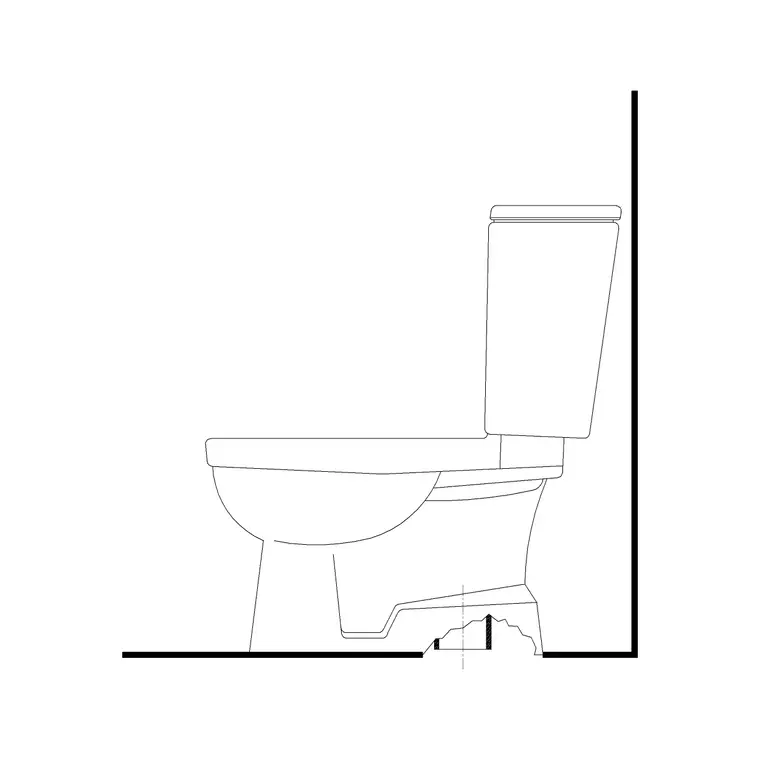
When you draw a bathroom in elevation rather than plan, you need the commode seen face-on and from the side, not as the rounded footprint you array on a floor plan. This page gathers free toilet commode elevation CAD blocks in DWG — front and side views of the western-style WC drawn at true millimetre dimensions and ready to drop into an interior elevation or a tiling layout in AutoCAD 2004 or later. Every file downloads free for personal and commercial work, with no signup, no watermark and no attribution required.
Elevation blocks earn their keep on the drawings a plan can't carry: the wall a sanitaryware schedule references, the tiling setting-out a contractor works from, and the presentation sheets a client signs off. Because the commode is drawn to height, the moment it lands against your finished-floor line you can read the seat height, the cistern top and the flush-plate position against the tile coursing behind it.
What a commode elevation block shows
A front elevation of a close-coupled commode reads as the pan, the seat and lid line, and the cistern stacked above, all squared up to a vertical centreline. The side elevation is the more informative of the two: it carries the projection of the pan from the wall, the slope of the seat, and the depth of the cistern, which is what governs how far the unit intrudes into the room.
Good elevation blocks keep the outline crisp and avoid fussy shading, because an elevation is a setting-out drawing first and a picture second. The blocks here are drawn so the pan, seat and cistern sit on sensible layers, letting you recolour or freeze the cistern detail independently when you only need the pan profile for a section.
Front view and side view: when to reach for each
Use the front elevation when you are drawing the wall the WC sits against — a tiled bathroom elevation, a sanitary wall on a coordination sheet, or a presentation board where the fixture is seen head-on. The front view lines the cistern, flush plate and seat up with the tile joints and the toilet-roll holder, so it is the view that proves your wall composition works.
Reach for the side elevation when you need to show projection: how far the pan reaches into the room, where the soil connection sits behind it, and how the seat relates to the basin or bidet beside it. A side elevation is also what you drop into a section through the bathroom, where the relationship between fixture, floor and waste actually matters.
Typical heights to draw around
Keep these reference ranges close when you place a commode in elevation. Seat height above finished floor: usually 400–430 mm for a standard floor-mounted pan. Overall pan height to the seat hinge: around 380–420 mm. Close-coupled cistern top: commonly 750–850 mm above the floor. Pan projection from the wall: roughly 600–700 mm for a standard close-coupled unit.
These are envelopes to design within, not fixed specifications — every manufacturer's model differs, so confirm against the chosen product's data sheet before you dimension a construction drawing. Dropping a correctly proportioned elevation block in first means your tiling setting-out and accessory heights are believable from the outset, then you fine-tune to the specified model.
How to insert and align the block
These elevation blocks are drawn full size in millimetres. Insert at scale 1 in a millimetre drawing, 0.001 in a metre template, or set INSUNITS to millimetres so AutoCAD rescales automatically on insertion. Run INSERT (or drag the DWG from a tool palette), then snap the block's base point to your finished-floor line so the seat and cistern heights land correctly against the wall.
For a tiling elevation, draw the tile grid first, then position the commode so the flush plate and accessories fall on sensible joints. Because the fixture is a single block reference, you can mirror it for a back-to-back layout or copy it along a row of WC cubicles, and an edit to the block definition updates every instance at once.
Where commode elevations are used
Commode elevation blocks turn up across the bathroom drawing set: interior elevations of domestic en-suites and family bathrooms, tiling setting-out sheets, sanitaryware schedules, accessible-WC compliance drawings, and the cubicle elevations in commercial and public toilet blocks. Pair them with the basin and shower elevation blocks in the bathroom category to build a complete wall in a few minutes.
Because they are free and licence-clear, they suit student portfolios, competition boards and quick concept elevations where you need believable sanitaryware without licensing fuss. The same block carries from an early concept elevation through to a coordinated tiling drawing, so you are not redrawing the WC at each stage of the project.
Pairing the elevation with the plan
An elevation is only half the story. To keep a bathroom drawing coordinated, place the commode plan block on the floor plan and the matching front and side elevations on the interior elevation sheet, both referencing the same wall. When the plan moves, the elevation should follow, so keep the fixtures on a dedicated sanitaryware layer you can isolate across both views.
If you tag each fixture as a block with a simple type attribute, you can extract a sanitaryware schedule straight from the drawing rather than counting WCs by eye. That turns the bathroom layout into lightweight data a specification or procurement sheet can use, which is exactly what a fit-out or developer client wants alongside the drawings.
Free download
Browse the full library — DWG & DXF, no signup.
Questions
Frequently asked
Do these blocks include both front and side elevations?+
Most do. Where a file ships more than one view, the front and side elevations are in the same DWG so you can insert the one your sheet needs and freeze or explode the rest. The available views are listed on each block's download page.
What height should the toilet seat sit at in the elevation?+
A standard floor-mounted pan seat usually sits 400–430 mm above the finished floor, with the close-coupled cistern top around 750–850 mm. Treat these as ranges and confirm against the specified product's data sheet before dimensioning.
Can I use the elevation block for a tiling setting-out drawing?+
Yes. Draw your tile grid first, then position the commode elevation so the flush plate and accessories land on sensible joints. Because the fixture is drawn to height, it sets out cleanly against the tile coursing.
Are the elevation blocks free for commercial drawings?+
Yes. Every commode elevation block here downloads free in DWG with no signup, no watermark and no attribution requirement, and is cleared for commercial project use.
Related downloads
Blocks for this guide
Related categories
Related guides
Block landing
Free Bathroom Fixtures CAD Blocks — DWG Download
Download free bathroom fixtures CAD blocks in DWG and DXF — toilets, wash basins, bathtubs, showers and vanities drawn in plan and elevation. No signup, commercial OK.
Block landing
Free Sanitary Fixtures CAD Blocks — DWG Download
Download free sanitary fixtures CAD blocks in DWG and DXF — WCs, wash basins, urinals and sinks in plan and section for AutoCAD sanitary plans.
Block landing
Free Toilet / WC CAD Blocks — DWG Download
Download free toilet / WC CAD blocks in DWG and DXF — close-coupled, back-to-wall and commode pans in plan and elevation for AutoCAD. No signup, commercial OK.