Block landing · table clock cad block
Free table clock CAD block in DWG and DXF
By Saumyajit Maity · Published 1 Aug 2025 · Updated 25 May 2026
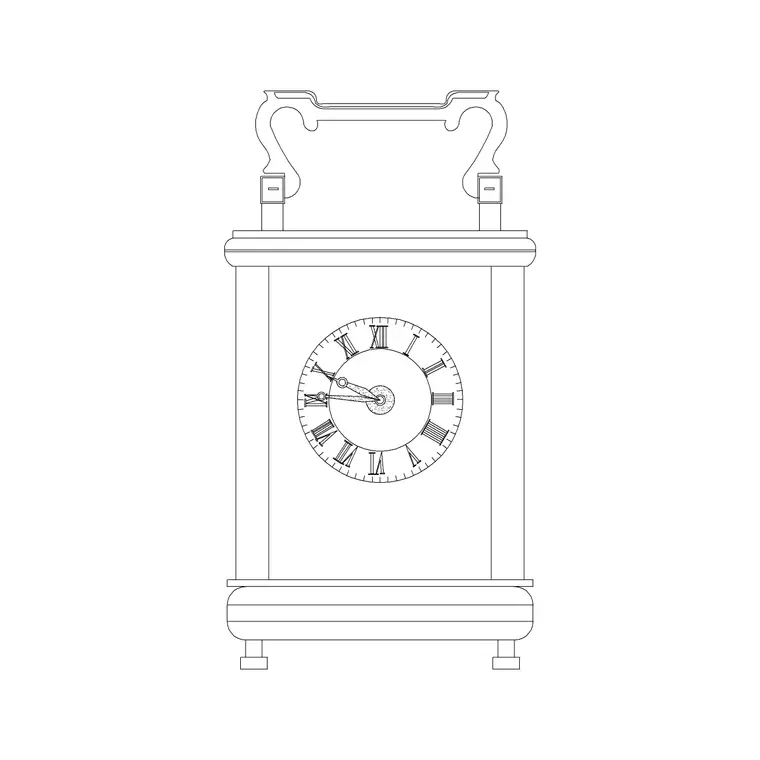
A table clock — the freestanding desk or mantel clock that sits on a surface rather than hanging on a wall — is a neat dressing detail for a desk, a console or a fireplace mantel, and a ready-made table clock CAD block lets you place it without drawing the case and dial each time. This page offers a free table clock CAD block in DWG and DXF, drawn as a small standing clock so it reads correctly on an elevation and marks a footprint in plan. It is free for personal and commercial use, with no signup, watermark or attribution.
Unlike a wall clock, a table clock is a surface object, so it appears both in elevation — on a desk or mantel — and as a small footprint in a plan when you dress a worktop or a bedside table. Because the block is drawn to scale, it sits believably among the other desk and console accessories.
What a table clock block contains
A table clock block is a small standing timepiece: a case with a base or feet so it stands on a surface, a dial face with hands and markers, and often a domed or rectangular surround. The standing form, with its base, is what distinguishes it from a flat wall clock — it has depth and a footprint. The elevation shows the case and dial face-on; the plan shows the small footprint it occupies on a surface.
It is drawn as clean single-layer linework so you can recolour it, copy it, or explode it to adjust the case. As a small block reference it sits naturally among other desk-dressing objects like a pen holder, a lamp or a framed photo.
Views and where each is used
Because a table clock stands on a surface, it earns its keep in both views. The elevation is what you place on an interior elevation or a desk and mantel presentation drawing, where the dial reads face-on as part of the styling. The plan footprint is what you drop onto a furniture layout or a desk plan to mark the object and check it does not crowd the working area of a desk or the run of a mantel.
Many downloads carry both views in one DWG so you can dress an elevation and mark the footprint in plan from a single file, keeping the two consistent.
Typical table clock sizes
Use these as guide ranges. A small desk or bedside table clock commonly sits in the 100–200 mm width and 120–250 mm height band — compact enough to share a surface with other objects. A larger mantel clock for a fireplace or a console can run wider and taller, sometimes 250–400 mm across, where it acts as a centrepiece. The depth — the footprint dimension that matters in plan — is usually modest, in the 50–150 mm range.
The figures to design around are the footprint (width and depth) for the plan and the height for the elevation, so the clock relates sensibly to the surface it stands on without dominating a small desk or looking lost on a wide mantel.
How to insert and scale the table clock
The block is drawn full size in millimetres. In a millimetre drawing, INSERT at scale 1 for real size; in a metre template insert at 0.001; in an imperial drawing set INSUNITS to millimetres so AutoCAD rescales the clock on insertion and you avoid a speck or an oversized case.
For a plan, pick a corner or the centre of the footprint as the insertion point so the clock snaps onto the desk or mantel surface; for an elevation, pick the base so it stands cleanly on the surface line. Because the clock is a single block reference, it copies easily between a styled desk and a mantel, and editing the block definition updates every instance together.
Where table clock blocks are used
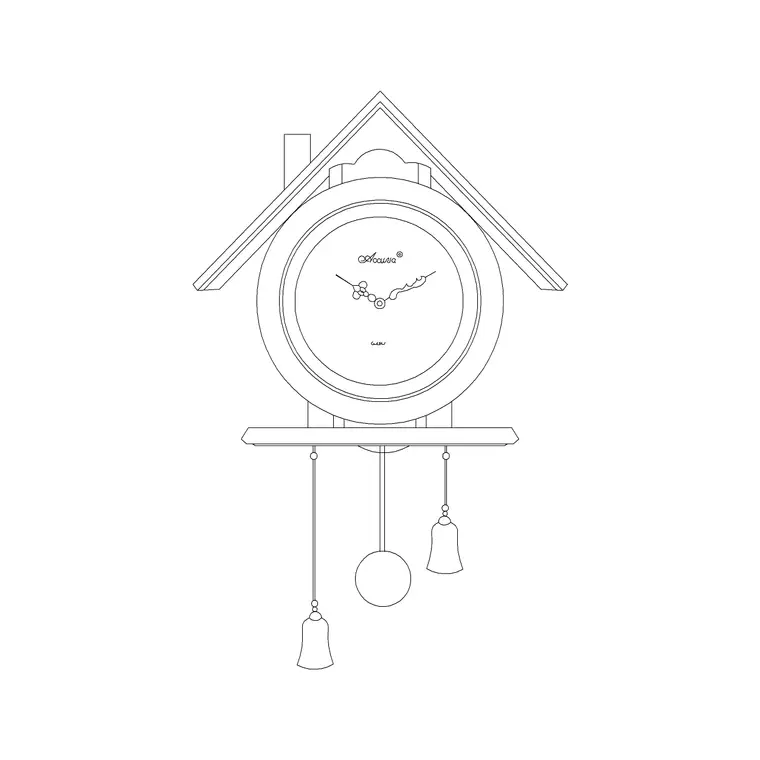
Table clocks appear on office and study desks, bedside tables, fireplace mantels, hotel-room consoles, reception counters and shelf displays. They are part of the small kit of desk and surface accessories that make an interior elevation feel lived-in. Pair the table clock with the round and cuckoo clock blocks in the accessories category when you want to contrast wall and surface timepieces, and with desk pen holder, lamp and framed-art blocks to dress a complete vignette.
Because the file is free and licence-clear, it suits interior student projects, mood boards and concept elevations. The same small block carries from a styling sketch to a finished presentation without being redrawn.
Dressing a surface and keeping it tidy
A table clock works best as one element of a small grouping rather than alone, so place it with a pen holder, a lamp or a framed photo to build a believable desk or mantel scene, and keep the objects in scale with one another. Mind the footprint in plan so the clock does not eat into the working area of a desk.
Keep surface accessories on a dedicated dressing layer so you can freeze them for a clean technical drawing and thaw them for the styled presentation. If several desks in an open-plan office carry the same clock, place one block and copy it, then edit the master definition to update them all at once should the styling change.
Free download
Browse the full library — DWG & DXF, no signup.
Questions
Frequently asked
Is the table clock CAD block free for commercial use?+
Yes. It downloads free in DWG and, where available, DXF, with no signup, watermark or attribution, and is cleared for paid client projects.
Is the table clock a plan or elevation block?+
Both. As a freestanding surface object it appears in elevation on a desk or mantel and as a small footprint in plan on a furniture layout. Many files include both views in one DWG.
What size is a typical table clock?+
Small desk and bedside clocks sit in the 100–200 mm width and 120–250 mm height range, while a mantel centrepiece can run 250–400 mm wide. The depth footprint is usually a modest 50–150 mm.
Will the block open in free DWG viewers?+
Yes. The DWG targets AutoCAD 2004 and later, so it opens in AutoCAD, AutoCAD LT, BricsCAD, DraftSight and free DWG viewers.
Related downloads
Blocks for this guide

Related categories
Related guides
Block landing
Wine Rack CAD Block DWG — Free Download
Download a free wine rack CAD block in DWG and DXF — bottle storage drawn in plan and elevation for kitchens, bars and cellars. AutoCAD 2004+, no signup.
Block landing
Wine Glass CAD Block DWG — Free Download
Download a free wine glass CAD block in DWG and DXF — red and burgundy stemware in elevation and plan for bar and table settings. AutoCAD 2004+, no signup.
Block landing
Cement Planter Pot CAD Block DWG — Free
Download a free cement planter pot CAD block in DWG and DXF — concrete-finish planter drawn in plan and elevation for interiors and terraces. AutoCAD 2004+.