Block landing · stairs symbol cad block
Stairs symbol CAD block in DWG
By Sumana Kumar · Published 2 Jan 2026 · Updated 20 Jan 2026
A stairs symbol is the wayfinding pictogram that directs people to a staircase, used on signage and circulation plans throughout malls, offices, transport hubs and public buildings. This page offers a free stairs symbol CAD block in DWG, drawn as a clean pictogram ready for signage schedules and wayfinding layouts. It is line work only, free for personal and commercial use, with no signup and no watermark.
As with the escalator symbol, this is the signage pictogram for stairs — the graphic that points people to the staircase — not the scaled architectural plan of a stair flight with its treads, risers and going. Used alongside direction arrows and the lift and escalator pictograms, it forms part of the movement signage that helps visitors choose how to change floors. The sections below cover what the block contains, how it differs from a scaled stair plan, and how to size and place it.
What the stairs symbol shows
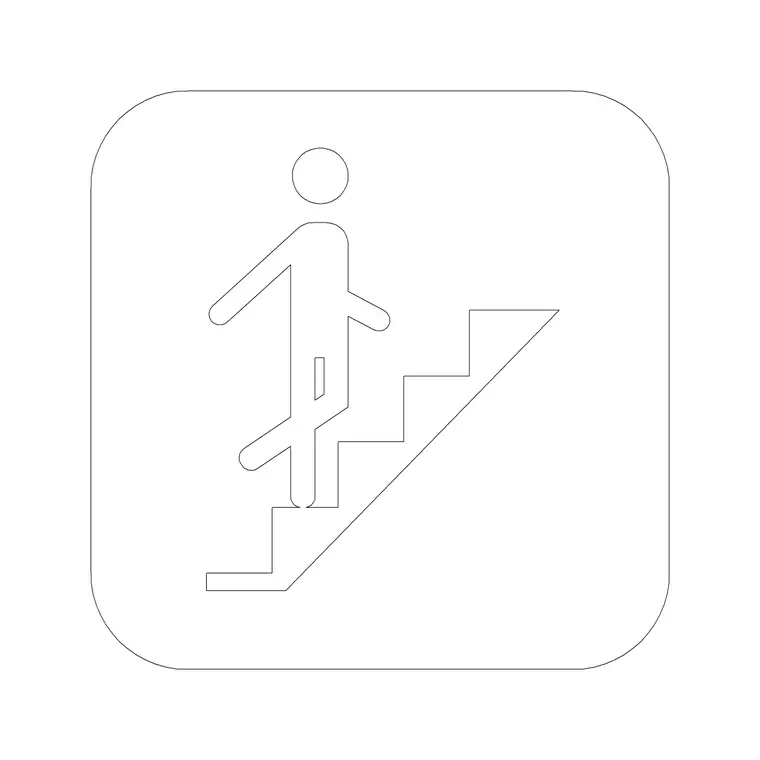
The block is the wayfinding pictogram for stairs — usually a stepped profile, often with a figure climbing it — that signals a staircase. It is drawn as a clean silhouette with its insertion point at the base so it sits squarely in a sign panel or beside a circulation note on the plan. The form is kept recognisable so people read it at a glance.
As a single block it is identical across the whole signage scheme, so every stairs sign in the building shows the same pictogram. That uniformity is what lets a visitor recognise it instantly and follow the stairs signage confidently from floor to floor.
Signage symbol versus scaled stair plan
It helps to keep the scope clear. This pictogram is for signage and wayfinding — it points people to the stairs. It is not the scaled stair plan that an architect draws to show the actual flight: the treads, risers, going, landings and handrails set out to real dimensions and used to check the stair against the building regulations.
When you are designing the building you draw the staircase to scale on the architectural layers; when you are designing the signage that helps people find it, you use this pictogram on the signage layer. The two serve different jobs and belong on different layers.
Sizing the pictogram
As a signage symbol it has no fixed real size — you scale it to the sign or diagram. On a wayfinding plan, size it to read at the plot scale; on a physical signage panel, scale it to the pictogram size the sign calls for, following the project's signage specification and any accessibility guidance on symbol size and contrast.
Keep the stairs pictogram at the same proportion as the escalator and lift symbols so a combined wayfinding sign looks coordinated. As always, set the size deliberately for each context rather than accepting whatever size the block inserts at.
How to insert the block
Run INSERT or drag the DWG from a tool palette, place the insertion point in the sign panel or beside the circulation note, and scale to suit. The pictogram is graphic, so control its size with the insertion scale or a later SCALE command rather than relying on INSUNITS.
Put wayfinding pictograms on a signage layer with the direction arrows and other circulation symbols so they isolate cleanly for a signage drawing. Keeping the stairs, escalator and lift symbols together on a palette lets you assemble a combined wayfinding sign in a few clicks.
Stairs in wayfinding and in escape routes
The stairs pictogram has a foot in two worlds. In everyday wayfinding it directs visitors to a staircase as an alternative to the lift or escalator. In life-safety signage, stairs are often the means of escape, so a stairs symbol may appear alongside fire exit pictograms and escape arrows on an escape-route plan, since lifts are usually not used in a fire.
Being aware of both uses helps you place the symbol correctly. On a wayfinding sign it pairs with the escalator and lift symbols; on an escape-route plan it pairs with the fire exit symbol and direction arrows. Sourcing all of these from one set keeps the graphic language consistent across both kinds of drawing.
Where the stairs symbol is used
You will use the stairs pictogram on wayfinding and signage plans, circulation diagrams, escape-route plans and signage schedules for shopping centres, offices, transport hubs, schools and public buildings — anywhere people move between floors on foot and need directing to the stairs. It belongs to the movement-signage family that makes a multi-storey building navigable.
Architects, interior designers, wayfinding consultants and fire engineers all use it. Because the block is free and licence-clear, it suits everything from an early circulation study to a coordinated wayfinding or life-safety package, with one consistent symbol throughout.
Stairs alongside the lift symbol
On a wayfinding sign the stairs pictogram and the lift pictogram very often appear together, because a visitor choosing how to change floors wants to see both options at once — the stairs for those who can take them and the lift for those who need step-free access. Showing the pair side by side, each with its own direction arrow, lets people pick the route that suits them.
For that pairing to read cleanly, draw the stairs and lift symbols at the same proportion and weight and keep them on the same signage layer. Where a building also has escalators, the three movement symbols form a small set that a visitor learns to scan as a group. Sourcing them from one building-symbols library keeps the trio coherent, which is what an accessible, easy-to-follow wayfinding scheme relies on.
Free download
Browse the full library — DWG & DXF, no signup.
Questions
Frequently asked
Is this a scaled stair plan or a signage symbol?+
It is the wayfinding signage pictogram for stairs — the graphic that points people to the staircase. It is not the scaled architectural stair plan with treads, risers and going drawn to real dimensions.
Is the stairs symbol CAD block free for commercial use?+
Yes. It downloads free in DWG with no signup, no watermark and no attribution requirement, and is cleared for commercial project drawings.
Can I use the stairs symbol on an escape-route plan?+
Yes. Stairs are often the means of escape, so the stairs symbol can appear with fire exit pictograms and escape arrows on an escape-route plan, since lifts are usually not used in a fire.
Will the DWG open in AutoCAD LT and free viewers?+
Yes. The file targets AutoCAD 2004 and later, so it opens in current AutoCAD, AutoCAD LT, BricsCAD, DraftSight and free DWG viewers.
Related downloads
Blocks for this guide
Related categories
Related guides
Block landing
North Arrow Symbol CAD Block — DWG Download
Download a free north arrow symbol CAD block in DWG — a scalable compass-point marker for site plans, floor plans and title blocks. AutoCAD 2004+, no signup.
Block landing
North Mark CAD Block — Free DWG Download
Download a free north mark CAD block in DWG — a compact orientation symbol for plans and title blocks, scalable to any plot scale. AutoCAD 2004+, no signup.
Block landing
North Direction Symbol CAD Block — DWG
Download a free north direction symbol CAD block in DWG — an orientation pointer for plans, showing true north or project north. AutoCAD 2004+, no signup.